Category: Cookbook Design

  • How Many Recipes Should My Cookbook Have?

    How Many Recipes Should My Cookbook Have?

    One question every cookbook editor wants to know is how many recipes should my cookbook have? Too many and printing costs are higher, not enough and the cookbook is not as valuable. What’s a family cookbook editor to do?

    Looking at the thousands of cookbooks we have printed over the past decade, there is no real number of recipes that make up a good cookbook – you have what you have. We have printed cookbooks with just 15 great recipes and as many as 1200! However, that 1200 recipe book was 750 pages – HUGE!

    The average size seems to be around 150 recipes and that is why we use that number in our cost calculator.

    When a great cookbook has less recipes, often the editor includes other content to augment the food offerings. Photos of each dish, a section of family photos, a family tree or family stories about people remembered can really add value to a smaller cookbook.

    Larger cookbooks can be impressive simply by the number of recipes it contains. However, since printing cost is directly related to the number of pages that need to be printed, it is important to be mindful of your design choices when choosing your layout options.

    At the end of the day, your cookbook is exactly that – your cookbook. You need to balance the number and quality of the recipes included with the needs of your family.


    Bill Rice is founder and Co-Publisher of the Great Family Cookbook Project, a website that helps families and individuals collect and share food memories through customized printed cookbooks filled with treasured recipes. Follow us on Facebook and Pinterest!


  • New Recipe Symbols Available

    New Recipe Symbols Available

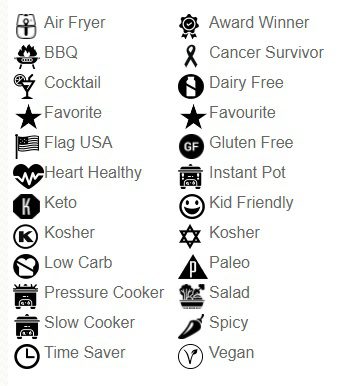
    Back in 2019, Family Cookbook Project introduced add special icons to recipe titles to call special attention to them in a cookbook table of contents. Recipe symbols were a big success and many contributors started using them. Many people also asked us to include additional symbols and that is what we have done. We have added 9 new symbols that are now available:

    • Paleo
    • Vegan
    • Keto
    • Dairy-Free
    • Pressure Cooker
    • Air Fryer
    • Updated Kosher
    • Instant Pot
    • Low Carb

    As the editor you can add these recipe symbols to any recipe right after you have entered the recipe title on the “Add a recipe” page. There is a drop-down menu to select the symbol to be included in that recipe.

    For recipes already added to your cookbook, you can edit that recipe and add a symbol of your choice.

    A key of icons and their meanings used in your cookbook will also appear on the bottom of your table of contents page. If you don’t include a specific symbol, it will not be included in your icon key list.

    This new feature will be available on both the FamilyCookbookProject.com site as well as the CookbookFundraiser.com site.

    Please let us know how you like the new recipe symbols.


    Bill Rice is the Co-Publisher at Family Cookbook Project which helps individuals and fundraising groups create cherished personalized cookbooks using the power of the Internet. Follow us on Facebook and Pinterest.

  • How to Take Great Food Photos for Your Recipes

    How to Take Great Food Photos for Your Recipes

    They say a picture is worth a thousand words and with recipes that is especially true.

    It’s wonderful to read a list of ingredients and see the potential in a recipe, but to look at the finished product can make your mouth water!

    Family Cookbook Project highly recommends adding a photo to every recipe you can in your online cookbook. It helps people to see what to expect when they follow your recipe and gives them a standard to meet when comparing their finished dish to the original.

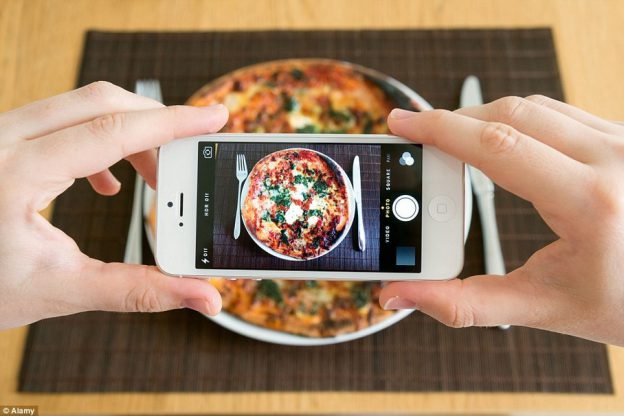
    With the advent of digital camera built into cell phones, you don’t have to be a professional photographer to take good food photos.

    Here are some pointers to help improve your recipe photos:

    Use Natural Light – Make sure that the light is right – shoot the food either next to a bright window or under a pendant light in the restaurant. Don’t use your camera’s flash! Set your dish near a window and turn off any artificial lights that might be on nearby. Try to photograph with the light at your back or to the side of a dish, so that the shadows are to the side or behind it. 

    Hold Still – Taking photos inside, even with ample natural light, often means you have to hold the camera very still to keep it from registering hand shake. If you have a tripod, that’s ideal. If you don’t, you can duplicate the tripod effect by resting your elbows on the table or counter and using them to stabilize the camera. Moving the camera when taking a photo will only lead to blurry unusable photos. 

    Get close to the food! – Don’t stand back three feet and get the food with the stove, the dirty dishes, and all the condiments around it. Move in and get up close and personal, and let the pan…or the plate…or the cutting board fill the frame.  

    Stage the shot – The food isn’t the only thing in the photo. Using plates, silverware and linens in complementary colors can help your dish come alive. Shoot food on a beautiful plate or on a table with texture and character. The more appetizing the ingredients, the better your photo will be. Plates that contain colored vegetables and/or meat, preferably in light-colored sauces, are often the most appealing to the eye in photos. Also Don’t be Afraid of a mess. A few crumbs or a smear of dressing can be beautiful, if you let them. 

    Focus on the food –  If you are using a DSLR, stop down your lens to f/1.8 or f/2.0 that limits your depth of field to one part of the image only, blurring out everything around the subject, simulating a shot taken with a macro lens. If you are using an iPhone, there are apps, such as Camera+ or VSCO Cam, that will create the same effect. Remember, you want the food to be the main focus, not the background. 

    Try different angles –  Get up over the food and shoot straight down on it. When shooting overheads, if appropriate, try filling up the frame with what’s already on the table such as cups, wine glasses, utensils and moving hands. You can also  think in three dimensions, You might not usually serve brownies piled in a vertical column, but stacking any flat food, like pancakes, cookies, or even onion rings, is a great way to show off texture and make the photo more appealing. You can also add dimension to your food photos by showing the dish right after the that first bite is taken, or the second and third. These are little details that make a viewer feel like they’ve sat down and are enjoying the meal. 

    Get Close to Ugly Foods  – Some foods, no matter how good they taste, just don’t make good photos. But the closer you get to your subject, the more the visual story becomes about texture and color, rather than pure mouth-watering beauty.Avoid foods that are white and gloppy, such as congealed gravy on white pasty mashed potatoes. 

    Size Matters –  Make sure your camera settings are set for a good sized photo. Small photos look blurry when they are enlarged on line. A photo viewed online only has to be 72 dpi (dots per inch, the measure for quality), but if you are going to print your photo, you want it to be at least 300 dpi. 600 pixels wide (a measurement for size) is a good target for minimum photo size.

    Using other’s photos – It is important to note that the Internet makes it easy to find photos of recipes already taken. While this might be much easier, the photo still is the property of whomever holds the rights. Don’t always assume that because a photo is on the Internet you can simply use it for your recipe. Make sure you ask permission from the owner before you use it.


    Bill Rice takes more than 20,000 photos a year and is Co-Publisher of the Great Family Cookbook Project Project, a website that helps families and individuals collect and share food memories. Follow us on Facebook and Pinterest!
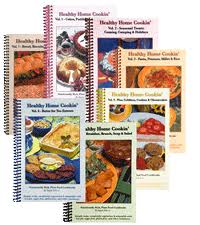
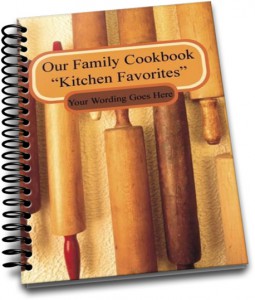
  • A fun Idea For Your Family Reunion Cookbook

    A fun Idea For Your Family Reunion Cookbook


    Family reunions are a great opportunity to create a family cookbook and get lots of people to participate. A family reunion cookbook motivates family members to communicate before the event and helps get everyone excited!

    We have hundred’s of family reunion cookbooks under our belts and we’d love to work on yours. Our site is perfect for communicating with larger groups of family members via email and keeping everyone motivated.

    Here is a fun idea for your Family Reunion Cookbook – a family directory section!

    Here’s how to do it:

    • Start by creating a custom recipe category entitled “Family Members”.
    • Next, add your family member’s names and email addresses into the invitation tool so you can invite them to participate and directly add recipes and bios to your cookbook account.
    • Next ask everyone to use the add a recipe tool and have them enter their name as the title of the recipe, Their photo as the recipe photo and their bio as the personal notes. They can leave everything else blank and all of the bios will be together in one section in the back of the book.

    You might want to also include a family tree so everyone knows how each other is related.

    The other way to create a family directory would be to have everyone email you their info and photo and you create custom pages for each one.

    Family members can even pick up the cookbooks at the reunion!


    Bill Rice is founder and Co-Publisher of the Great Family Cookbook Project, a website that helps families and individuals collect and share food memories through customized printed cookbooks filled with treasured recipes. Follow us on Facebook and Pinterest!

  • New Color Dividers Now Available

    New Color Dividers Now Available

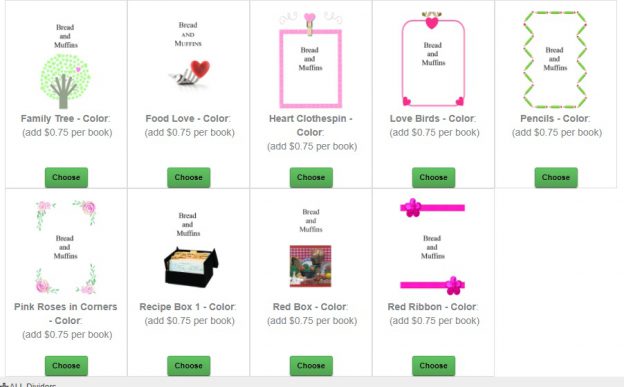
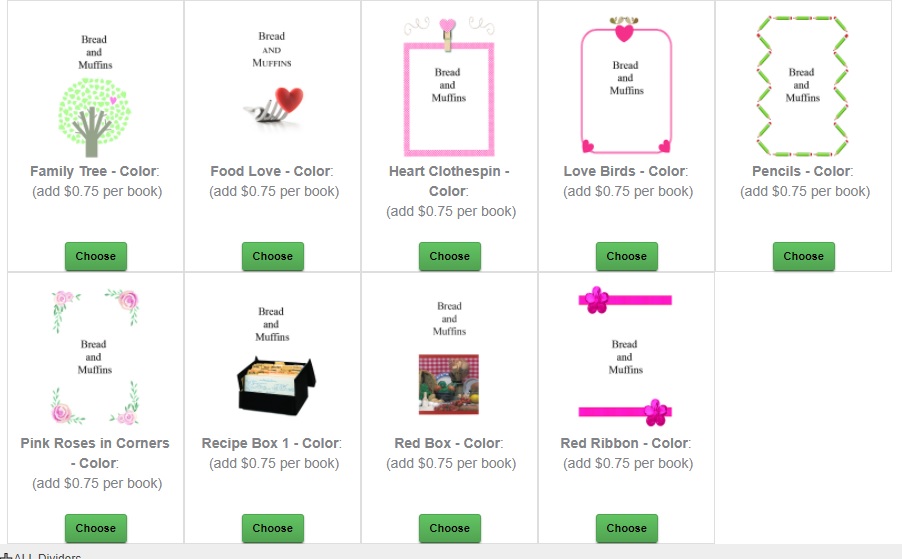
    FamilyCookbookProject.com is please to announce the availability of color dividers for your cookbook, many of which match existing full color cookbook covers already available.

    We noticed a trend that more and more people were adding color photos to their category dividers or uploading custom full color dividers foe their cookbooks so we thought editors would be interested in having full color options as well as the existing black and white divider options.

    Since the color dividers will use color ink, the cost for those pages will increase the cost of your cookbook by $0.75 each cookbook.

    To see the new color divider options, Click on the Divider Tool link in your Editor’s Design Center.

  • 2020 Cookbook Printing Deadlines For The Holidays

    Giving the gift of a beautiful personalized family cookbook is something that many, many of our cookbook editors are looking forward this holiday season. As such, this is by far the busiest time for printing your cookbook.

    Here are some deadlines to know about to make sure you have your cookbook print orders in hand when you want them:

    • Thanksgiving: Sunday, November 1st
    • Christmas: Monday, November 30th

    So now is the time to contact all of your contributors with your Reminder Tool and tell them to enter their recipes now before it is too late. We recommend using a recipe submission deadline a couple weeks ahead of your deadline. So for Thanksgiving, give your helpers a deadline of October 15th in order to give you time to review the recipes, make sure all of the extra spaces are removed and words are spelled correctly, and still have time to place your order before the printing deadline.

    And don’t feel you need to wait for the absolute deadline to submit your order either, those days and extremely busy and cookbooks are printed on a first come, first served basis. So the earlier your cookbook order is placed, the sooner you will have your cookbooks in hand.

    Family cookbooks make wonderful gifts for family and friends alike. The effort you put into your cookbook now will pay off for your entire family for years to come.

  • How To Create a Mini Cookbook

    Do you have a lot of recipes of a specific type? Maybe you love to make cookies or pies or cakes. You can create a “mini cookbook” to organize your recipes and even share with family and friends.

    With a few as 10 recipes, you can create a single category cookbook or multiple categories within a theme.

    For example, as the bartender for our family I am often asked what cocktails I can make. I show them my “Fabulous Family Cocktails” – a cookbook of 27 beverage recipes and let then choose what I can make for them.

    Around the holidays our “Family Cookie Recipes” cookbook comes in real handy when getting ready for a cookie swap!

    Next, I plan on creating a BBQ mini cookbook and giving it out as gifts for Christmas to my friends and family.

    To create you own mini cookbook, go to the Production Center on your editor page and select “more cookbooks”. Here you can create your own mini cookbook and even import your recipes from your main cookbook using our recipe transfer tool.


    Bill Rice is founder and Co-Publisher of the Great Family Cookbook Project, a website that helps families and individuals collect and share food memories through customized printed cookbooks filled with treasured recipes. Follow us on Facebook and Pinterest!

  • How to Create a Multi-Part Recipe

    How to Create a Multi-Part Recipe

    Have you ever had a cake recipe that really needed a specific frosting? Or a meat recipe that required a special sauce? Wouldn’t it be great if a a recipe could have sub recipes attached to keep them together?

    Many of our editors have asked for the ability to have multiple sections or steps in recipes. We like to listen and have added it! Now you can have up to 5 “sub” recipes or steps within a recipe, each with its own set of ingredients and directions. Example? You have Carrot Cake and you want a section for the “Cake” with its ingredients and directions, then “Cream Cheese Frosting” with another set of ingredients and directions.

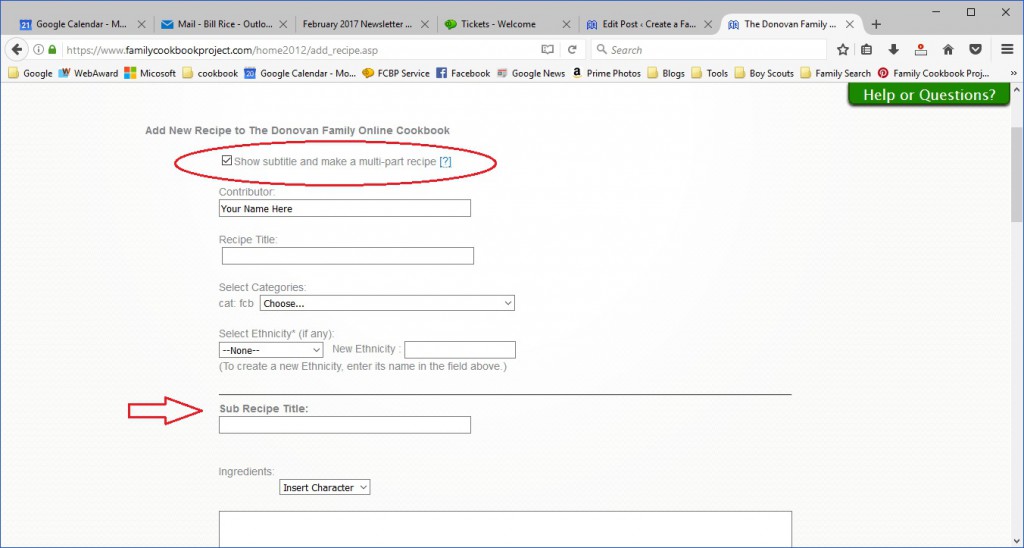
    To use this feature, simply go to Add Recipe or Edit an existing recipe. First check the box for “Show subtitle and make a multi-part recipe” right under the contributor field. This will add a field for sub-recipe title.

    Using our example above, here is where you would add your carrot cake ingredients and directions.

    Next, click on the green button to “Add new sub recipe”. This will add fields for a second set of sub recipe title, ingredients and directions for your Cream Cheese Frosting.

    You can add up to five sub recipes for your overall recipe.

    When you are done, make sure to click on the green button on the bottom of the page to save your recipe before moving on to your next recipe.


    Bill Rice is founder and Co-Publisher of the Great Family Cookbook Project, a website that helps families and individuals collect and share food memories through customized printed cookbooks filled with treasured recipes. Follow us on Facebook and Pinterest!

  • Why Blank Pages are Needed in a Family Cookbook

    One of the questions we get a lot as Cookbook Publishers is “how do I remove the blank pages in my cookbook?”

    It seems that when people preview their family cookbook on FamilyCookbookProject.com, they see the cover, then a blank page, then the title page, then another blank page, and so on. They want those blank pages eliminated to lower the cost of printing.

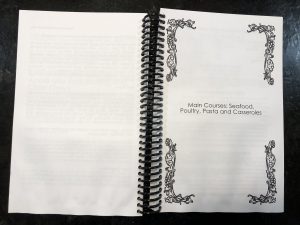
    In publishing, especially cookbook publishing, a cookbook needs to be laid out in a specific way in order for the most important pages to be on the right side when the book is opened. Think about it, Whenever you open a book, the title page is the first thing you see and it is always on the right page of a two page spread. Same goes for the Introduction, Table of Contents and the section dividers.

    On FamilyCookbookProject.com, if you create a preview cookbook PDF, you want to open it in your Adobe Reader program and select the option to view “Facing Pages” or “Double-up” (look under the View menu), you’ll see how the pages back up to each other.

    Now with that said, there is no reason why those pages have to be blank. The inside front cover can have a family photo photo or bio of the cookbook editor. The same goes for other blank pages as well. If your introduction is one page and after it is a blank page, consider writing more, adding a photo or even making the text larger to fill up that extra space.

    One benefit form using FamilyCookbookProject.com is that we provide a complete set of handy kitchen information that can be used on the back of the recipe category dividers with the touch of a button.

    Bill Rice is founder and Co-Publisher of the Great Family Cookbook Project, a website that helps families and individuals collect and share food memories through customized printed cookbooks filled with treasured recipes. Follow us on Facebook and Pinterest!

  • Using Custom Recipe Layouts in a Family Cookbook Project

    One of the things that we are most proud of at FamilyCookbookProject.com is the ability to give complete control of every aspect of making a cookbook to the project’s editor. We provide professionally designed options that are perfect for most people, but some have visions of something different.

    We have already covered creating custom categories and custom cookbook cover or recipe category dividers. This article will cover creating a custom cookbook recipe layouts.

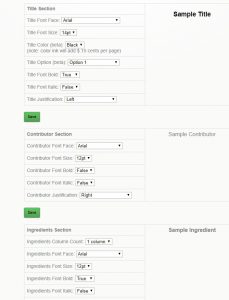
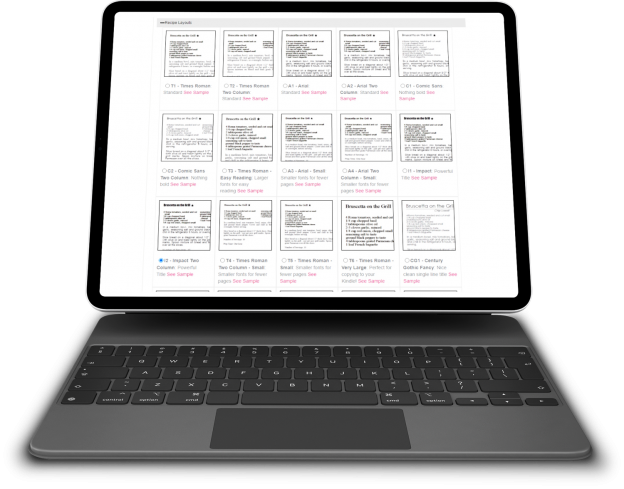
    FamilyCookbookProject.com currently offers 19 pre-set recipe layouts that set three aspects of your recipes that are perfect for most editors:

    • Font type
    • Font size
    • Number of columns for ingredients

    However if you want something different, that is where custom Layouts come in. You can control each section independently – title, contributor name, ingredients, directions and personal notes.

    In addition to the font type, size and columns above, you also can control:

    • Bold text
    • Italic text
    • Justification of text
    • Label of the Comments Field

    This option is not for someone who does not have strong computer skills, but it can be very effective in displaying your recipes exactly how you wish them displayed.


    Bill Rice is founder and Co-Publisher of the Great Family Cookbook Project, a website that helps families and individuals collect and share food memories through customized printed cookbooks filled with treasured recipes. Follow us on Facebook and Pinterest!