Category: Cookbook Design

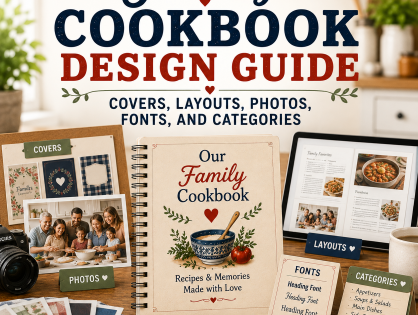
  • Family Cookbook Design Guide: Covers, Layouts, Photos, Fonts, and Categories

    Family Cookbook Design Guide: Covers, Layouts, Photos, Fonts, and Categories

    A family cookbook should be beautiful, personal, and easy to use. Good cookbook design is not about making every page complicated. It is about helping recipes look clear, organized, readable, and inviting while still reflecting the personality of your family.

    The most important design choices include your cover, title, recipe categories, dividers, page layout, typefaces, photos, table of contents, and recipe formatting. These choices help readers find recipes quickly and make the finished cookbook feel like a keepsake.

    Family Cookbook Project gives editors access to professionally designed covers and layouts, while also allowing custom options for families who want more control. That combination is important: users can create something polished without needing professional design skills.

    Quick Answer: To design a family cookbook, choose a cover that matches the cookbook’s purpose, write a meaningful title, organize recipes into clear categories, select readable fonts, use a consistent recipe layout, add photos that support the story, review the full book before printing, and consider how design choices affect page count and cost.

    Choose a Cookbook Cover That Tells the Story

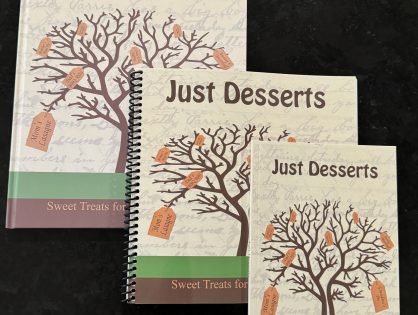
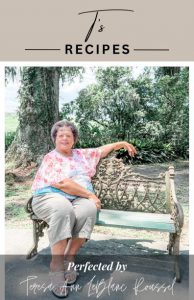
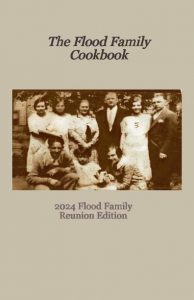
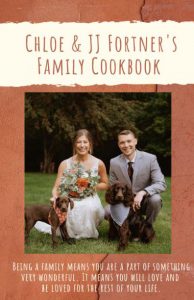
    The cover is the first thing people see, so it should match the purpose of the cookbook. A heritage cookbook might use a family tree design, an old family photo, or a collage. A BBQ cookbook might use grilling imagery. A wedding cookbook might feature the couple.

    Take a look at Customizing Your Family Cookbook Cover, which explains how editors can use professionally designed options or create a more personalized custom cover and Family Cookbook Project Introduces New Cover Editing Tool, which explains how editors can adjust cover text, fonts, and photo placement using the Cover Arranger Tool.

    For a broader design-thinking article, review Judging a Cookbook By Its Cover.

    Write a Meaningful Cookbook Title

    A strong title helps define the cookbook’s purpose. Titles can be practical, emotional, funny, or family-specific. Examples include “Recipes from Our Family Tree,” “Grandma’s Kitchen,” “The Johnson Family Cookbook,” or “Three Generations at the Table.”

    For themed cookbook inspiration, check out Turn Local Flavor Into a Legacy: Create a Regional Cookbook for Family and Friends, Grill Master’s Guide: Why Every BBQ Enthusiast Needs Their Own Cookbook, and Sweet Success: How to Create and Share Your Favorite Dessert Recipes.

    Use Recipe Categories That Make Sense

    Categories are the backbone of a usable cookbook. Default categories work well for many families, but custom categories help make the cookbook more personal.

    Learn more at Customizing Your Family Cookbook Recipe Categories, which explains that Family Cookbook Project provides basic categories but also allows editors to create custom categories for dessert cookbooks, family-member sections, or other specialty formats and also Organizing Your Recipes in Your Family Cookbook, which should become one of the core support articles for this entire design pillar.

    Choose a Readable Recipe Layout

    Recipe layout affects how easy the cookbook is to use in the kitchen. The layout controls title style, ingredient formatting, directions, comments, columns, and photo placement. Keep readability first. Decorative fonts can be attractive, but ingredients and directions should be easy to read while cooking.

    See Recipe Layout Tool Upgrade on FamilyCookbookProject.com, which explains that the recipe layout tool controls the size and font of titles, ingredients, directions, comments, columns, and photo placement.

    For info on our newest layout, see Side-by-Side Recipe Layout Now Available, which explains the layout option that places ingredients and directions beside each other.

    Select Fonts and Typefaces Carefully

    Fonts help set the personality of the cookbook, but they should never get in the way of readability. Use decorative fonts sparingly for titles or section headings, and choose clear fonts for ingredients and directions.

    See 5 New Typefaces Available for Recipe Layouts in this section, and Recipe Layout Tool Upgrade on FamilyCookbookProject.com.

    Add Photos With Purpose

    Photos make a cookbook more personal and visually interesting. Use finished dish photos, family photos, old kitchen photos, reunion photos, wedding photos, and scanned recipe cards. Photos should support the story of the cookbook, not simply fill space.

    For heritage cookbooks, see Genealogy and Culinary Heritage: Creating a Family Cookbook for Future Generations. For recipe-card preservation, see How Family Recipes Help Genealogists Bring Ancestors to Life.

    For examples of event cookbooks, see How To Make A Bridal Shower Cookbook.

    Review the Full Cookbook Before Printing

    Before printing, review the cookbook as a complete book. Look for inconsistent formatting, missing photos, category issues, blank pages, recipes that run too long, and readability problems.

    Learn more at How To Get Your Cookbook Ready To Print, Removing Blank Pages From Your Family Cookbook, and Why Your Cookbook Needs Blank Pages.

    Design Choices Can Also Affect Printing Cost

    Design is not just about appearance. Layout choices can affect page count and printing cost. Large fonts, extra spacing, photos, and recipe length can increase page count.

    Check out How Much Does Printing a Family Cookbook Cost? and Pro Tip: Space Saving Options To Lower Printing Cost, which explains that page count is one of the largest factors in final printing cost.

    Common Family Cookbook Design Mistakes to Avoid

    • Choosing a cover that does not match the cookbook theme.
    • Using decorative fonts for ingredients or directions.
    • Creating too many recipe categories.
    • Using photos that are too dark, blurry, or unrelated.
    • Forgetting to preview the full cookbook before printing.
    • Making recipe titles inconsistent.
    • Using large fonts or extra spacing without realizing it can increase page count.
    • Forgetting that a cookbook needs to be easy to use while cooking.

    You do not need to be a designer to create a beautiful family cookbook. Choose a cover, organize your recipes, add photos, and let Family Cookbook Project help turn your recipes into a polished printed book.

    Bill Rice is Founder and Co-Publisher of the Family Cookbook Project, the leading online cookbook publisher with a website that helps families and individuals collect, preserve and share food memories by creating their own printed custom cookbooks. He is the author of The Wellfleet Oyster Cookbook and the Cape Cod Cocktail Cookbook (Available on Amazon), both created using FamilyCookbookProject.com. He is also editor of the Donovan Family Cookbook, now its third printing and is an avid genealogist tracing his family back to the 1600’s.

    Follow Family Cookbook Project on Facebook, Instagram, Twitter TikTok, YouTube and Pinterest!

    Frequently Asked Questions About Family Cookbook Design

    How do I design a family cookbook?
    Start by choosing a meaningful cover, writing a clear title, organizing recipes into categories, selecting readable fonts, choosing a consistent recipe layout, adding photos, and reviewing the full cookbook before printing.

    What should be on the cover of a family cookbook?
    A family cookbook cover can include a family photo, old recipe card, family tree, favorite dish, reunion photo, wedding image, or design that matches the cookbook’s theme.

    What are the best fonts for a cookbook?
    The best cookbook fonts are easy to read. Decorative fonts can work for titles or section headings, but ingredients and directions should use clear fonts that are readable while cooking.

    How should recipes be organized in a family cookbook?
    Most family cookbooks organize recipes by category, such as appetizers, main dishes, side dishes, desserts, breakfast, holidays, or family favorites. Some cookbooks organize recipes by contributor, family branch, or special event.

    Should a family cookbook include photos?
    Yes. Photos can make a cookbook more personal, especially when they show finished dishes, family gatherings, old kitchens, recipe cards, or relatives connected to the recipes.

    How does cookbook design affect printing cost?
    Design choices such as font size, spacing, photo placement, and recipe layout can affect page count. Since page count influences printing cost, it is helpful to review the layout before ordering.

  • Anniversary Cookbook – A Gift Featuring Recipes from Throughout a Couple’s Relationship

    Anniversary Cookbook – A Gift Featuring Recipes from Throughout a Couple’s Relationship

    Milestone anniversaries are moments of reflection, celebration, and cherished memories. What better way to honor a couple’s journey than with a custom Anniversary Cookbook that features the recipes and meals that have shaped their lives together? By compiling recipes that have been enjoyed throughout the relationship, you create a gift that reflects the couple’s love, growth, and the many shared meals that have brought them closer.

    In this guide, we’ll explore how to create a meaningful anniversary cookbook that celebrates milestone anniversaries, offers a walk through time via food, and becomes a treasured keepsake.

    Gather Recipes from Different Stages of the Relationship

    An anniversary cookbook should reflect the evolution of a couple’s journey together, and recipes are a perfect way to capture key moments. Begin by identifying significant times in the couple’s relationship and the meals that were enjoyed during those periods. Here are some ideas for stages of the relationship to highlight:

    • First Meals Together: Include the first meal they cooked as a couple or the recipe they enjoyed on their first date. This could be a simple pasta dish or a special meal that left a lasting impression.
    • Engagement or Wedding Reception Dishes: If the couple had a memorable engagement dinner or served a special dish at their wedding, include those recipes in the cookbook. You could even feature the wedding cake recipe or a dish from their honeymoon.
    • Family Favorites: Highlight recipes that became family favorites over the years, especially those that the couple regularly made for family dinners or gatherings with friends.
    • Holiday Traditions: Include recipes that have been part of their holiday celebrations, such as Christmas cookies, Thanksgiving turkey, or New Year’s Eve appetizers.
    • Anniversary Dishes: Feature any dishes the couple has made a tradition of cooking for each anniversary. Whether it’s a romantic dinner for two or a family celebration, these meals hold special meaning and deserve a place in the cookbook.

    By organizing recipes according to different stages of the couple’s relationship, you create a cookbook that not only captures their favorite meals but also tells the story of their life togethe

    Involve Family and Friends

    While the anniversary cookbook focuses on the couple, involving family and friends can add extra layers of meaning. Ask close relatives or friends to contribute their favorite recipes associated with the couple, along with any memories or stories related to those dishes.

    For example:

    • A friend might remember the couple hosting an annual summer barbecue and could contribute the recipe for their famous grilled chicken.
    • A sibling might recall a particular dish that the couple always made for family gatherings, offering up their take on it.

    Incorporating these contributions not only adds variety to the cookbook but also celebrates the couple’s broader circle of loved ones, highlighting the meals and moments shared with others over the years.

    Pair Recipes with Personal Stories and Memories

    What makes an anniversary cookbook special isn’t just the recipes—it’s the stories behind them. Encourage the couple (or the family members helping to create the book) to share the stories tied to each dish.

    For example:

    • The First Dinner Date: “This spaghetti recipe was the first meal we ever had together, cooked in a tiny apartment kitchen. It wasn’t perfect, but it was delicious because we made it together.”
    • A Special Vacation Meal: “This seafood paella reminds us of our honeymoon in Spain, where we first tasted it at a seaside restaurant. Every time we make it, we’re transported back to that magical time.”
    • Family Celebrations: “For every anniversary, we’ve made this chocolate soufflé, celebrating another year of love and growth.”

    These personal notes give the cookbook emotional depth and help future generations understand the significance behind the recipes. The combination of food and memories makes the cookbook more than just a collection of dishes—it becomes a chronicle of the couple’s journey.

    Include Photos of the Couple and the Dishes

    To further enhance the anniversary cookbook, incorporate photos that document the couple’s relationship and their connection to the recipes. Here are some ideas for photos to include:

    • Early Days Together: Include photos from the couple’s early days, such as when they first started dating or photos from their engagement.
    • Wedding Photos: A wedding photo or an image of the couple cutting their wedding cake would be a beautiful addition to the cookbook.
    • Family Gatherings and Celebrations: If there are photos of the couple enjoying the meals that appear in the cookbook, such as family dinners or holiday gatherings, include those to create a sense of continuity.
    • Recent Photos: Highlight more recent photos of the couple enjoying life together, celebrating their milestone anniversary, or cooking a meal featured in the cookbook.
    • Dish Photos: Whenever possible, include images of the completed dishes. If the couple or family has photos of the food from previous gatherings, use those. If not, consider recreating the dishes and photographing them for the cookbook.

    Photos help bring the cookbook to life and make it more engaging. They also provide future generations with a visual record of the couple’s story and their shared culinary traditions.

    Organize the Cookbook by Themes or Milestones

    To create a cohesive anniversary cookbook, it’s important to organize the recipes in a way that flows naturally. Consider using key themes or milestones in the couple’s life as section dividers. Here are some ideas:

    • The Early Years: Recipes from the first few years of their relationship, including the first meals they cooked together or enjoyed on dates.
    • Holiday and Special Occasion Recipes: Dishes that have become part of their holiday or special occasion traditions, like Christmas dinners or anniversary desserts.
    • Family Favorites: Recipes that have been passed down through the family or have become staples in their home, including dishes their children or extended family love.
    • Celebration Meals: Meals that they’ve prepared for anniversaries, birthdays, or other major life events.

    Dividing the cookbook into these sections helps tell the story of the couple’s relationship in a structured way, guiding readers through their journey and the special meals that have shaped their life together.

    Add Dedication Pages and Personal Messages

    An anniversary cookbook is a heartfelt gift, so be sure to include a special dedication page. Whether it’s from the children of the couple, a close friend, or one of the spouses, the dedication can set the tone for the cookbook and express love and appreciation for the couple.

    Consider including:

    • A heartfelt note explaining why the cookbook was created and how it reflects the couple’s journey.
    • A message from the couple themselves, reflecting on the recipes, meals, and moments they’ve shared throughout their relationship.
    • Contributions from family and friends who may want to share a message of congratulations or memories of special meals.

    This personal touch helps the cookbook feel more intimate and meaningful.

    Include Anniversary and Milestone Traditions

    A cookbook focused on a couple’s relationship offers a perfect opportunity to highlight anniversary traditions. You could include:

    • Anniversary Dinner Recipes: The meals that the couple makes each year to celebrate their love, whether it’s a fancy dinner at home or a simple, meaningful dish.
    • Special Toasts or Drinks: If the couple has a tradition of toasting with a specific cocktail or wine on their anniversary, include that recipe along with the story behind it.
    • Milestone Memories: For each milestone anniversary (5 years, 10 years, etc.), include a recipe tied to how they celebrated that particular year. For example, a recipe from the restaurant they visited or a dish they cooked to commemorate the day.

    Including these traditions helps emphasize how food has played a central role in their celebrations and milestones over the years.

    Create a Beautiful Presentation

    The final step in creating an anniversary cookbook is presenting it in a way that reflects its significance. Use high-quality paper and a professional binding to create a polished look. FamilyCookbookProject.com offers custom covers, which allows you to add photos or design elements that resonate with the couple.

    Consider gifting the cookbook in a beautiful box or alongside other anniversary gifts, such as custom cooking utensils, personalized aprons, or a set of special wine glasses that can be used in future celebrations.

    An Anniversary Cookbook is a unique, personal, and deeply meaningful gift that celebrates a couple’s milestone anniversary by capturing the essence of their relationship through food. By gathering recipes that reflect key moments in their life, adding personal stories, and including photos and memories, you create a cookbook that not only serves as a practical guide but also a lasting tribute to their love. This keepsake will be cherished for generations, preserving both their culinary traditions and the special memories they’ve created together.


    Bill Rice is Founder and Co-Publisher of the Family Cookbook Project, the leading online cookbook publisher with a website that helps families and individuals collect, preserve and share food memories by creating their own printed custom cookbooks. He is the author of The Wellfleet Oyster Cookbook and the Cape Cod Cocktail Cookbook (Available on Amazon), both created using FamilyCookbookProject.com. He is also editor of the Donovan Family Cookbook, now it’s third printing and is an avid genealogist tracing his family back to the 1600’s.

    Follow Family Cookbook Project on Facebook, Instagram, Twitter TikTok, YouTube and Pinterest!

  • Genealogy and Culinary Heritage: Creating a Family Cookbook for Future Generations

    Genealogy and Culinary Heritage: Creating a Family Cookbook for Future Generations

    In the era of digital documentation and instant sharing, there’s something uniquely sentimental about handwritten recipe cards, passed down through generations. These little cards, often tucked away in old recipe boxes, carry with them the flavors and memories of family gatherings, holidays, and everyday meals that have shaped our lives. Yet, as precious as these recipe boxes are, they are often fragile, difficult to share, and at risk of being lost over time. This is where the modern family cookbook steps in, offering a beautiful and durable way to preserve and share your family’s culinary heritage.

    an old recipe box replaced by Family cookbookThe Sentimental Value of Recipe Boxes

    For many families, the recipe box is a treasure trove of history. Each card, with its aged paper and distinctive handwriting, tells a story. Perhaps it’s a grandmother’s secret cookie recipe, a father’s special barbecue sauce, or an aunt’s famous casserole. These recipes are more than just instructions for preparing food; they are memories captured in ink, representing the love and care that went into each dish.

    Recipe boxes, however, pose several challenges. They are typically held by one family member, making it difficult for others to access these cherished recipes. The cards can become worn, torn, or faded with age, and the handwriting, while beautiful, can sometimes be difficult to decipher. Despite their sentimental value, recipe boxes are not always practical for preserving and sharing family recipes with a larger audience.

    The Evolution to Family Cookbooks

    To address these challenges, many families are turning to the idea of creating family cookbooks. A family cookbook is a professionally bound collection of recipes that not only preserves the culinary traditions of a family but also makes them accessible to all family members. This modern approach offers numerous benefits:

    1. Durability: Unlike fragile recipe cards, a bound cookbook is sturdy and long-lasting. It can be easily stored and handled without the risk of damaging the original recipes.
    2. Accessibility: A family cookbook can be printed in multiple copies, ensuring that every family member has access to the treasured recipes. This is especially important for geographically diverse families.
    3. Organization: Cookbooks allow for a structured presentation of recipes, often including sections for appetizers, main courses, desserts, and more. This organization makes it easier to find and use the recipes.
    4. Personalization: Modern family cookbooks can include not only recipes but also photos, stories, and anecdotes that bring the recipes to life. Scanned copies of the original handwritten cards can be included, preserving the unique handwriting and personal notes of past generations.

    Creating Your Family Cookbook

    Creating a family cookbook may seem like a daunting task, but with the right tools and resources, it can be a rewarding and enjoyable project. Websites like RecipeCardCookbook.com are specifically designed to help families turn their historic recipe cards into beautifully bound cookbooks. Here’s how you can get started:

    1. Gather the Recipes: Begin by collecting all the family recipes you want to include in the cookbook. This might involve reaching out to various family members to ensure you have a comprehensive collection. Look for handwritten recipe cards, printed recipes, and even digital files.
    2. Scan and Upload: To preserve the original handwriting and notes, scan the handwritten recipe cards. These scanned images can then be uploaded to Family Cookbook Project. This step ensures that the unique character and history of each recipe are maintained.
    3. Organize the Content: Decide how you want to organize your cookbook. You might group recipes by category (e.g., appetizers, main courses, desserts) or by family member. Include sections for family stories, photos, and anecdotes that provide context and enrich the cookbook.
    4. Design and Customize: Use the website’s templates and design tools to customize the look and feel of your cookbook. Choose a cover design, layout, and fonts that reflect your family’s style and traditions. Make sure the title, such as “Recipes from Our Family Tree,” is prominently displayed on the cover.
    5. Proofread and Edit: Before finalizing the cookbook, carefully proofread all the content to ensure accuracy. Check the recipes, photos, and stories for any errors or omissions.
    6. Print and Share: Once you are satisfied with the design, order printed copies of the cookbook. These can be distributed to family members as gifts, ensuring that everyone has a copy of the family’s culinary heritage.

    The Impact of a Family Cookbook

    Creating a family cookbook is more than just a way to preserve recipes; it is a way to celebrate and honor your family’s history. It provides a tangible connection to the past, allowing future generations to experience the flavors and traditions that have shaped your family. Each time a family member opens the cookbook to prepare a dish, they are not just following a recipe; they are continuing a legacy.

    A family cookbook also fosters a sense of connection and continuity among family members. It is a collaborative project that brings the family together, even if they are geographically dispersed. By contributing recipes, photos, and stories, each family member plays a role in preserving and sharing the family’s culinary heritage.

    From fragile recipe boxes to beautifully bound cookbooks, the evolution of preserving family recipes is a journey that honors the past while embracing the future. By turning historic recipe cards into a professionally bound family cookbook, you ensure that the culinary traditions and memories of your family are preserved and celebrated for generations to come.

    At Family Cookbook Project, we are dedicated to helping families create these treasured heirlooms. Our user-friendly platform makes it easy to gather, organize, and print your family recipes, resulting in a cookbook that is both beautiful and functional. Start your family cookbook project today and share your family’s culinary heritage with loved ones near and far.


    Bill Rice is Founder and Co-Publisher of the Family Cookbook Project, a website that helps families and individuals collect, preserve and share food memories by creating their own printed personal cookbooks. He is the author of The Wellfleet Oyster Cookbook and the Cape Cod Cocktail Cookbook (Available on Amazon), both created using FamilyCookbookProject.com. He is also editor of the Donovan Family Cookbook, now it’s third printing and is an avid genealogist tracing his family back to the 1600’s.

    Follow Family Cookbook Project on Facebook, Instagram, Twitter and Pinterest!

  • Pro Tip: Recipe layouts side-by-side columns

    Pro Tip: Recipe layouts side-by-side columns

    By default, recipe layouts have ingredients in 1 or 2 columns above/before directions.  You can also choose to have ingredients and directions side-by-side.  You can choose this option under Layout & Design>Select Recipe Layout. There are pre-set layouts that offer this layout type, for example see T7 and T8 Times Roman.  T7 has ingredients in the left column and directions on the right.  T8 is the other way around, ingredients on right, directions on left.  You can also add this to any custom recipe layout you may have created.
    If you like one of our pre-set layouts that doesn’t have this feature, you can also set any layout in this fashion by using the override setting under Long form recipe options in Recipe Layouts.

    Watch this video for a quick tutorial:

    https://www.youtube.com/watch?v=9Fq2NAjgk8A

  • New Cookbook Cover Options Added to FamilyCookbookProject.com

    New Cookbook Cover Options Added to FamilyCookbookProject.com

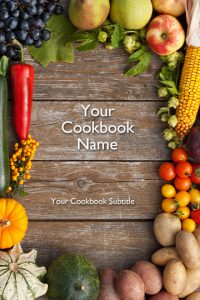
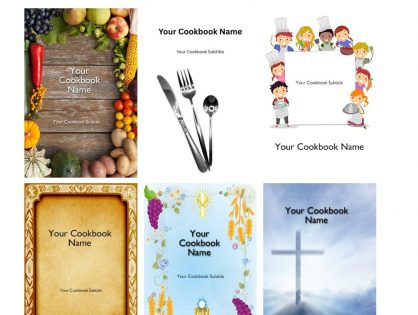
    We are constantly working to improve the offerings to our editors making their own personal cookbooks on FamilyCookbookProject.com. Here are a number of new cover options that will be fond in the cover design center:

    Dinnerware
    Kid Chefs
    Garden Harvest 1


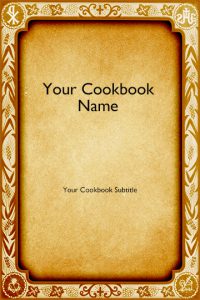
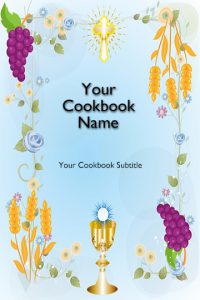
    Here are 3 religious-themed covers as well:


    Cross of Blue
    Religious Parchment
    Light Blue Chalice
  • New Table of Contents Designs for Your Family Cookbook

    New Table of Contents Designs for Your Family Cookbook

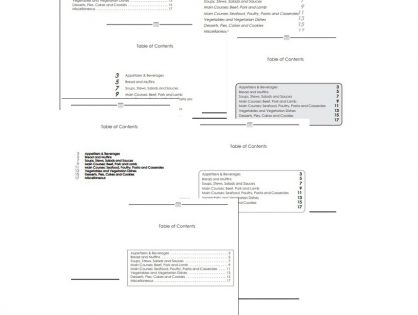
    Family Cookbook Project is excited to announce a major upgrade to the Table of Contents (TOC) options available for your custom cookbook!

    The Table of Contents is more than just a list of sections—it’s the roadmap to your cookbook. A clear and attractive TOC helps readers quickly find the type of recipe they’re looking for, whether it’s appetizers, main dishes, desserts, or a special category you’ve created.

    What’s New

    Until now, there was only one standard Table of Contents style. With this upgrade, you now have eight different designs to choose from. This means you can select a TOC layout that best matches the look and feel of your cookbook.

    How to Access the New Options

    You can find the new TOC designs in your Printed Cookbook Options page when building your book:

    1. Enable the Table of Contents – Start by checking the box to include a TOC in your cookbook.
    2. Choose a Style – Browse through eight unique layout options.
    3. Preview Your TOC – Click the preview button to see what your cookbook’s Table of Contents will look like in each format. (Tip: Be sure to add a few recipes first so your preview is meaningful!)

    More Ways to Customize

    This upgrade is part of our ongoing effort to give you more creative control over your cookbook design. We’ll continue adding features and enhancements so that creating your family cookbook is as fun and joyful as using it.

    Bill Rice is Founder and Co-Publisher of the Family Cookbook Project, a website that helps families and individuals collect, preserve and share food memories by creating their own printed personal cookbooks. He is the author of The Wellfleet Oyster Cookbook and the Cape Cod Cocktail Cookbook (Available on Amazon), both created using FamilyCookbookProject.com. He is also editor of the Donovan Family Cookbook, now it’s third printing and is an avid genealogist tracing his family back to the 1600’s.

    Follow Family Cookbook Project on Facebook, Instagram, Twitter TikTok, YouTube and Pinterest!

  • Ideas For a Custom Cookbook Cover

    Ideas For a Custom Cookbook Cover

    FamilyCookbookProject.com offers a wide range of professionally designed cookbook covers for you to choose from, many people with artistic talent, graphic design talent, choose to create their own cover, using popular desktop publishing software, and uploading it to our system.

    Here is a sample of some of the custom covers done by the editors of familycookbookproject.com:


    Bill Rice is the Co-Publisher of Family Cookbook Project and CookbookFundraiser.com, the leading online cookbook publisher, which helps individuals, churches, schools, teams and other fundraising groups create cherished personalized cookbooks using peer-to-peer tools and the power of the Internet to meet group funding needs. Follow Family Cookbook Project on Facebook, Instagram, Twitter TikTok, YouTube and Pinterest!

  • Create Your Own Weight Watchers Cookbook

    Create Your Own Weight Watchers Cookbook

    Weight Watchers is a great program that allows you to eat the foods you love while still maintain or lower your weight. I’ve use the program over the past couple years and find it very effective. Weight watchers point values allow you to eat any food you wish if you can calculate their WW SmartPoints® to your overall daily count. Weight Watchers offers lots of great recipes that have point values and calculators to determine your other recipe point values.

    Wouldn’t it be great if you could have all of your weight watcher recipes together in one cookbook and none of the ones you aren’t interested in?

    Well, now you can! FamilyCookbookProject.com allows you to create a personal cookbook filled with your own favorite recipes. Our online publishing system includes a field specifically for WW SmartPoints® and can displays them online and in your printed cookbook.

    Entering recipes is easy. Simply find the Weight Watchers recipe you want to include and cut and paste it into the add a recipe form on familycookbookproject.com. If the recipe is from a printed cookbook, you simply type the recipe into the form and you’re done. You can also add wonderful pictures of the food you prepare to your cookbook to help it come to life.

    These recipes are all available at your fingertips by using the Family Cookbook Project award-winning app. You can also print a copy of your cookbook so you have it in your kitchen ready to help create mouthwatering dishes that conform with your overall daily weight watchers point goal.

    To get started, go to https://www.familycookbookproject.com/create_make_cookbook_software.asp.


    *WW SmartPoints is a trademark of WW International, Inc. and are not associated with Family Cookbook Project, LLC.

  • 10 Tips for Designing the Perfect Custom Cookbook

    10 Tips for Designing the Perfect Custom Cookbook

    Designing a personal cookbook is more than just compiling a collection of recipes. It’s about creating a tangible reflection of your culinary journey, a keepsake that brings together your favorite dishes, family traditions, and stories in one beautifully crafted book. Whether you’re making a personal cookbook for yourself, to pass down through generations, or as a gift for a loved one, there’s an art to getting it just right.

    With FamilyCookbookProject.com, you can easily turn your collection of recipes into a professionally printed cookbook. But to truly create a masterpiece, it helps to have a few design tips in mind. In this article, we’ll walk you through 10 essential tips for designing the perfect personal cookbook, ensuring it’s both functional and filled with personal flair.

    1.  Start by Organizing Your Recipes

    The first step to designing a great personal cookbook is to organize your recipes. Before diving into the design process, gather all of your favorite recipes from different sources—whether they’re family recipes handed down over generations, dishes from your favorite food blogs, or creations from your own kitchen.

    Once you’ve compiled your recipes, start categorizing them in a way that makes sense for you. Some common categories include:

    –  Meal types: Appetizers, mains, sides, desserts

    –  Cuisine types: Italian, Mexican, Asian, etc.

    –  Occasions: Holidays, birthdays, family gatherings

    –  Dietary preferences: Vegetarian, gluten-free, low-carb

    This initial organization will help you determine the structure and flow of your cookbook, making it easier to design and more enjoyable to use.

    1.  Choose a Theme or Focus for Your Cookbook

    A successful cookbook often has a clear theme or focus that ties it together. While some cookbooks are general collections of favorite recipes, you might want to create a more specific theme to give your cookbook a cohesive feel. For example:

    –  Family traditions: A collection of recipes passed down through generations, each with a story about its origin.

    –  Healthy eating: A cookbook focused on nutritious, wholesome recipes for a balanced diet.

    –  Quick and easy meals: A go-to guide for busy weeknights when you need a meal in 30 minutes or less.

    –  Baking: A cookbook dedicated to cakes, cookies, and desserts for the sweet tooth in your life.

    By choosing a theme, you can give your cookbook a unique personality and make it easier to design around a central concept.

    1.  Write Personal Notes and Stories for Each Recipe

    One of the most special aspects of a personal cookbook is that it can capture the stories and memories behind the recipes. Instead of just listing ingredients and instructions, consider adding personal notes about each dish. These could include:

    –  Why the recipe is important to you: Is it your go-to meal for family dinners? A holiday favorite?

    –  The story behind the recipe: Was it passed down from your grandmother, or did you discover it on a special trip?

    –  Tips and variations: Have you made any tweaks or improvements to the original recipe? Share your advice!

    These personal touches turn your cookbook into a memoir of your culinary experiences and add a deeper emotional connection to the recipes.

    1.  Choose a Design That Reflects Your Style

    The visual design of your cookbook should reflect your personality and cooking style. FamilyCookbookProject.com offers a variety of design templates and layouts that you can customize to create the perfect look. Consider the following design elements:

    –  Cover design: Your cookbook’s cover is the first thing people will see, so make it eye-catching and personal. You could use a favorite photo, a family portrait, or a picture of your signature dish.

    –  Fonts and colors: Choose fonts and colors that match your theme. For a family cookbook, you might choose warm, homey colors and traditional fonts. For a modern cookbook, sleek fonts and minimalist design might be more appropriate.

    –  Photos: Incorporating photos of your finished dishes, family members, or cooking in action can make the cookbook more engaging and visually appealing.

    By thoughtfully selecting these elements, you can create a cookbook that looks as good as it reads.

    1.  Add Helpful Extras Like Indexes and Table of Contents

    To make your cookbook easy to navigate, be sure to include a table of contents and an index. These features allow readers (and you) to quickly find the recipe they’re looking for.

    –  Table of contents: Organize the table of contents by recipe categories, so readers can easily browse through the sections of your cookbook.

    –  Indexes: Consider adding multiple indexes, such as by recipe name, ingredients, or even occasions. This makes it easier to locate recipes based on what’s available in the pantry or by event type.

    These functional elements help your cookbook stand out as both a beautiful and practical tool in the kitchen and FamilyCookbookProject.com will create them automatically for you.

    1.  Test and Perfect Your Recipes

    Before including any recipe in your cookbook, make sure it’s been tested and perfected. Whether you’re documenting family recipes or your own creations, cooking each recipe at least once ensures that the instructions are accurate and the results are delicious.

    Consider testing recipes for:

    –  Accuracy of measurements: Double-check that ingredient amounts are correct and easy to follow.

    –  Clarity of instructions: Make sure each step is clearly explained and easy to understand.

    –  Timing and serving size: Verify that cooking times and serving sizes are accurate to avoid any confusion later.

    This testing process not only ensures the quality of your cookbook but also gives you a chance to relive the joy of cooking each dish before preserving it in print.

    1.  Include Photos to Bring Your Recipes to Life

    Photos add a lot of visual appeal to any cookbook, and they can help guide readers through the process of making your recipes. High-quality photos of your finished dishes will make the cookbook more engaging and give readers a visual idea of what the dish should look like.

    If you enjoy food photography, you can take your own photos, but if that’s not your specialty, you can use stock images or work with a professional photographer to capture your culinary creations. Include photos that reflect the final presentation, as well as candid shots of the cooking process or family gatherings.

    Photos can turn your cookbook into a visual feast, adding depth and personality to your recipes.

    1.  Include Conversion Charts and Cooking Tips

    One way to make your cookbook more functional is to include helpful extras like measurement conversion charts, ingredient substitutions, or basic cooking tips. These practical additions can be invaluable to readers, especially those who might be new to cooking or unfamiliar with certain ingredients.

    Consider including:

    –  Measurement conversions: Provide conversions for common measurements (e.g., cups to ounces, teaspoons to milliliters).

    –  Ingredient substitutions: Offer alternatives for common ingredients (e.g., substituting honey for sugar or coconut oil for butter).

    –  Cooking tips: Share tips on meal prep, storage, or presentation that can help elevate the recipes.

    These extras can enhance the user experience and make your cookbook a go-to resource in the kitchen.

    1.  Make It Personal with Family Contributions

    If you’re creating a family cookbook, invite family members to contribute their favorite recipes and stories. This collaborative approach not only adds variety to the cookbook but also makes it a cherished family keepsake. You might ask each family member to submit a dish they’re known for or to share a favorite holiday recipe.

    Family contributions can turn your cookbook into a multi-generational project that brings everyone closer together, with each recipe reflecting a different part of your family’s culinary heritage.

    1.  Print Multiple Copies for Family and Friends

    Finally, once you’ve designed the perfect personal cookbook, consider printing multiple copies to share with family and friends. Whether you’re giving the cookbook as a gift for a special occasion—like a wedding, birthday, or holiday—or simply sharing your culinary creations with loved ones, a personal cookbook is a gift that will be treasured for years to come.

    FamilyCookbookProject.com makes it easy to order professionally printed copies of your cookbook, so you can create as many copies as you need. Your loved ones will appreciate the thoughtfulness and effort that went into creating a personalized collection of recipes that they can enjoy and pass down.

    Designing the perfect personal cookbook is a rewarding and creative process. By organizing your recipes, personalizing the design, and adding thoughtful touches like photos and stories, you can create a beautiful and functional cookbook that reflects your unique cooking style.

    Whether it’s for yourself or a gift for someone else, a personal cookbook is more than just a collection of recipes—it’s a lasting keepsake filled with memories, traditions, and the joy of cooking. With these 10 tips, you’ll be well on your way to designing a cookbook that brings recipe chaos to organized bliss. Ready to get started? Visit FamilyCookbookProject.com anFamilyCookbookProject.comd begin designing your perfect cookbook today!


    Bill Rice is Founder and Co-Publisher of the Family Cookbook Project, a website that helps families and individuals collect, preserve and share food memories by creating their own printed personal cookbooks. He is the author of The Wellfleet Oyster Cookbook and the Cape Cod Cocktail Cookbook (Available on Amazon), both created using FamilyCookbookProject.com. He is also editor of the Donovan Family Cookbook, now it’s third printing and is an avid genealogist tracing his family back to the 1600’s.

    Follow Family Cookbook Project on Facebook, Instagram, Twitter TikTok, YouTube and Pinterest!


  • How To Bold Text In Your Family Cookbook Project Recipe

    How To Bold Text In Your Family Cookbook Project Recipe

    Have you ever wanted to call everyone’s attention to a specific line an a recipe?

    Do not cook longer than 10 minutes!

    Add ingredients in this specific order!

    Do not preheat your oven!

    Certain directions are critical to the outcome of a favorite dish and Family Cookbook Project as made it easy if you want to bold your text in a recipe.  You just have to learn HTML or Hyper Text Markup Language, the programming language of every website on the Internet.

    Now before you say “I’m not a computer programmer, I can barely turn on my laptop””. It’s super easy for what you want to do.

    In directions, comments and ingredients when you are adding a new recipe, you can use simple HTML tags like:

    <b>BOLD</b>
    <i>Italic</i>
    <u>Underline</u>

    Replace the word between the tags with what you want to appear in that format. It’s as simple as that!

    For example <b>Do not cook longer than 10 minutes!</b> looks like this Do not cook longer than 10 minutes!

    If you use Do not cook longer than 10 minutes! it will look like this Do not cook longer than 10 minutes!

    and if you use <u>Do not cook longer than 10 minutes!</u> it will look like this Do not cook longer than 10 minutes!

    The most important thing to remember is that all tags start with “<>” and end with a “</>”. If you forget the /> then every thing else in your recipe will be based on the tag you used. Don’t forget your “</>”!

    Family Cookbook Project is always looking for ways to make your favorite recipes come to life for you and your family.

    Save