Category: Editor Tips

  • How To Create a Mini Cookbook

    Do you have a lot of recipes of a specific type? Maybe you love to make cookies or pies or cakes. You can create a “mini cookbook” to organize your recipes and even share with family and friends.

    With a few as 10 recipes, you can create a single category cookbook or multiple categories within a theme.

    For example, as the bartender for our family I am often asked what cocktails I can make. I show them my “Fabulous Family Cocktails” – a cookbook of 27 beverage recipes and let then choose what I can make for them.

    Around the holidays our “Family Cookie Recipes” cookbook comes in real handy when getting ready for a cookie swap!

    Next, I plan on creating a BBQ mini cookbook and giving it out as gifts for Christmas to my friends and family.

    To create you own mini cookbook, go to the Production Center on your editor page and select “more cookbooks”. Here you can create your own mini cookbook and even import your recipes from your main cookbook using our recipe transfer tool.


    Bill Rice is founder and Co-Publisher of the Great Family Cookbook Project, a website that helps families and individuals collect and share food memories through customized printed cookbooks filled with treasured recipes. Follow us on Facebook and Pinterest!
  • How to Create a Multi-Part Recipe

    How to Create a Multi-Part Recipe

    Have you ever had a cake recipe that really needed a specific frosting? Or a meat recipe that required a special sauce? Wouldn’t it be great if a a recipe could have sub recipes attached to keep them together?

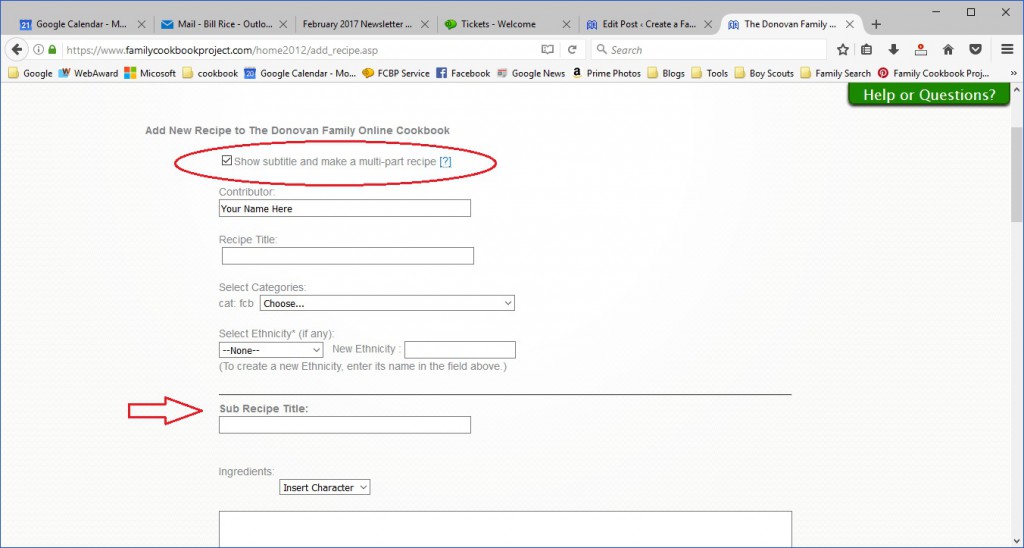
    Many of our editors have asked for the ability to have multiple sections or steps in recipes. We like to listen and have added it! Now you can have up to 5 “sub” recipes or steps within a recipe, each with its own set of ingredients and directions. Example? You have Carrot Cake and you want a section for the “Cake” with its ingredients and directions, then “Cream Cheese Frosting” with another set of ingredients and directions.

    To use this feature, simply go to Add Recipe or Edit an existing recipe. First check the box for “Show subtitle and make a multi-part recipe” right under the contributor field. This will add a field for sub-recipe title.

    Using our example above, here is where you would add your carrot cake ingredients and directions.

    Next, click on the green button to “Add new sub recipe”. This will add fields for a second set of sub recipe title, ingredients and directions for your Cream Cheese Frosting.

    You can add up to five sub recipes for your overall recipe.

    When you are done, make sure to click on the green button on the bottom of the page to save your recipe before moving on to your next recipe.


    Bill Rice is founder and Co-Publisher of the Great Family Cookbook Project, a website that helps families and individuals collect and share food memories through customized printed cookbooks filled with treasured recipes. Follow us on Facebook and Pinterest!
  • How Much Does Printing a Family Cookbook Cost?

    One of the most ask questions we at FamilyCookbookProject.com receive from people considering creating their own personal cookbook full of family recipes is “How much will it cost to print my cookbook?”
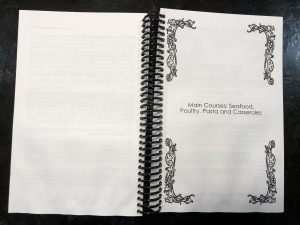
    The cost of printing a cookbook has two variables: The number of pages in the cookbook, the amount of color and the number of copies to be printed.

    If you think about it, this is fairly straight forward. More pages means more paper and ink need to be used to create the cookbook. Color images printed using 4 different inks so they are more expensive than black and white page.  So much of the cost is based on the materials being used to create the cookbook.

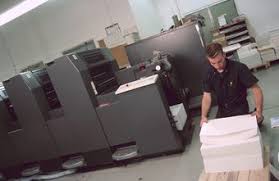
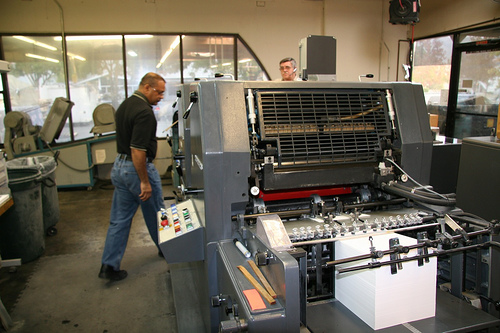
    The number of copies is important because the printing press and bindery equipment must be set up for each cookbook. The cost of this set up is split over each cookbook, so it you only print one cookbook (our minimum) that set up cost will have a larger impact on the price per copy than if you printed 100 copies.

    You will find the complete pricing for the use of the site at http://www.familycookbookproject.com/price_to_print_a_family_cookbook.asp

    You will also find a way to estimate the cost of your cookbook printing at the bottom of the page, however the actual cost will be determined by the number of pages contained in your cookbook when you send it to print.

    If you already have a Family Cookbook Project account, go to the Publishing Center and you can get a quote based on the current number of actual pages in your cookbook. You also can adjust these totals to see what the impact on pricing would be.

    Lowering the cost of printing

    The best way to lower the cost of printing your family cookbook is to lower the number of pages.

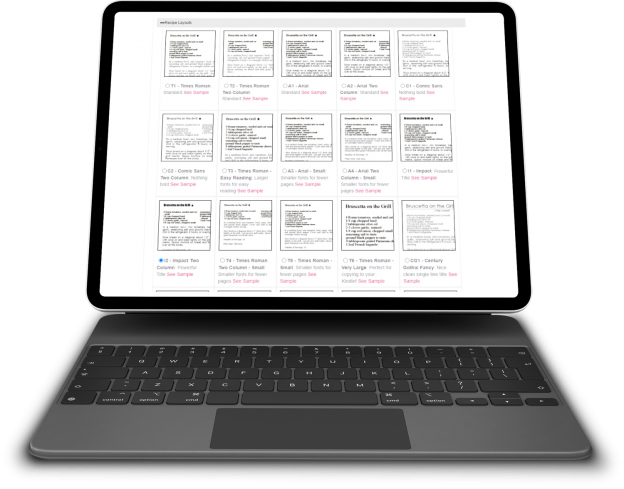
    To save pages, go to Layout and Design Center in your editor’s account.  Under Recipe Layout, choose any or all of these options to save space:

    • Choose Arial or Times Roman, Two Column Small for the smallest type face.
    • UNcheck Print my recipes in non-continued format
    • UNcheck Force recipe photos to be on same page as recipe
    • CHECK Print Directions and Comments as single paragraphs
    • Under Recipe Sorting, choose Print my recipes in book order – shortest to longest


    Bill Rice is founder and Co-Publisher of the Great Family Cookbook Project, a website that helps families and individuals collect and share food memories through customized printed cookbooks filled with treasured recipes. Follow us on Facebook and Pinterest!


  • Why Blank Pages are Needed in a Family Cookbook

    One of the questions we get a lot as Cookbook Publishers is “how do I remove the blank pages in my cookbook?”

    It seems that when people preview their family cookbook on FamilyCookbookProject.com, they see the cover, then a blank page, then the title page, then another blank page, and so on. They want those blank pages eliminated to lower the cost of printing.

    In publishing, especially cookbook publishing, a cookbook needs to be laid out in a specific way in order for the most important pages to be on the right side when the book is opened. Think about it, Whenever you open a book, the title page is the first thing you see and it is always on the right page of a two page spread. Same goes for the Introduction, Table of Contents and the section dividers.

    On FamilyCookbookProject.com, if you create a preview cookbook PDF, you want to open it in your Adobe Reader program and select the option to view “Facing Pages” or “Double-up” (look under the View menu), you’ll see how the pages back up to each other.

    Now with that said, there is no reason why those pages have to be blank. The inside front cover can have a family photo photo or bio of the cookbook editor. The same goes for other blank pages as well. If your introduction is one page and after it is a blank page, consider writing more, adding a photo or even making the text larger to fill up that extra space.

    One benefit form using FamilyCookbookProject.com is that we provide a complete set of handy kitchen information that can be used on the back of the recipe category dividers with the touch of a button.

    Bill Rice is founder and Co-Publisher of the Great Family Cookbook Project, a website that helps families and individuals collect and share food memories through customized printed cookbooks filled with treasured recipes. Follow us on Facebook and Pinterest!

  • Planning Ahead to Get Your Cookbook On Time

    If you are using your family cookbooks as part of a celebration, either a family reunion, Mother’s Day gift, Christmas gift, wedding favor, or other specific event, it is important that you plan ahead and give yourself plenty of time to have your cookbooks printed and shipped for the event.

    Family Cookbook Project uses the latest in high speed digital printing to produce your family heirlooms. Generally it takes 2-3 weeks to get the files ready for the presses, print, bind and package to ship directly to you. However, during our busiest seasons – right before Mother’s Day and Christmas – it can take much longer.

    Another thing to consider is shipping. We use UPS to ship our family cookbooks all over the USA and Canada. Shipping can take an additional week to have your cookbooks reach you.

    Since personalized family cookbooks can make such great Christmas gifts, editors rush to get their print orders submitted in November in order to receive them in time for Christmas time gift giving. Normally, we have a November 30th deadline for delivery in time for Christmas. Save yourself (and us) the danger of not having your cookbooks ready and submit your holiday cookbook orders in October and beat the November rush.

    We have been implementing improvements in our programming that will allow us to provide you with a more accurate quote for printing your cookbook prior to submitting your order so that you can save time when getting ready to print.

    When setting your deadline for recipe contributions, leave enough time for you to review all of the recipes and finalize formatting before you can submit your order for printing. Roughly a month later, your cookbooks should be in your hands!


    Bill Rice is founder and Co-Publisher of the Great Family Cookbook Project, a website that helps families and individuals collect and share food memories through customized printed cookbooks filled with treasured recipes. Follow us on Facebook and Pinterest!

  • Understanding Recipe Privacy

    Understanding Recipe Privacy

    We at FamilyCookbookProject.com believe recipes are meant to be shared. Sure we all have our “secret recipes”, but if they are not written down and shared, they will not be enjoyed when we are gone.

    However we give you the control to determine when and where you share your recipes.

    When you or a contributor adds a recipe to your online cookbook, there is an option to make your recipe private. If you check this box just above the save button, your recipe will only be available to those individuals who are logged into your online cookbook. Some people choose this option when a recipe is not yet ready to be shared publicly or they simply want to limit the people who have access to it.

    However, there are many benefits to sharing your recipe publicly. Public recipes are indexed by Google and other search engines. You can access your recipes simply by entering your name and the recipe name into Google. Online access from any computer without having to remember your log in information is very convenient.

    Family Cookbook Project also searches the public recipes to look for the best recipes to be included one of the Family Cookbook Project’s “Best of” cookbooks we publish. We also promote public recipes on our Facebook pages and on Pinterest. This allows us to highlight your recipes to the other Cookbook Editors, which is truly an honor.

    We believe recipes are made to be shared, just like the dishes that are made from them. So next time you enter your favorite recipe into your Family Cookbook Project online recipe box, be sure to mark it public so it can be shared.


    Bill Rice is founder and Co-Publisher of the Great Family Cookbook Project, a website that helps families and individuals collect and share food memories through customized printed cookbooks filled with treasured recipes. Follow us on Facebook and Pinterest!

  • Using Custom Recipe Layouts in a Family Cookbook Project

    One of the things that we are most proud of at FamilyCookbookProject.com is the ability to give complete control of every aspect of making a cookbook to the project’s editor. We provide professionally designed options that are perfect for most people, but some have visions of something different.

    We have already covered creating custom categories and custom cookbook cover or recipe category dividers. This article will cover creating a custom cookbook recipe layouts.

    FamilyCookbookProject.com currently offers 19 pre-set recipe layouts that set three aspects of your recipes that are perfect for most editors:

    • Font type
    • Font size
    • Number of columns for ingredients

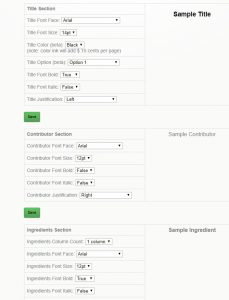
    However if you want something different, that is where custom Layouts come in. You can control each section independently – title, contributor name, ingredients, directions and personal notes.

    In addition to the font type, size and columns above, you also can control:

    • Bold text
    • Italic text
    • Justification of text
    • Label of the Comments Field

    This option is not for someone who does not have strong computer skills, but it can be very effective in displaying your recipes exactly how you wish them displayed.


    Bill Rice is founder and Co-Publisher of the Great Family Cookbook Project, a website that helps families and individuals collect and share food memories through customized printed cookbooks filled with treasured recipes. Follow us on Facebook and Pinterest!

  • Customizing your Family Cookbook Cover

    One of the things that we are most proud of at FamilyCookbookProject.com is the ability to give complete control of every aspect of making a cookbook to the project’s editor. We provide professionally designed options that are perfect for most people, but some have visions of something different.

    Our last article was about creating custom categories. This article will cover creating a custom cookbook cover or recipe category dividers.

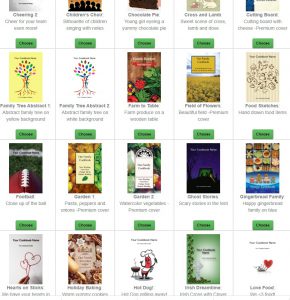
    A custom cookbook cover was the third most popular cover option last year. Some people simply have a white cover with a photo, others with graphic design skills create beautiful designs to personalize  their cookbook. Creativity knows no limit with Family Cookbook Project.

    • When creating a custom cover or divider, here are the specifications to use:
    • Images MUST be in JPG format to be used in your cookbook. GIFs and BMPs will not import correctly.
    • Your images should be 150-300dpi resolution – or they may seem pixilated in printing.
    • Full page with Bleed Custom Covers and Dividers must be sized at 6″x9″ with 4.75″x7.75″ active content or 1800 x 2700 pixels.
    • Full page non-bleed Dividers and other images must be sized at 5.5″x8.5″ with 4.75″x7.75″ active content or 1650 x 2550 pixels.
    • Also, do NOT upload files of the following type — they will not work: .doc, .pps, .ppt, .txt, .htm

    If you wanted to have a special photo on your cover, we suggest to use a page layout program or even a word processing program like Microsoft Word and design the page exactly the way you want it and save it as an image using the guidelines above. Then you can simply upload the image to the FamilyCookbookProject.com site and your custom cover is complete.


    ill Rice is founder and Co-Publisher of the Great Family Cookbook Project, a website that helps families and individuals collect and share food memories through customized printed cookbooks filled with treasured recipes. Follow us on Facebook and Pinterest!

  • How To Share Your Family Cookbook Recipes

    One of the real benefits of collecting all of your recipes in your online cookbook on FamilyCookbookProject.com is to be able to share them very easily with friends and family.

    Say you have friends over and they really like your split pea soup and want the recipe. All you need to do is go to your cookbook account either on your desktop computer or even on your mobile Mobile phone or tablet and pull up the recipe.  Now all you have to do is choose how you want to give it to him.

    Email – In the upper right hand corner, you’ll see a box marked email a recipe. Enter your friends email here and send them your recipe. It’s that easy!

    Posted on Facebook – Wow your friend might like your recipe, so will other friends. You can select the Facebook icon and post your recipe to your Facebook page to be seen by call your friends. Especially if you’ve been adding photos to your recipes, your posts will really stand out and be appreciated by lots of your friends and family.

    Posted on Pinterest – Here’s another way to share your recipes if they have photos attached. Pinterest was built around sharing photos and when you share one of your recipes on this social media platform, the photo becomes the pin and people who click on it will see your recipe.

    Print your recipe – If your friend simply wants a printed copy of your recipe, it is easy to select the print icon and simply print them a copy and give it to them.

    You also might want to suggest to your friends that they create their own family cookbook account so they can share their recipes as well!


    Bill Rice is founder and Co-Publisher of the Great Family Cookbook Project, a website that helps families and individuals collect and share food memories through customized printed cookbooks filled with treasured recipes. Follow us on Facebook and Pinterest!

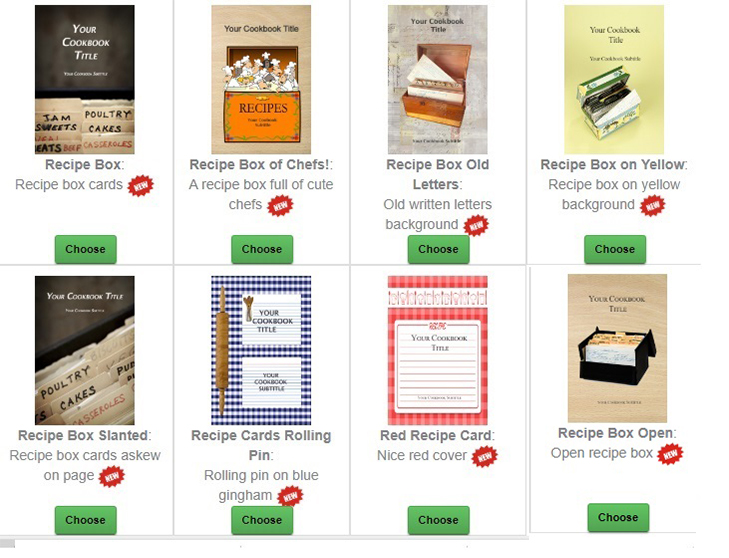
  • 8 New Recipe Card Themed Covers Added to Family Cookbook Project Design Center

    At Family Cookbook Project, we are always trying to improve our offerings to our members. We have a lot of requests about using recipe cards in cookbooks and that got us thinking about recipe card themed cookbook covers. So we are please to announce eight new pre-designed cookbook covers that you can choose when designing your own personal cookbook.


    All of these new cookbook covers options are now available and can be found in the new Recipe Card Covers section of the Cookbook Cover Design Center.


    Bill Rice is founder and Co-Publisher of the Great Family Cookbook Project, a website that helps families and individuals collect and share food memories through customized printed cookbooks filled with treasured recipes. Follow us on Facebook and Pinterest!