Category: Editor Tips

  • Pro Tip: Ways To Lower Price Of A Printed Cookbook

    Pro Tip: Ways To Lower Price Of A Printed Cookbook

    To save pages lower the cost of printing, go to Editor Activities>Layout & Design.  Under Recipe Layout, choose any or all of these options to save space:

    • Choose Arial or Times Roman, Two Column Small for the smallest type face and  ingredients that will take up less space
    • UNcheck Print my recipes in non-continued format. This has to do with the flow of recipes.
    • UNcheck Force recipe photos to be on same page as recipe. Forcing a photo to be on the same page as the recipe results in more white space on the recipe prior.
    • CHECK Print Directions and Comments as single paragraphs
      Under Recipe Sorting, choose Print my recipes in book order – shortest to longest

    Also consider removing long recipes. Also make sure you are not formatting your cookbook at 8 1/2 x 11 size.


    Bill Rice is Founder and Co-Publisher of the Family Cookbook Project, the leading online cookbook publisher with a website that helps families and individuals collect, preserve and share food memories by creating their own printed custom cookbooks. He is the author of The Wellfleet Oyster Cookbook and the Cape Cod Cocktail Cookbook (Available on Amazon), both created using FamilyCookbookProject.com. He is also editor of the Donovan Family Cookbook, now it’s third printing and is an avid genealogist tracing his family back to the 1600’s.

    Follow Family Cookbook Project on Facebook, Instagram, Twitter TikTok, YouTube and Pinterest!
  • Photo Arranger Tool for Recipes

    Photo Arranger Tool for Recipes

    You can arrange a recipe’s photos pretty much any way you might like beyond the default one by one down a page.  To do this, edit the recipe you wish.  On the right side, you will see your current photos in their sorted order thumbnails.  Scroll beneath them, and click the link to “use the Custom Photo Arranger Tool.”

    You will now see your photo(s) as they look in your printed book, sized according to your settings on a layout screen.  You can move them around and resize them any way you’d like.  If you want your photos to retain their correct aspect ratio, check the little box on each photo’s lower left.  They can also be layered one on top of another.  You’ll see that when moving a photo, it automatically comes to the top/front of all others.  When done, click the “Save” button.

    Preview your recipe with custom arrangement anytime by clicking “SEE YOUR RECIPE as it will be printed with your cookbook settings (PDF popup)” button.

    You can also manage your recipe photo settings on the right.  Click [Edit Photo] to set things like border style and color-B/W.  Those will be added normally in your printed book on the photos.

    If you wish to reset this recipe’s photos to the default stacked look, check the box next to the Save button and click Save.

    We have a How-To video for this tool.  Click here!


    Bill Rice is Founder and Co-Publisher of the Family Cookbook Project, the leading online cookbook publisher with a website that helps families and individuals collect, preserve and share food memories by creating their own printed custom cookbooks. He is the author of The Wellfleet Oyster Cookbook and the Cape Cod Cocktail Cookbook (Available on Amazon), both created using FamilyCookbookProject.com. He is also editor of the Donovan Family Cookbook, now it’s third printing and is an avid genealogist tracing his family back to the 1600’s.

    Follow Family Cookbook Project on Facebook, Instagram, Twitter TikTok, YouTube and Pinterest!
  • Making a Recipe Your Own

    Making a Recipe Your Own

    Recipes are everywhere. From printed cookbooks and old family recipe boxes to magazines, newspapers, and websites, there are countless sources for discovering new dishes that become family favorites.

    When we find a new recipe, we often tweak it to suit our tastes. This might mean eliminating certain ingredients, adding new ones, adjusting quantities, or simplifying the steps. These modifications are how we make a recipe our own.

    The Family Cookbook Project makes it easy to compile these personalized recipes into your own family cookbook. You can type them in, copy and paste from a document or website, or upload an image of the recipe. This way, all your favorite recipes are gathered in one beautifully printed cookbook.

    However, it’s important to give credit to the original creators of the recipes. In your personal notes, be sure to include the source of the original recipe. While recipes themselves generally can’t be copyrighted, photos can be. If you use a photo from the original recipe, mark the recipe as private until you can replace the photo with one of your own.

    For more information on copyrighting recipes, check out these resources:

    Bill Rice is Founder and Co-Publisher of the Family Cookbook Project, a website that helps families and individuals collect, preserve and share food memories by creating their own printed personal cookbooks. He is the author of The Wellfleet Oyster Cookbook and the Cape Cod Cocktail Cookbook (Available on Amazon), both created using FamilyCookbookProject.com. He is also editor of the Donovan Family Cookbook, now it’s third printing.

    Follow Family Cookbook Project on Facebook, Instagram, Twitter and Pinterest!


  • Pro Tip: Allow Contributor Print Ordering

    Pro Tip: Allow Contributor Print Ordering

    You can allow your contributors to order printed cookbooks on their own instead of having you as editor order bulk and distribute to others.  One note:  as with all printing, the more copies ordered at one time, the better price per book.  If your contributors order 1 or 2, the per book price could be much higher than if you order 10 or 20.

    To enable contributor cookbook ordering, go to Editor Activities>Printing & Publishing.  Click the “Contributor Ordering Settings” shortcut.  Then select the options you want available to your contributors:

    • 1. None – cannot order. Select this if you do not wish anyone other than you as editor to order printed cookbooks
    • 2. Selected versions below only. Select this to allow contributors to print any prior version of your cookbook that has been printed. They cannot order a “current version” of the cookbook.
    • 3. Current cookbook only. Select this to allow contributors to print out the current cookbooks “as is” in its current state and settings any time. They will be required to run a cookbook preview first to update the system.
    • 4. Current cookbook or selected versions below. Select this to allow contributors to print the current book “as is” as well as any of the selected versions below

    Update Settings to save.

    Bill Rice is Founder and Co-Publisher of the Family Cookbook Project, the leading online cookbook publisher with a website that helps families and individuals collect, preserve and share food memories by creating their own printed custom cookbooks. He is the author of The Wellfleet Oyster Cookbook and the Cape Cod Cocktail Cookbook (Available on Amazon), both created using FamilyCookbookProject.com. He is also editor of the Donovan Family Cookbook, now it’s third printing and is an avid genealogist tracing his family back to the 1600’s.

    Follow Family Cookbook Project on Facebook, Instagram, Twitter TikTok, YouTube and Pinterest!

  • Mastering Recipe Titles: Make Your Recipes Stand Out with the Perfect Headline

    Mastering Recipe Titles: Make Your Recipes Stand Out with the Perfect Headline

    Your recipe title is the most important part of your recipe, serving as the first impression and acting like a headline in a story. Just like any headline, it has the power to grab attention and entice people to read further. Think about how you browse through a cookbook—you likely don’t read every page front to back. Instead, you scan for a recipe title or a photo that sparks your interest and makes you want to try it.

    Of all the elements in your recipe, the title has the greatest influence on whether someone will stop and explore your dish or move on. The better your title, the more likely you are to turn a casual recipe browser into a recipe reader—and eventually, a recipe maker.

    What Makes a Good Recipe Title?

    To make your recipe title effective, keep a few key things in mind:

    1. Grab Attention
      Just like a headline in a newspaper, your recipe title needs to stand out and catch the reader’s eye.
    2. Describe the Food Clearly
      A good recipe title gives the reader a sense of what they’ll be making. For example, if you have a dish your family calls “Gruel,” that name may mean something to you, but it’s not descriptive for others. A better title like “Baked Hamburger Gravy” tells readers exactly what the dish is and what to expect.
    3. Be Unique
      If you’ve seen the recipe title before, it’s not going to make your dish stand out. Use a distinctive title to set your recipe apart from the countless others out there.
    4. Include the Source
      In family cookbooks, associating a recipe with a specific family member adds a personal touch. Titles like “Grandma’s Apple Pie” or “Lou’s Lemon Bars” immediately give the reader a connection to the recipe. While this is great for family gatherings, it may not help outside readers unless the person is known for their cooking skills!
    5. Sell the Sizzle, Not Just the Steak
      This means going beyond just naming the ingredients. Highlight what makes the recipe special or appealing. Is it quick and easy? A family favorite? Gluten-free? Make sure the title communicates why it’s worth making.

    How Recipe Titles Meet Reader Needs

    The best recipe titles speak to the needs and desires of the person looking for a recipe. Everyone is looking for something different—whether it’s indulgent, healthy, quick, or gourmet. A good title shows readers how your recipe meets one of those needs.

    Consider the following examples:

    • “Soft and Chewy Chocolate Chip Cookies” – Appeals to those craving a comforting, indulgent treat.
    • “Quick ‘n’ Easy Chocolate Chip Cookies” – Perfect for someone in a hurry.
    • “Grandma’s Favorite Chocolate Chip Cookies” – Brings a sense of nostalgia and family tradition.
    • “Gluten-Free Chocolate Chip Cookies” – Targets readers with specific dietary needs.

    Each title addresses a different need, and the words you choose are key to reaching the right audience.

    Make Your Recipe Titles Stand Out

    With some thought and creativity, you can craft recipe titles that not only grab attention but also make readers excited to try your dish. A good title can make all the difference in getting your recipes the attention they deserve.


    Bill Rice is Founder and Co-Publisher of the Family Cookbook Project, the leading online cookbook publisher with a website that helps families and individuals collect, preserve and share food memories by creating their own printed custom cookbooks. He is the author of The Wellfleet Oyster Cookbook and the Cape Cod Cocktail Cookbook (Available on Amazon), both created using FamilyCookbookProject.com. He is also editor of the Donovan Family Cookbook, now it’s third printing and is an avid genealogist tracing his family back to the 1600’s.

    Follow Family Cookbook Project on Facebook, Instagram, Twitter TikTok, YouTube and Pinterest!

  • Pro Tip: Understanding the Role of the Contributor

    Pro Tip: Understanding the Role of the Contributor

    In FamilyCookbookProject.com, contributor is used in two ways.

    Recipe Contributors

    Someone you invite to add recipes to your cookbook. We call this person a contributor.

    Recipe Sources

    On each recipe is also a field labeled contributor which allows you to acknowledge the original source of  the recipes (for example you upload one of your mother’s recipes and give her credit).

    If you want the name that appears on all of the recipes to change, you would have to edit each recipe to change the info in that field since they were manually added when the recipe was first added to the system. When editing a recipe you can use the editors navigation tool at the top of the edit page to move quickly from one recipe to the next.

    This is also where the Table of Contents (ToC) come from. If you have someone listed in the ToC twice, that means one is either misspelled or has an extra space after the name on a recipe.

    A recipe source on a recipe does not have to be a recipe contributor to your cookbook.


    Bill Rice is Founder and Co-Publisher of the Family Cookbook Project, the leading online cookbook publisher with a website that helps families and individuals collect, preserve and share food memories by creating their own printed custom cookbooks. He is the author of The Wellfleet Oyster Cookbook and the Cape Cod Cocktail Cookbook (Available on Amazon), both created using FamilyCookbookProject.com. He is also editor of the Donovan Family Cookbook, now it’s third printing and is an avid genealogist tracing his family back to the 1600’s.

    Follow Family Cookbook Project on Facebook, Instagram, Twitter TikTok, YouTube and Pinterest!
     

  • How to Dictate a Recipe Into Your Family Cookbook Project

    How to Dictate a Recipe Into Your Family Cookbook Project

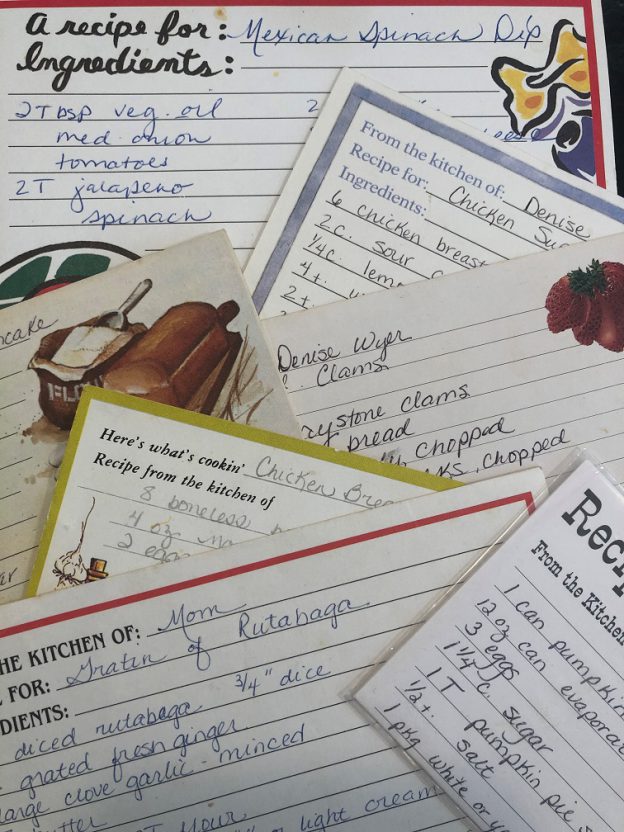
    If you have a stack of recipes to enter into FamilyCookbookProject.com but dread the typing, there’s an easier way! You can use the speech-to-text feature on your phone or computer to dictate your recipes. The text can then be edited and pasted into the Add a Recipe form in your editor account.

    Using Your Mobile Phone

    For iPhone users:

    1. Open the Notes app and create a new note.
    2. Tap the microphone icon at the bottom right of the keyboard.
    3. Start dictating your recipe. The phone will convert your speech into text.

    You might need to do some editing, but it’s a great timesaver!

    Using Microsoft Word

    On both Mac and PC:

    1. Ensure your computer has a microphone (built-in or external).
    2. Open a Word document and go to the Home tab.
    3. Click the microphone icon labeled “Dictate” on the right side of the menu bar.
    4. Start speaking clearly and include punctuation by saying “period,” “comma,” etc.

    Using Dedicated Apps

    There are various apps available for dictation, but the built-in features of your phone and Word are usually sufficient.

    Dictating your recipes can save a lot of time. Once you have the text in a document, simply cut and paste it into the Add a Recipe form, and you’re done!

    By the way, this entire article was dictated on an iPhone. Good luck!


    Bill Rice is Founder and Co-Publisher of the Family Cookbook Project, a website that helps families and individuals collect, preserve and share food memories by creating their own printed personal cookbooks. He is the author of The Wellfleet Oyster Cookbook and the Cape Cod Cocktail Cookbook (Available on Amazon), both created using FamilyCookbookProject.com. He is also editor of the Donovan Family Cookbook, now it’s third printing.

    Follow Family Cookbook Project on Facebook, Instagram, Twitter and Pinterest!

  • How to Create a Custom Cover for Your Personal or Family Cookbook

    How to Create a Custom Cover for Your Personal or Family Cookbook

    Creating a personal or family cookbook is a special way to preserve treasured recipes, whether they’ve been passed down through generations or collected from your own culinary experiments. One of the most exciting parts of the process is designing a custom cover that reflects your cookbook’s unique character.  FamilyCookbookProject.com makes it easy to customize your cookbook with a wide range of professionally designed covers, but did you know that you can also create your own cover from scratch or personalize one of the existing designs with your own photo?

    Let’s walk through how to create a custom cover for your personal or family cookbook, whether you choose to design it yourself or add a personal touch to one of the pre-designed options from FamilyCookbookProject.com.

    Why Customize Your Cookbook Cover?

    The cover of your cookbook is the first thing people will see, and it sets the tone for the entire book. A personalized cover can make your cookbook stand out and give it a more personal touch. Whether it’s a cherished gift for family members or a cookbook you plan to sell, a custom cover gives your book a special feel. Some benefits of creating a custom cover include:

    –  Reflect Your Personality : A custom cover can showcase your unique style, whether that’s classic, modern, or whimsical.

    –  Highlight Family Tradition : Adding a family photo or personal image to the cover adds sentimental value.

    –  Make It Memorable : A well-designed cover can make your cookbook a beautiful keepsake for years to come.

    Option 1: Create Your Own Custom Cookbook Cover

    If you’re creatively inclined and want complete control over the design, you can create your own custom cover from scratch. Here’s how to get started:

    # 1.  Design Specifications

    When creating a custom cover, it’s important to ensure your design meets the necessary specifications. For FamilyCookbookProject.com, the cover should:

    –  Size : 5.5 inches x 8.5 inches (portrait orientation).

    –  Resolution : 300 dpi (dots per inch) for high-quality printing.

    –  File Format : Save your design as a high-resolution JPEG (.jpg) file.

    Ensuring your cover meets these specifications will ensure it prints beautifully without any pixelation or distortion.

    # 2.  Software to Use

    There are many software programs available that you can use to design your cookbook cover, depending on your skill level and preferences. Some popular options include:

    –  Canva : A user-friendly, free online design tool with plenty of templates, fonts, and images to work with.

    –  Adobe Photoshop : A more advanced design tool for those familiar with graphic design.

    –  Adobe Illustrator : Ideal for vector-based designs and professional-quality graphics.

    –  GIMP : A free, open-source design software that offers similar tools to Photoshop.

    –  Microsoft PowerPoint : While not typically used for graphic design, PowerPoint offers a simple way to create basic designs and export them as JPEGs.

    Each of these programs allows you to customize fonts, add images, adjust colors, and create a design that reflects your personal style.

    # 3.  Design Ideas for Your Cover

    When designing your cover, think about the theme of your cookbook and the audience you’re creating it for. Some ideas include:

    –  Family Photos : Use a photo of your family cooking together or a generational photo for a heartwarming cover.

    –  Recipe Images : Feature a beautiful image of one of the star recipes from your cookbook.

    –  Artwork or Illustrations : If you enjoy drawing or painting, you can create an original illustration for the cover.

    –  Typography : Sometimes, a simple, elegant design with stylish typography can make the cookbook cover stand out.

    Once you’ve created your design, save it as a high-resolution JPEG and prepare to upload it to FamilyCookbookProject.com.

    # 4.  Uploading Your Custom Cover

    After your cover is designed, uploading it to FamilyCookbookProject.com is simple:

    1. Log in to your FamilyCookbookProject.com account.
    2. Navigate to the Photo Manager.
    3. Upload your custom cover design.
    4. Set the photo’s location to Front Cover.

    Once uploaded, you can view the preview and ensure it looks exactly how you want it to appear on your printed cookbook.

    Option 2: Customize One of the Pre-Designed Covers

    If you don’t want to create a cover from scratch, FamilyCookbookProject.com offers over 100 full-color, professionally designed covers to choose from. However, you can still personalize these pre-designed covers by adding your own photo or text. Here’s how:

    # 1.  Choose a Pre-Designed Cover

    Browse through the extensive collection of covers on FamilyCookbookProject.com. Whether you’re looking for a rustic farmhouse style, a classic cookbook design, or something playful and fun, there’s a wide range of options available.

    # 2.  Add a Personal Photo

    Once you’ve selected a cover, you can add your own personal touch by uploading a photo. This could be a family photo, a picture of a favorite dish, or even a nostalgic image from family gatherings. Personalizing the cover makes the cookbook uniquely yours.

    To add your photo:

    1. Log in to your FamilyCookbookProject.com account.
    2. Select the cover you want to use.
    3. Go to the Photo Manager and upload the image you want to add.
    4. Follow the instructions to add your photo to the cover design.

    This small customization option can make the cover feel more personal and meaningful.

    Design Tips for a Custom Cookbook Cover

    Here are a few extra design tips to help make your cookbook cover shine:

    –  Use High-Quality Photos : If you’re adding photos to the cover, make sure they are high resolution (300 dpi) so they print clearly.

    –  Keep It Simple : A cluttered design can be overwhelming. Stick to one or two main design elements for a clean, professional look.

    –  Choose Readable Fonts : Make sure the title of your cookbook is easy to read. Choose fonts that match the tone of the cookbook, whether it’s elegant, casual, or playful.

    –  Color Coordination : Choose colors that complement the theme of your cookbook and work well together. For example, soft pastels work well for a family recipe book, while bold, bright colors might be better suited for a modern cookbook.

    Design a Cover That Reflects Your Cookbook’s Story

    The cover of your cookbook sets the stage for what’s inside, and creating a custom cover allows you to tell your story right from the start. Whether you design your own cover from scratch or personalize one of the pre-designed options from FamilyCookbookProject.com, your custom cover will add a personal touch that makes the cookbook feel truly special.

    Once you’ve finished your cover, uploading it to FamilyCookbookProject.com is a quick and easy process, and soon you’ll have a beautifully printed cookbook that you can share with family, friends, or even sell.

    So, get creative, and start designing a cover that reflects the heart and soul of your recipes!


    Bill Rice is Founder and Co-Publisher of the Family Cookbook Project, a website that helps families and individuals collect, preserve and share food memories by creating their own printed personal cookbooks. He is the author of The Wellfleet Oyster Cookbook and the Cape Cod Cocktail Cookbook (Available on Amazon), both created using FamilyCookbookProject.com. He is also editor of the Donovan Family Cookbook, now it’s third printing and is an avid genealogist tracing his family back to the 1600’s.

    Follow Family Cookbook Project on Facebook, Instagram, Twitter TikTok, YouTube and Pinterest!


  • Use Standard Measurements For Your Recipes

    Use Standard Measurements For Your Recipes

    For many generations, recipes were handed down by word of mouth from mother to daughter. Recipes consisted of a little of this and a smidgin of that. The food always came our great – or at least that is what we told out mothers!

    Today things are different. Computers make is easy to write down our recipes and share them with friends and family members over the Internet. However it is important to remember that cooking has a language of its own. It is a language of ingredients and measurements and directions. I believe the most important of these is measurements. If we did not have standard measurements for cooking, “T” could be a teaspoon, a tablespoons, a thimble full or a truck load! Here are a list of Standard Measures Abbreviations commonly used in recipes.

    teaspoon……………………… tsp.
    tablespoon…………………… tbsp. or T.
    cup…………………………….. c.
    quart…………………………… qt.
    ounce…………………………. oz.
    pint…………………………….. pt.
    gallon…………………………. gal.
    inch…………………………….. in.
    pound………………………….. lb.
    milliliter…………………………. ml
    liter……………………………….. L
    milligram……………………….. mg
    gram……………………………… g
    kilogram ……………………….. kg
    millimeter……………………… mm
    centimeter…………………….. cm
    meter……………………………. m
    Celsius…………………………… C
    Fahrenheit……………………. F

    Another important thing about standard measurements is that they don’t work if you don’t use them! Including an ingredient in your recipe without a specific amount is likely to leave someone trying the recipe for the first time scratching their head and wondering what to do. Remember know one will know unless you include it in your recipe.

    Bill Rice is founder and Co-Publisher of the Great Family Cookbook Project, a website that helps families and individuals collect and share food memories through customized printed cookbooks filled with treasured recipes. Follow us on Facebook and Pinterest!

  • Remove Duplicate Names on the Contributor Page

    Remove Duplicate Names on the Contributor Page

    The names on the contributor list is taken directly from the names entered in the contributor field on each recipe. If you see what looks like the same name in your contributor list more than once, that is because the name in the Contributor field in some recipe(s) is different.  You may not see it, but check for two spaces ” ” between first and last names – or a space at the end of a name.  The software thinks it is a different person.  The best way to see what recipes are affected, go to Index by Contributor.  Scroll the list until you see the person that appears duplicated.  They will be in this list more than once, too.  Edit each recipe under all versions of their name and make sure the Contributor fields match.


    Bill Rice is Co-Publisher of the Great Family Cookbook Project, a website that helps families and individuals collect, preserve and share food memories by creating their own printed personal cookbooks. He is the author of The Wellfleet Oyster Cookbook (Available on Amazon) and the Cape Cod Cocktail Cookbook, both created using FamilyCookbookProject.com. He is also editor of the Donovan Family Cookbook, now it’s third printing and is an avid genealogist tracing his family back to the 1600’s.

    Follow Family Cookbook Project on Facebook, Instagram, Twitter and Pinterest!