Category: General Cookbook

  • Contributor Ordering Now Available

    Wouldn’t you just love to have your contributors order their own cookbooks rather than you having to pay for them all, collect the money and ship to people out-of-state? Well, now you can!

    FamilyCookbookProject.com has just introduced Contributor Ordering.

    You can allow your contributors to order printed cookbooks on their own instead of having you as editor order bulk and distribute the cookbooks.  However, as with all printing, the more copies ordered at one time, the lower the cost per book.  If your contributors order 1 or 2, the per book price could be much higher than if you order 10 or 20 at the same time.

    Since your FamilyCookbookProject.com account is always growing with new recipes, you also have several option to determine which cookbook your contributors can order.

    Once you place an order for a cookbook, those files are now saved online and a contributor can order a cookbook that you have deems ready to publish. If you have printed more than once, each of these versions are made available.

    You also have the ability to allow someone to order the current version “as is”. This is helpful if they want to check a printed proof to spellcheck and review recipes or have added extra recipes since your cookbook was printed.

    To enable contributor cookbook ordering, go to Editor Activities>Printing & Publishing.  Click the “Contributor Ordering Settings” shortcut.  Then select the options you want available to your contributors:

    • 1. None – cannot order. Select this if you do not wish anyone other than you as editor to order printed cookbooks. This is the default setting.
    • 2. Selected Printed versions Only. Select this to allow contributors to print any prior version of your cookbook that has been printed. They cannot order a “current version” of the cookbook.
    • 3. Current Cookbook Only. Select this to allow contributors to print out the current cookbooks “as is” in its current state and settings any time. They will be required to run a cookbook preview first to update the system.
    • 4. Current Cookbook or Printed Versions. Select this to allow contributors to print the current book “as is” as well as any of the selected versions below

    Update Settings to save.

    Once Contributor Ordering is turned on, a link for ordering will appear in your contributor’s homepage. This can be turned off at any time by changing your settings back to option 1.

    We hope this new feature gives you the editor more flexibility with how you order your cookbooks.

     

  • Keeping Your Cookbook Contributors Motivated


    As with any family project, getting everyone to contribute can be a challenge, especially if they have not seen the end product beforehand.

    Here are some tips from FamilyCookbookProject.com  to keep your contributors motivated:

    The more the merrier – Be sure to include everyone, not just the great cooks. Everyone likes to be asked to participate and the more you invite, the more recipes you’ll likely get. To add contributors and send an email invitation, > Use the Invitation Tool

    Set a reasonable deadline – Set the submission deadline on the “Project Information Editor” page, but don’t set it too far in the future. We all tend to put off whatever we can and contributing recipes is often one of those things. A month is usually enough time to give everyone to find the recipes they want to contribute and get them entered. Two things to remember: most of the recipes will come in just in time for the deadline and second, you can always extend the deadline if you want more recipes.

    Send regular updates – Use the Reminder Tool to email some or all of your contributors on a regular basis. Remind them of the deadline and ask them to meet a specific goal, like “please add one or two recipes to each category”.

    Target the biggest recipe boxes – Every family has a handful of people who are known for their cooking (you are most likely one of them in your family!). Send a personal message to them either using the remainder tool or reaching out by telephone, Facebook or with a personal visit. People are flattered when their skills are recognized. Let them know the cookbook would not be complete without their contributions.

    Ask for specific recipes – Send a reminder to everyone asking for a specific recipe from your family’s past that will get everyone thinking of past gatherings. Include your memories of that dish or the person who created it. It might help remind everyone why putting together a family cookbook is important.

    Use social media – As you add your own recipes to your family cookbook, it is easy to post them to Facebook or pin them to Pinterest. Sharing your recipes this way shows other family members that you are contributing and shows them they should as well.

    Bill Rice is Co-Publisher of the Great Family Cookbook Project, a website that helps families and individuals collect and share food memories. Follow us on Facebook and Pinterest!

  • Planning Ahead to Get Your Cookbook On Time

    If you are using your family cookbooks as part of a celebration, either a family reunion, Mother’s Day gift, Christmas gift, wedding favor, or other specific event, it is important that you plan ahead and give yourself plenty of time to have your cookbooks printed and shipped for the event.

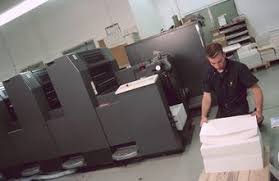
    Family Cookbook Project uses the latest in high speed digital printing to produce your family heirlooms. Generally it takes 2-3 weeks to get the files ready for the presses, print, bind and package to ship directly to you. However, during our busiest seasons – right before Mother’s Day and Christmas – it can take much longer.

    Another thing to consider is shipping. We use UPS to ship our family cookbooks all over the USA and Canada. Shipping can take an additional week to have your cookbooks reach you.

    Since personalized family cookbooks can make such great Christmas gifts, editors rush to get their print orders submitted in November in order to receive them in time for Christmas time gift giving. Normally, we have a November 30th deadline for delivery in time for Christmas. Save yourself (and us) the danger of not having your cookbooks ready and submit your holiday cookbook orders in October and beat the November rush.

    We have been implementing improvements in our programming that will allow us to provide you with a more accurate quote for printing your cookbook prior to submitting your order so that you can save time when getting ready to print.

    When setting your deadline for recipe contributions, leave enough time for you to review all of the recipes and finalize formatting before you can submit your order for printing. Roughly a month later, your cookbooks should be in your hands!


    Bill Rice is founder and Co-Publisher of the Great Family Cookbook Project, a website that helps families and individuals collect and share food memories through customized printed cookbooks filled with treasured recipes. Follow us on Facebook and Pinterest!

  • Show Off Your Best BBQ on TV!

    Do you have a dish you’re famous for when hosting a BBQ?  Share a photo of your dish with a brief description and you may have a chance to grill it (virtually, of course) on the daytime TV show Live with Kelly and Ryan.

    To learn more and share your photo, go to the Live with Kelly and Ryan Website.


    Bill Rice is Co-Publisher of the Great Family Cookbook Project, a website that helps families and individuals collect and share food memories. Follow us on Facebook and Pinterest!


  • Family Cookbook Project.com and COVID-19

    Our hearts go out to anyone in our Family Cookbook Project.com community that have been affected by the recent COVID-19 pandemic, either through sickness, loss of a loss loved one, loss of employment, or the effects of social distancing. This affects all of us and only together will we rise above and beat this crisis.

    With the forced isolation brought on by social distancing and quarantines, we have seen an increase in the number of recipes being added to the system each day. Our system is designed to handle any increase in traffic with minimal impact to the user. We hope this also corresponds with an increase in trying new interesting family recipes since dining out options have been limited.

    As a Family Cookbook Project editor, here are some ideas to add a silver lining to this crisis.

    • Reach out to your contributors and ask them if they have any extra time to contribute a few recipes to your cookbook.
    • If you’ve already printed your cookbook, now is a good time to unlock it and ask contributors to start working on volume two.
    • Add to a recipe story. Family Cookbook Project.com offers an online ability to add comments to recipes that you’ve tried in memories that you have. Ask people to contribute their stories to the recipes they make and try.
    • Use your extra time to review for more than 50 professionally design covers available for your cookbook and get it ready for printing.
    • Create a specialty cookbook. Do you have a lot of dessert recipes or maybe ethnic recipes? Consider creating a small cookbook with just those recipes. These kind of cookbooks make great gifts.

    These are just some simple ideas to help you take your mind off of the difficult times we are experiencing and look forward to a brighter future.


    Bill Rice is founder and Co-Publisher of the Great Family Cookbook Project, a website that helps families and individuals collect and share food memories through customized printed cookbooks filled with treasured recipes. Follow us on Facebook and Pinterest!

  • Understanding How to Use The Right Cooking Oil

    If you’ve followed a recipe, you’ve used cooking oils. However it is easy to be overwhelmed by all the varieties and options of cooking oil. Even when you know what you are looking for it can be tough to navigate through all those bottles and labels!
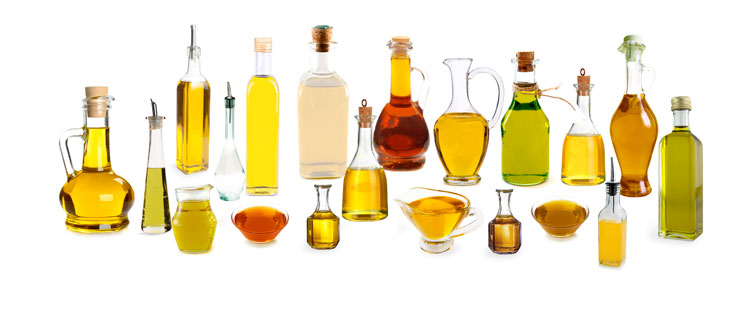
    First things first, what’s the purpose of using cooking oil?

    Cooking oils are a type of fat and no matter what he current fad diet says, fat is a nutrient that is required in large amounts in our diet. Oil is just one way to meet our fat needs. Other ways would be using foods that are higher in fat content, like nuts, avocado, eggs, fish, etc… There are different roles of oil in our cooking… Cooking oil can add wonderful flavors and aromas (think olive oil, pumpkin seed oil, walnut oil, etc) which can balance out components like vinegar, lime juice or bitter-tasting vegetables. On top of that, oil can be used as a cooking lubricant when sautéing so that food can be cooked without sticking to itself and the pan.

    In vinaigrettes, oil acts as a thickener by creating an emulsion with vinegar. Oil also adheres well to the surface of leafy vegetables allowing it to better coat and evenly distribute over the leaves causing the leaf to darken and its structure to weaken.

    Cooking oils can come from a variety of sources. Cooking oils can be made from Nuts and legumes (peanut oil, coconut oil, walnut oil, soybean oil, etc.), Fruits (avocado oil, olive oil, etc.), or Seeds (canola oil, sunflower oil, grapeseed oil, flaxseed oil, etc.). Each oil can add something different to a dish and should be use

    Understanding Smoke Point

    Smoke point refers to the temperature where an oil starts to burn and smoke. If you go beyond an oil’s smoke point, the oil will not only have a burnt flavor but it’s beneficial nutrients (found in many unrefined oils) will be destroyed and harmful free radicals can be created.

    There is a wide range of smoke points for cooking oils. Here is a guide choosing an oil for cooking.

    • Oils for high heat cooking: High heat cooking (> 450 F) includes searing, browning, and deep-frying. Cooking oils best for high heat cooking include avocado oil, safflower oil, sunflower oil, and refined peanut oil. These oils are higher in monounsaturated fats so their smoke point is much higher.
    • Oils for medium-high heat cooking: Medium-high heat (350 F – 450 F) cooking oils are good for baking, oven cooking, or stir-frying. Canola oil, almond oil,  grapeseed oil, macadamia nut oil, corn oil and refined olive oil are best for medium-high heat cooking.
    • Oils for medium heat cooking: Medium heat cooking oils (< 350 F) are best for light sautéing, sauces, and low-heat baking. These oils include extra virgin olive oil, coconut oil, corn oil, hemp oil, pumpkin seed oil, sesame oil, soybean oil, and peanut oil.
    • Oils for no heat cooking: It depends what flavor you like and prefer as some oils are more fragrant or have a distinct flavor, such as extra virgin olive oil, truffle oil, peanut oil, sesame oil, pumpkin seed oil, etc…

    The good news is that with so many cooking oils to choose from, many of us have one or two “go to” oils that fit most of our daily needs. However don’t be afraid to try something new every now and then. You might find something you like better!


    Bill Rice is founder and Co-Publisher of the Great Family Cookbook Project, a website that helps families and individuals collect and share food memories through customized printed cookbooks filled with treasured recipes. Follow us on Facebook and Pinterest!

  • New Advanced Photo Tools Now Available

    Photos are an important part of most cookbooks. Whether it is seeing how a dish should look when it is complete or photos of grandma and her famous cheery pie, photos help a cookbook come to life.
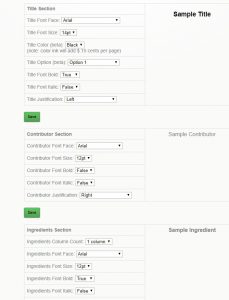
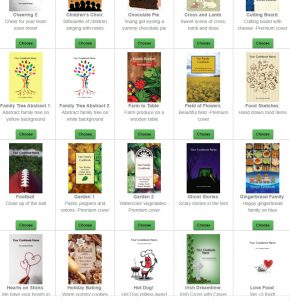
    Family Cookbook Project has just released an updated set of advanced tools to help improved the process of adding photos to your cookbook. Here is a list of some of the major enhancements:

    Multiple Recipe Photos – Now a recipe can have as many photos as you’d like instead of just a single image.

    Add Photos When You Add A Recipe – The “add a recipe” page now has a link to add your photo when you are submitting a new recipe. Before you needed to add the recipe and then go back and edit the recipe to add a photo. This will be a real time saver!

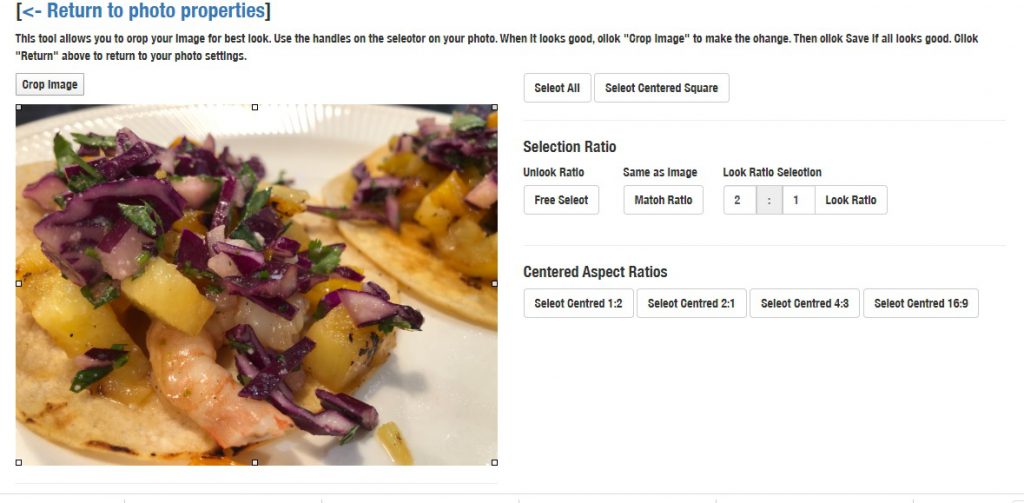
    Crop Photo Tool – Our new tools allow you to edit your photo and crop the image right in our software after it is uploaded. No need to do it off line and then re-upload the image.

    Improved Recipe Views – All recipe views/lists show thumbnails of all photos on a recipe so you can see which recipes have photos attached.

    In addition to the photo improvements, other layout enhancements include:

    • Margins can be sent to narrow or wide
    • Page numbers can be set to center, right or left justification
    • Simplified fields (we got ride of fields no longer being used)

    Family Cookbook Project is cloud-based so that we can make these enhancements and you do not need to re-download your software with every change. It is all done on our servers and you access the most advanced software each time you log in.


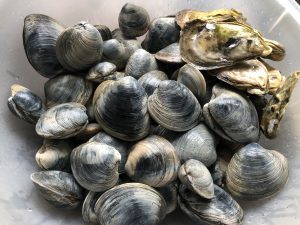
  • How to Purge Sand from Clams

    Living on Cape Cod, I get the opportunity to enjoy a lot of seafood year round. And there is nothing better than to grow or catch your own food – you know it’s fresh.

    Clams are one food we enjoy collecting and cooking whenever we can. I enjoy making  Cape Cod Clam Chowder, Clams with Lemon and Basil and especially my mom’s Denise’s Stuffed Clams. The challenge is to enjoy the clams without the sand they live in.

    Here’s what you need to know to get the grit out of your clams.

    The vast majority of clams, mussels and oysters you buy in the market have been purged already. You will almost never need to purge your clams if you bought them at a supermarket. If you are not sure, just ask.

    If you catch your own clams or buy them directly from a shellfisherman, it might be worth your while to purge the sand out before you cook them.

    There is a lot of bad information out there about how to purge sand from clams and it can be difficult to separate the knowledge from the folklore. For example adding corn meal to the purging water does nothing for the clams. The reason they have sand and grit in them is because they live buried in sand or mud.

    So here is how you Purge sand from your clams:

    Next time you go clamming, bring a 5-gallon bucket and fill it with seawater. The clams will be use  to the salinity  and temperature of that water. It’s perfect for your needs.

    • At home, wash the clams under cold tap water to remove mud or grit on the outside of the shell. Put the clams into a large non-reactive container. I use a big plastic bowl.
    • Either let the seawater you brought home settle for 20 minutes or so, or filter it through a paper towel. You want it as grit-free as possible. Pour the water over the clams, covering by 1 to 3 inches. If you are purging especially muddy clams, hold back any remaining seawater — you’ll need to change it in a day. Clams need oxygen in the water and if you are going to purge for more than a few hours you’ll want new saltwater for the bowl.
    • Set the clams in the fridge or in a cool place — somewhere where the temperature is reasonably close to the water they were in — and leave for at least an hour, and up to overnight hours. Change the water if you can.
    • When you are ready, rinse the clams again. Hard-shelled clams can go into the fridge. Open-shelled clams need to be eaten or thrown out.

    You cannot purge a clam in fresh water. Fresh water kills clams. And dead clams are, with few exceptions, no good to eat.


    Bill Rice is founder and Co-Publisher of the Great Family Cookbook Project, a website that helps families and individuals collect and share food memories through customized printed cookbooks filled with treasured recipes. He clams every chance he gets and loves many clam dishes. Follow us on Facebook and Pinterest!

  • Using Custom Recipe Layouts in a Family Cookbook Project

    One of the things that we are most proud of at FamilyCookbookProject.com is the ability to give complete control of every aspect of making a cookbook to the project’s editor. We provide professionally designed options that are perfect for most people, but some have visions of something different.

    We have already covered creating custom categories and custom cookbook cover or recipe category dividers. This article will cover creating a custom cookbook recipe layouts.

    FamilyCookbookProject.com currently offers 19 pre-set recipe layouts that set three aspects of your recipes that are perfect for most editors:

    • Font type
    • Font size
    • Number of columns for ingredients

    However if you want something different, that is where custom Layouts come in. You can control each section independently – title, contributor name, ingredients, directions and personal notes.

    In addition to the font type, size and columns above, you also can control:

    • Bold text
    • Italic text
    • Justification of text
    • Label of the Comments Field

    This option is not for someone who does not have strong computer skills, but it can be very effective in displaying your recipes exactly how you wish them displayed.


    Bill Rice is founder and Co-Publisher of the Great Family Cookbook Project, a website that helps families and individuals collect and share food memories through customized printed cookbooks filled with treasured recipes. Follow us on Facebook and Pinterest!

  • Customizing your Family Cookbook Cover

    One of the things that we are most proud of at FamilyCookbookProject.com is the ability to give complete control of every aspect of making a cookbook to the project’s editor. We provide professionally designed options that are perfect for most people, but some have visions of something different.

    Our last article was about creating custom categories. This article will cover creating a custom cookbook cover or recipe category dividers.

    A custom cookbook cover was the third most popular cover option last year. Some people simply have a white cover with a photo, others with graphic design skills create beautiful designs to personalize  their cookbook. Creativity knows no limit with Family Cookbook Project.

    • When creating a custom cover or divider, here are the specifications to use:
    • Images MUST be in JPG format to be used in your cookbook. GIFs and BMPs will not import correctly.
    • Your images should be 150-300dpi resolution – or they may seem pixilated in printing.
    • Full page with Bleed Custom Covers and Dividers must be sized at 6″x9″ with 4.75″x7.75″ active content or 1800 x 2700 pixels.
    • Full page non-bleed Dividers and other images must be sized at 5.5″x8.5″ with 4.75″x7.75″ active content or 1650 x 2550 pixels.
    • Also, do NOT upload files of the following type — they will not work: .doc, .pps, .ppt, .txt, .htm

    If you wanted to have a special photo on your cover, we suggest to use a page layout program or even a word processing program like Microsoft Word and design the page exactly the way you want it and save it as an image using the guidelines above. Then you can simply upload the image to the FamilyCookbookProject.com site and your custom cover is complete.


    ill Rice is founder and Co-Publisher of the Great Family Cookbook Project, a website that helps families and individuals collect and share food memories through customized printed cookbooks filled with treasured recipes. Follow us on Facebook and Pinterest!