Blog

  • How Many Recipes Does My Cookbook Need?

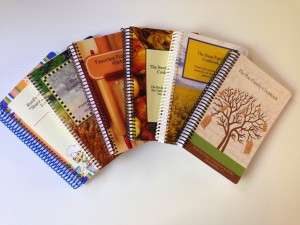
    Cookbook-CoversOne question every cookbook editor wants to know is how many recipes should my cookbook have? Too many and printing costs are higher, not enough and the cookbook is not as valuable. What’s a family cookbook editor to do?

    Looking at the thousands of cookbooks we have printed over the past decade, there is no real number of recipes that make up a good cookbook  – you have what you have.  We have printed cookbooks with just 15 great recipes and as many as 1200!  However, that 1200 recipe book was 750 pages – HUGE!

    The average size seems to be around 150 recipes and that is why we use that number in our cost calculator.

    When a great cookbook has less recipes, often the editor includes other content to augment the food offerings. Photos of each dish, a section of family photos, a family tree or family stories about people remembered can really add value to a smaller cookbook.

    Larger cookbooks can be impressive simply by the number of recipes it contains. However, since printing cost is directly related to the number of pages that need to be printed, it is important to be mindful of your design choices when choosing your layout options.

    At the end of the day, your cookbook is exactly that – your cookbook. You need to balance the number and quality of the recipes included with the needs of your family.

    Bill Rice is the Co-Publisher at Family Cookbook Project which helps individuals and fundraising groups create cherished personalized cookbooks using the power of the Internet. Follow us on Facebook and Pinterest.

  • Make your own eCookbooks

    Family Cookbook Project makes it easy for you to access your personalized cookbook or custom family cookbook on an iPad, iPhone, Kindle, Nook or any other eReader. You can have a digital recipe book for your very own.

    This is available to everyone who wants to create a family cookbook and opens an account on www.FamilyCookbookProject.com. Creating cookbooks has never been easier using our online cookbook software.

    Once you have entered your recipes, selected a cookbook cover (or created your own using a cookbook cover template), added photos of the food or family members you will be ready to publish your cookbook.

    Kindle Cookbook

    kindledx1Kindle Cookbook

    To create an eCookbook, simply create a high Resolution PDF of your cookbook and save the file to your computer. This file is designed to adapt to the screen size of any eReader you may use. Many people use PDFs on their Kindle or Nook eReaders.

    If you want to convert your PDF to the widely accepted ePub format used by most readers, you can simply go to a website like Online-Convert.com and upload your cookbook PDF. In seconds, they will convert the cookbook to ePub format at no additional cost.


    screen480x4801Family Cookbook Mobile App

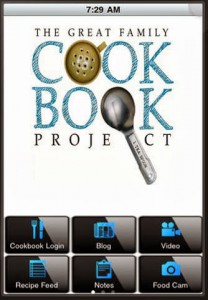
    Another way to access your family recipes on your mobile device is with the Family Cookbook Recipe App.

    The Family Cookbook Project online recipe box makes it easy for Family Cookbook Project users to browse and use their recipes in their mobile device. Tools include our blog at your fingertips, latest recipes from our recipe database, notes for in the kitchen, articles on how to create a recipe,  and cookbook making, a tip calculator and more! Users can enter their recipes at www.familycookbookproject.com and have access anywhere!

    The Family Cookbook Recipes was named the Best Publishing Mobile App in the Web Marketing Association’s 2017 MobileWebAward Competition.  

    Designed for use on the Apple iPhone or iPad, the free app can be downloaded at the iTunes App Store.

    Designed for use on the Android mobile devices, the free app can be downloaded at the Google Play Store.

    Bill Rice is Co-Publisher of the Great Family Cookbook Project, a website that helps families and individuals collect and share food memories. Follow us on Facebook and Pinterest!

  • Meet the Guys Behind Family Cookbook Project

    Meet the Guys Behind Family Cookbook Project

    Chip Lowell and Bill Rice at a beach picnic on Cape Cod

    Family Cookbook Project was began 14 years ago and was developed by two friends who both love cooking and food.  Bill Rice is the father of four and has worked on his family’s genealogy for more than two decades.  Over a wonderful summertime family meal on Cape Cod, Bill and some of his family decided to create a family cookbook.  Bill turned to his long time friend and programming expert Chip Lowell to develop a simple website to facilitate the project.  The site was such a hit with Bill’s family, the two decided to offer it access to other families looking for an opportunity to create a lasting family heirloom.

    Both Bill and Chip brought a strong understanding of web development, marketing and the need for top notch customer service to help the development of Family Cookbook Project.

    Bill Rice is an entrepreneur and the President of the Web Marketing Association. He brings a strong marketing and usability focus to the development of the website and it’s products. He also has written much of the text for the site and many of the blog posts (including this one!). He is an avid photographer and a senior contributor on the TripAdvisor website.

    Chip Lowell is the technology guru behind the programming of Family Cookbook Project. He is also the Director of Sales and Marketing at CodeBlue Technology, LLC, based in Richmond, Virginia.  CodeBlue provides IT services throughout Richmond and central Virginia. Chip is also a grill master and loves to spend his free time (if he had any) in his back yard with his wife Sally trying new recipes on his Big Green Egg grill.

    In 14 years, we have had more than 60,000 cookbook editors use our system to collect and create online cookbooks for their family, friends, church, school, group or as a fundraiser. More than 227,600 contributors have submitted over 1.6 million recipes so far and hundreds of new recipes are added every day.

    So when you wonder why all of our customer service is usually done via email, it’s because we both have day jobs. However, Family Cookbook Project is a passion of ours. We love to be able to help promote the concept of personalized cookbooks for families and fundraising efforts.

  • Understanding Recipe Privacy

    IMG_8391When you or a contributor adds a recipe to your online cookbook, there is an option to make your recipe private. If you check this box just above the save button, your recipe will only be available to those individuals who are logged into your online cookbook. Some people choose this option when a recipe is not yet ready to be shared publicly or they simply want to limit the people who have access to it.
    However, there are many benefits to sharing your recipe publicly. Public recipes are indexed by Google and other search engines. You can access your recipes simply by entering your name and the recipe name into Google. Online access from any computer without having to remember your log in information is very convenient.
    Family Cookbook Project also searches the public recipes to look for the best recipes to be included one of the Family Cookbook Project’s “Best of” cookbooks we publish. We also promote public recipes on our Facebook pages and on Pinterest. This allows us to highlight your recipes to the other Cookbook Editors, which is truly an honor.
    We believe recipes are made to be shared, just like the dishes that are made from them. So next time you enter your favorite recipe into your Family Cookbook Project online recipe box, be sure to mark it public so it can be shared.
  • Lowering the cost of printing your cookbook

    When it comes to printing your family cookbook project, page count is the largest determining factor on what the cost per book will be.

    To lower the number of pages that need to be printed, you don’t always have to just delete recipes. Here are some simple formatting charges you can make to affect your page count.

    Go to Editor Tools>Publishing Tool>Cookbook Options and Design.  Under Recipe Layout, choose any or all of these options to save space:

    • Choose Arial or Times Roman, Two Column Small for the smallest type faces
    • UNcheck Print my recipes in non-continued format
    • UNcheck Force recipe photos to be on same page as recipe
    • CHECK Print Directions and Comments as single paragraphs
    • Under Recipe Sorting, choose Print my recipes in book order – shortest to longest

    Another thing to do is look at your recipes that are more than one page long. We show you multi page recipes in the “recipes by category” index. There is a “*” next to the edit button of long recipes. Consider removing some of these recipes by unchecking the box by the recipe title and see the impact on page count.


    Bill Rice is Co-Publisher of the Great Family Cookbook Project, a website that helps families and individuals collect and share food memories. Follow us on Facebook and Pinterest!

  • Why Blank Pages Are Important In Your Family Cookbook

    One of the questions we get a lot as Cookbook Publishers is “how do I remove the blank pages in my cookbook?”

    It seems that when people preview their family cookbook on FamilyCookbookProject.com, they see the cover, then a blank page, then the title page, then another blank page, and so on. They want those blank pages eliminated to lower the cost of printing.

    In publishing, especially cookbook publishing, a cookbook needs to be laid out in a specific way in order for the most important pages to be on the right side when the book is opened. Think about it, Whenever you open a book, the title page is the first thing you see and it is always on the right page of a two page spread. Same goes for the Introduction, Table of Contents and the section dividers.

    On FamilyCookbookProject.com, if you create a preview cookbook PDF, you want to open it in your Adobe Reader program and select the option to view “Facing Pages” or “Double-up” (look under the View menu), you’ll see how the pages back up to each other.

    Now with that said, there is no reason why those pages have to be blank. The inside front cover can have a family photo photo or bio of the cookbook editor. The same goes for other blank pages as well. If your introduction is one page and after it is a blank page, consider writing more, adding a photo or even making the text larger to fill up that extra space.

    One benefit form using FamilyCookbookProject.com is that we provide a complete set of handy kitchen information that can be used on the back of the recipe category dividers with the touch of a button.

    Bill Rice takes more than 20,000 photos a year and is Co-Publisher of the Great Family Cookbook Project, a website that helps families and individuals collect and share food memories. Follow us on Facebook and Pinterest!

  • Holiday Cookbook Printing Deadlines

    xmas_table1The holidays are right around the corner and family cookbooks make a great gift for family and friends – and it is the busiest time for Family Cookbook Project in terms of printing cookbooks for families.

    If you plan to have your cookbooks printed by us and received by Christmas, the deadline to order and make payment is Friday, November 30th. There will be an extended deadline, but expedited shipping will be required. Let us know if we can help!

    If you need your family cookbook for Hanukkah (December 2), the print deadline is Monday, November 12th.

    For those of you who want to share their cookbook at Thanksgiving, your print deadline is Thursday, November 1st.

    So get your contributors to submit their final recipes and start reviewing everything to get your cookbook ready to print before the holiday deadline to have a wonderful family heirloom to share for generations.

  • Family cookbook project.com just got easier

    QuickStart HomepageOne of the things we are most proud of about the Award-winning FamilyCookbookProject.com is how easy it is to use. While the site offers so many options to make your personal cookbook look just like dreamed it would. But it still was not easy enough for us.

    That is why for the past several months we have been developing a new Editor’s “Quick Start” homepage specifically to make being a cookbook editor easy. We’ve created five separate centers and added all of the features, tools and options that relate to that center in one place. You will also find quick links to the most used functions on the homepage itself.

    These new Centers are:

    Recipe Center

    Cookbook Layout Center

    Cookbook Account Center

    Helpers and Contributors Center

    Cookbook Printing Center


    Your Choice

    Now, the first thing most of you long time editors will think is that “I know where everything is now, why do I have to learn it all over!”. Well, you don’t. You will have the option to keep your existing homepage or switch to the new one. However, all new accounts will automatically start on the new homepage experience.

    Instant Hints

    Another new feature to help you when you use a desktop is our “Instant Hint” feature. You will now find <?> icons throughout the site and if you hover over them with your computer pointer, you will get more details on what that link does without having to click on it!

    How to Select the new Editor’s homepage

    The first item in your Family Cookbook Message center (the right column of your homepage) is now option to “Set Home Page”. Change this to “Quick Start” and you’ll be switched to the new homepage. Change it back to “Full Home” and you’ll reset it to the original homepage.

    We Need your Help

    Now it is your turn to make the site even easier. Please give the new homepage a try and then give us your feedback about what you like and dislike about our new Editor’s Homepage. Is anything is the wrong Center? What else would you like to see? Is it easier or more difficult? It’s up to you to let us know what you think and help make Family Cookbook Project the best personal cookbook publishing site on the Internet.


  • Recipe Standard Measurements

    CupsFor many generations, recipes were handed down by word of mouth from mother to daughter. Recipes consisted of a little of this and a smidgin of that. The food always came our great – or at least that is what we told out mothers! Today things are different. Computers make is easy to write down our recipes and share them with friends and family members over the Internet. However it is important to remember that cooking has a language of its own. It is a language of ingredients and measurements and directions. I believe the most important of these is measurements. If we did not have standard measurements for cooking, “T” could be a teaspoon, a tablespoons, a thimble full or a truck load! Here are a list of Standard Measures Abbreviations commonly used in recipes.
    teaspoon……………………… tsp.
    tablespoon…………………… tbsp. or T.
    cup…………………………….. c.
    quart…………………………… qt.
    ounce…………………………. oz.
    pint…………………………….. pt.
    gallon…………………………. gal.
    inch…………………………….. in.
    pound………………………….. lb.
    milliliter…………………………. ml
    liter……………………………….. L
    milligram……………………….. mg
    gram……………………………… g
    kilogram ……………………….. kg
    millimeter……………………… mm
    centimeter…………………….. cm
    meter……………………………. m
    Celsius…………………………… C
    Fahrenheit……………………. F

    Another important thing about standard measurements is that they don’t work if you don’t use them! Including an ingredient in your recipe without a specific amount is likely to leave someone trying the recipe for the first time scratching their head and wondering what to do. Remember know one will know unless you include it in your recipe.

    Bill Rice is Co-Publisher of the Great Family Cookbook Project, a website that helps families and individuals collect and share food memories. Follow us on Facebook and Pinterest!

  • Family Cookbook Project adds three new cover choices

    BackToSchool4txtIn an effort to continually build its library of professionally designed covers for its editors to choose from, Family Cookbook Project has added three new cookbook covers.
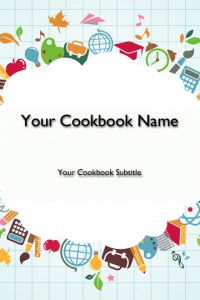
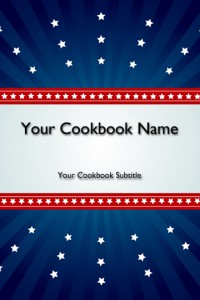
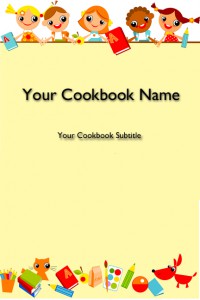
    Back to School – Kids: This cookbook cover is perfect for a daycare, elementary school or other cookbook involving young children. The images are fun whimsical cartoon characters having a good time.


    BackToSchool3txt


    Back to School – Supplies: Another school related cookbook cover, this cookbook cover features schools supplies such as a globe, artist paint brush, calculator, apple, etc.


    RedWhiteBluetxt


    Red, White and Blue: Looking for a patriotic cookbook, this may be your cover! A blue background with red stripes and white stars provide a colorful cover for any cookbook need.

    Family Cookbook Project is working on additional covers that will be available in the coming months. If you have a cover that you think we should add to our collection, please let us know!