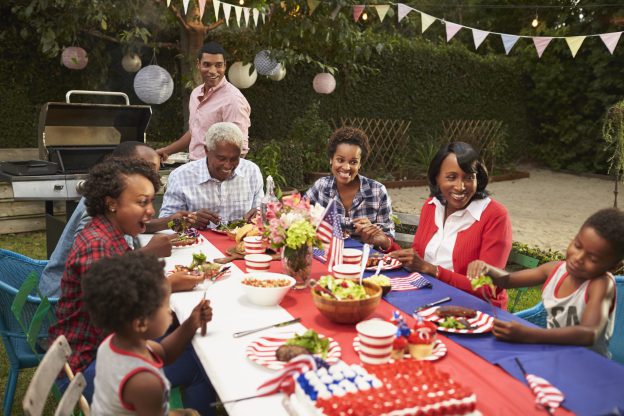
Family reunions are a great opportunity to create a family cookbook and get lots of people to participate. A family reunion cookbook motivates family members to communicate before the event and helps get everyone excited!
At FamilyCookbookProject.com, We have hundred’s of family reunion cookbooks under our belts and we’d love to work on yours. Our site is perfect for communicating with larger groups of family members via email and keeping everyone motivated.
Here is a fun idea for your Family Reunion Cookbook – a family directory section!
Here’s how to do it:
Start by creating a custom recipe category entitled “Family Members”.
Next, add your family member’s names and email addresses into the invitation tool so you can invite them to participate and directly add recipes and bios to your cookbook account.
Next ask everyone to use the add a recipe tool and have them enter their name as the title of the recipe, Their photo as the recipe photo and their bio as the personal notes. They can leave everything else blank and all of the bios will be together in one section in the back of the book.
You might want to also include a family tree so everyone knows how each other is related.
The other way to create a family directory would be to have everyone email you their info and photo and you create custom pages for each one.
Family members can even pick up the cookbooks at the reunion!
Bill Rice is Co-Publisher of the Great Family Cookbook Project, a website that helps families and individuals collect, preserve and share food memories by creating their own printed personal cookbooks. He is the author of The Wellfleet Oyster Cookbook (Available on Amazon) and the Cape Cod Cocktail Cookbook, both created using FamilyCookbookProject.com. He is also editor of the Donovan Family Cookbook, now it’s third printing.
We regularly receive accolades and comments from customers about Family Cookbook Project that we wanted to share.
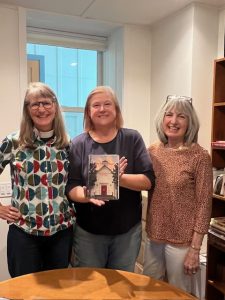
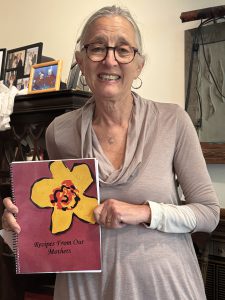
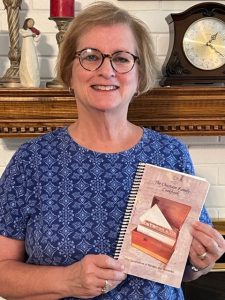
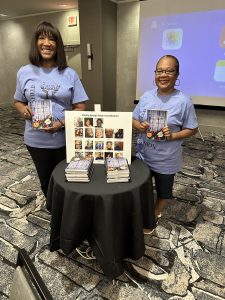
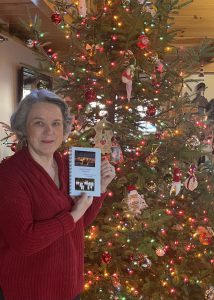
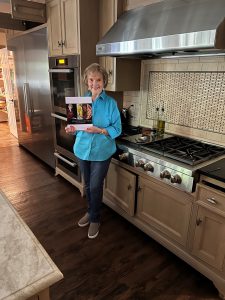
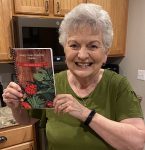
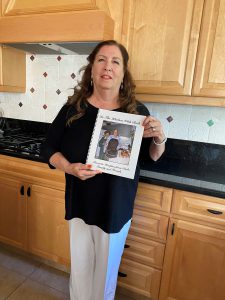
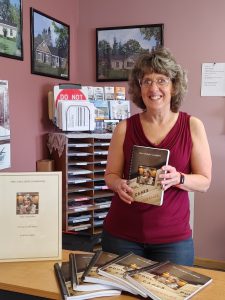
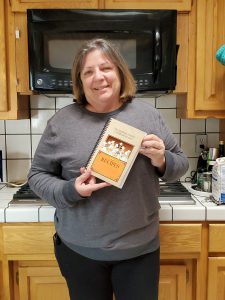
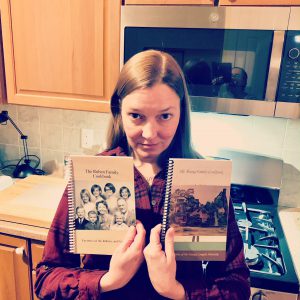
We’ve also included some of the wonderful photos our editors have submitted with photos of them and their cookbooks. The photos do not necessarily go with the quote they appear with.
“I recently received my finished cookbook – I ordered 6 so I could give one to each of my 5 kids and of course keep one for myself. They look great and my kids will have these when I’m gone. I took great care selecting family photos to incorporate into my book. Love these.” — Carol Charbonneua, Grandma Carol’s Favorite Recipes
“I’m still getting requests for my cookbook 5 years later.” –Mary Boudreau, O’Neill & Hall Family Cookbook
“When the cookbooks arrived this week we couldn’t have been happier with the quality!! Some of the pictures we included were “vintage” and the clarity and colors way exceeded our expectations! My mother plans to gift her cookbooks and we hope it will spark memories for those special people who will receive one!! THANK YOU!!!” –Nancy Hines, Jackie’s Recipes Always Made With Love
“I made a cookbook for my daughter and it is fantastic. I love your software platform!” –Tara Mann, Samara’s Kitchen Cookbook
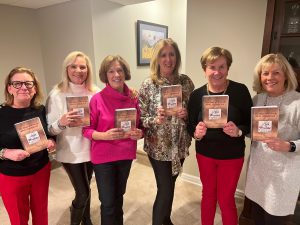
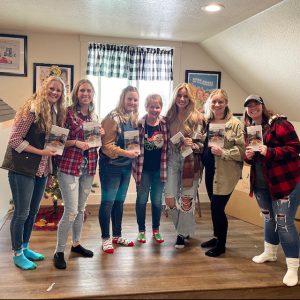
The “friends” of The Best of Friends GNO Cookbook
“Our cookbook was established by nine good friends, six of which are pictured below. I was the editor and handled the order. We all love our cookbook!” –Mary Kay LaChance, The Best of Friends GNO Cookbook
“Received my books today and they brought tears to my eyes. They’re perfect! I just used the scanned photos of my late moms and Grandmas recipes, and added titles. They’re legible, well laid out, they’re perfect! I can’t recommend this company enough! I’ll definitely be coming back for future ideas! Thank you for making this process so easy and helping preserve these family recipes!” –Jessalynn Karl, Our Family Recipe Book
“Thank you! My family made a fundraising cookbook to support our family reunion and had a great experience. ” –Mary R. Christopher, Dell Family Recipes Cookbook
“It was so easy and everyone was more than happy to share their favorite family recipes! The students also loved seeing their names in school cookbook. Teachers and the administration were competing for the best recipe! Not only did we hit out goal amount, we had some friendly competition in doing so!!.” –Heidi Rice, West Shore Middle School Cookbook
“I completed my mom’s cookbook in 2021 and my mother-in-law’s cookbook this month. You were so fast in getting them printed and sent. They turned out beautifully! Thank you.” –Laurie Strom, Sylvia’s Recipe Box and Evelyn’s Recipe Box Cookbooks
Family Cookbooks make a great Christmas gift!
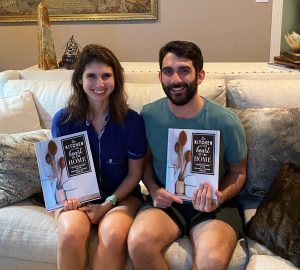
“I wanted to let you know how much our kids loved their cookbook! We were so excited about it! Merry Christmas!” –Tami Cox, The Kitchen is the Heart of the Home Cookbook
“The cookbooks just arrived and I cannot tell you how wonderful the experience was. The software is easy to use and rather intuitive. As I started assembling stuff, I thought it would be neat to separate recipes by each side of our families. Then I started adding stories and pictures and a family tree for each and – POOF! – a book emerged. Thank you for such a wonderful way to share family memories.” — Name withheld on request
“I look forward to this project!! What a great concept. I am in Phoenix and in charge of a cookbook in South Dakota. What a great time saver.” –Maria Ringling, Brumbaugh Family Cookbook
“Just want to let you know I love the Family Cookbook Project. I had made a recipe book for my kids several years ago….went to revamp it for grandkids and the software I used was no longer available. I found this and it is so much better. I did cookbooks for the grandkids and now my sister in law and I are making another one for the other side of the family. Thank you!” — Vicki Smith, Grandma Vicki’s Family Cookbook
“Great program and so easy to use! ” –Marilynn Vannucci, Our Cookbook
“I really like the cookbook you printed for me. Such a good idea to have many of our recipes in one place. The website is easy to use .” – Jane Collins Rogers, Collins Family Cookbook
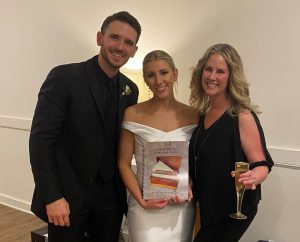
Tamera Love and her wedding cookbook
“This cookbook was a wedding gift for my niece and her new husband. They LOVED it!!” Tamera Love, Our Family Homards & Keens: Recipes from the Heart Cookbook
“I received our cookbooks last Friday and was thrilled with the result! The quality was wonderful and can’t wait to share with my family members. The site was so easy and fun and my family loved being able to add their own recipes and comments. I would highly recommend it to everyone; it’s a great way to share special family recipes. ” –Carolyn Castaldi, Special Family Recipes Cookbook
“The cookbooks turned out beautifully and was well received. It really has been a pleasure working with your company and look forward to future cookbooks with you. ” — Pamela Hartzler, Leon River Cowboy Church Cookbook
“I enjoy preparing the books for gifts to my family and friends and the fact that I can improve it as time goes by is really a special treat. Thank you for this great project.” –Nancy G., Circle of Friends & Family Recipes
“I am totally impressed with the ease of using this cookbook software and I highly recommend the “Family Cookbook Project” for creating your own cookbook filled with recipes of treasured family favorites!” –Debbie Guidry-Gauthier, Deb, Do you have a recipe for ? Cookbook
Maria Minor and The Minor Family Cookbook
“My son is getting married and we thought it will be a great idea to give him the family recipes. I can’t be happier with the results. My son and his wife love it. Thank you for the work you did in helping me with this project.” –Maria Minor, The Minor Family Cookbook
“Thank you so much for publishing my family cookbook. It was so much fun typing up my mother and mother-in-law’s recipes and giving them to my family as a Christmas present this past year. Your company was so easy to work with and the website was great! Very self-explanatory and simple to navigate.” –Karen Day, Family Favorites Cookbook
“I love this company! Our family did a cookbook about 7 years ago. I have placed several different orders since then, just received one a few days ago. Everyone wants copies. We are now starting on our 2nd edition cookbook. This company makes it so easy to use & they turned out perfect! Thank you Familycookbookproject.com” –Arla Mae Brown Jensen, Brown Family Cookbook
“My grandparents ran a restaurant in their farm home (picture on cover of cookbook) for 60+ years. My aunt took over after their passing. All home cooking. The food and atmosphere were so popular, you had to make reservations a year ahead of time for your Christmas party. The cookbook I wrote was with their recipes and stories. I loved writing this cookbook; it was so much fun. The program was easy to follow. The final product was so nice it went to a third printing. I am currently working on another cookbook (Favorite Recipes from Grammy Linda’s Kitchen) that I hope to finish and send for printing by the end of the year. ” –Linda Mallory, Favorite Recipes from Wardell Cookbook
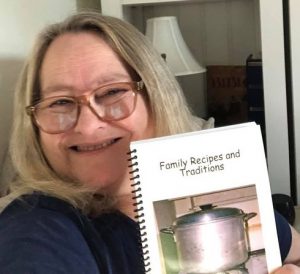
Linda Gutman Deamico and her cookbook Family Recipes and Traditions
“My grandkids were so surprised that I made this book for them for Christmas! When they saw their pictures in it too they were “No Way Grandma!”. I had so much fun making this book. Going to do another hopefully with my cousins and friends!” –Linda Gutman Deamico, Family Recipes and traditions
“The printed cookbooks turned out beautifully! We got unexpected benefits from extensive media coverage, boosting sales and necessitating a reprint within only a couple of months of our original printing. The final product has been in serious demand.” –Cheryl Madden Brown, McKee Elementary School PTA Cookbook
“Thank you so much for your help with my book. I received my order last Friday and they are beautifully done. I am so pleased!” –Marilyn Locicero, NOW YOU’RE COOKING – AGAIN! Cookbook
“It was a pleasure to work with you guys on MY cookbook! Everyone loves it!” –Debbie Gauthier, Jambalaya, Crawfish Pie and File Gumbo Cookbook
“Our Truck To Table cookbook looks fantastic! Sales will continue throughout the fall and the holiday season at various events here in Charlotte with our goal of presenting a substantial check in January to the Urban Ministry Center, an interfaith agency serving the homeless in our community.” –Louise Bonner, Common Grounds Farm Stand, Truck To Table
“Our families created a family cookbook for our wedding years ago and we still use all the recipes for our family of five!” –Dave and Marci Clark, A Family Cookbook for Marci and Dave
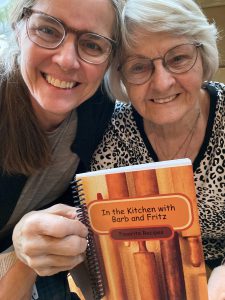
Kristen Bentley and her mom Barbara with her family cookbook ℎ ℎ ℎ
“After my mother passed away I took possession of her recipe box with the intention of putting together a family cookbook. This project was much easier than I imagined it would be using the Family Cookbook Project tools. My sisters and niece received their cookbook this week and they all loved it. Thank you for helping me create a family heirloom.” –Laura Batton, The Porter Family Cookbook
I love how my cookbook turned out! This is the second cookbook I have done for our family with FamilyCookbookProject.com and have enjoyed putting them together, and very happy with the finished copy! Thank you! –Vickie Agnitsch, The Johnson Family Cookbook
“Great way for everyone to share during this covid disconnect and remember family picnics and recipes. Pictures added bring back wonderful memories of better days and hopes to be cooking, eating and sharing better times ahead.” –Margie Locke, The Welch Family Picnic Cookbook
“Love love love our new family cookbook – thanks for helping us make the project so simple and fun! Our cookbook will be treasured for years to come.”
— Michelle M Rodgers
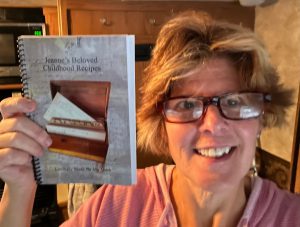
Jeanne Behen and her cookbook
“I bought a notebook and asked my mom to write down all the recipes I loved that she’d always made. My mom is now passed and I’m grateful I asked her to do that. The pages are stained and fading from overuse. So I took photos of that notebook as well as some of my own that my kids love and created this book. It is wipeable and now a second copy of my mom’s beautiful penmanship.” –Jeanne Behen, Jeanne’s Beloved Childhood Recipes
“We love our new cookbook! My sisters and I made this cookbook in honor of our mother, also known as Mom Maw and the Wise One. She celebrated her 90th birthday in October 2020. We made this cookbook for future generations to capture many of her recipes, a few from our grandparents, and our own favorites.” –Julie McAllister, Cooking With The Wise One
“I received the cookbook today and love it! It’s the perfect gift for my daughter, the bride-to-be.” –Sherry Floyd, Our Family Favorites Cookbook
“I just received my shipment of cookbooks and they turned out awesome. Everyone is so pleased with them. We would like to possibly place an additional order as we did not order enough. I knew this was going to happen…” –Laura Sternberg, Ear, Nose and Throat Associates of South Florida Cookbook
“It is so emotional and rewarding when you see your hard work, dreams and dedication to your family in front of you. My cookbook will be debuted at our Horsley Family Reunion on July 12th. I’m so proud of how this turned out. The Family Cookbook site helps to pull it all together!!! Keeping my family memories alive is an amazing feeling. Thank you FamilyCookbookProject.com!!!”
—Marsha Smith
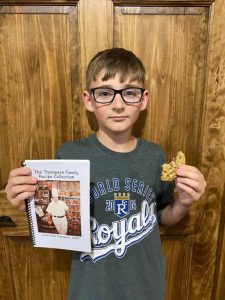
Linda Thompson’s grandson with his new cookbook
“My grandson baked oatmeal chocolate chip cookies for his summer school class party from his great-grandmother’s recipe which is included in his grandfather’s cookbook. Thank you, Family Cookbook Project for putting our family memories in print.” ==Linda Thompson, The Thompson Family Recipe Collection
“This is the best cookbook website ever! I have used it to print two cookbooks for both of my daughters weddings.” –Patsy Mitchusson
“We had early Christmas so our daughters, Rose and Lily, could use the cookbooks to make their own Christmas dinners. They also presented us a list of who should get edition two! Lucky for us, creating these cookbooks can be a work in progress forever! ” — Tina Fletcher, Fletcher-Selvaggi Family Favorites
“I am so excited about your cookbook program! I have been looking for software that would allow me to do a project such as this for my own family. Your program is the only one that provides all the opportunities I had in mind. Thank you for making my personal dream come true! I told my sister about my project and got her excited as well. She too is seriously considering the same.” –Elaine Dacke, Our Family Recipes
“Yesterday I was at a ‘tea,’ and I mentioned the user-friendly software we were using for our church cookbook. Any person/group wanting to do a cookbook, I will certainly tell them of your user-friendly software.”
—Donna March, Glendale Christian Church Family and Friends’ Recipes
Jennifer Murray, The Parish Palate
“Thanks for your user friendly software and help in creating a beautiful cookbook comprised of recipes from our church members. This was a project received with enthusiasm and great participation and folks are loving cooking from its pages. Your technical help and patient assisted us in creating something special. We gladly recommend Family Cookbook Project to others.” –Jennifer Murray, The Parish Palate
“Thank you for the help. We just lost my mom last month so these were all of her recipes for all of her kids, grandchildren, and great grandchildren. It was an emotional job to complete but it will be treasured by all who loved her. Thank you again.”
–-Sara Klein, Grandma Klein’s Cookbook
“Great product – we really enjoy it and use it almost daily. 🙂 ” –Doug Spoerre
“Thanks for your great software for the cookbook. We have a small group of internationals from over 31 different countries and it has been fun to provide them with a cookbook that celebrates their cultures and our 45th anniversary year of the English as a Second Language ministry. Thank you for providing an easy way to provide a nice cookbook layout for them.” –Mike Pearce
“My printed cookbooks arrived today, and they are terrific. Thank you! I thought the whole process, from creating the initial layout to entering the last recipe and proofing, was very easy and enjoyable. Thank you for providing such an easy to use program, good pricing, and a great printed result.” — Chris Delmar, Family Favorites: From our Hearts and Hands to Yours Cookbook
Debbie Sokoler and her cookbook
“I am so happy and overwhelmed at the amount of interest in my cookbook. It’s just been a couple of weeks and I’m ready to order more! Thanks again for the awesome job you did on printing my cookbooks!” –Julie Lanners, My Favorite Recipes
I’ve finished the book and you’ve already sent it! I love your site! You were so helpful and fast with responses to my questions. Thanks so much!
— Sarah Stafford, Favorite Family Recipes
The app/website was so easy to use. I had been wanting to create a cookbook of my family’s favorite recipes for so long; and when my friend told me about the gift of the cookbook project she received from her kids last Christmas, I knew I had to do it too. I was not disappointed.
— Kim Hill, Family Favorites
“We did it. We are all very pleased with the final product that was created. Now it’s just a matter of handing them out to family members and sharing the memories. Thank you and Cheers!” –Kevin Spire, Grandma Mahlstedt’s Recipe Box
“This made a great Christmas gift for all the adults in my family. The cookbook was easy to add recipes to, you could edit the overview of it, change the layout of the front, etc. It was super professional and I wish I’d done it sooner!” –Sonya, Heirloom Recipes
I’m very pleased with the whole process. Thanks so much for the extra help!
— Tami Myers, Treasures from the Past
Jana Watson, The Chastain Family Cookbook
Just want to let you know I love the Family Cookbook Project. I had made a recipe book for my kids several years ago….went to revamp it for grandkids and the software I used was no longer available. I found this and it is so much better. I did cookbooks for the grandkids and now my sister in law and I are making another one for the other side of the family. Thank you! — Vicki Smith, Grandma Vicki’s Family Cookbook
Here I am with our new family cookbook! Thank you for making it possible. I am thrilled with the result, and the process was really easy. Thanks for answering my questions quickly too. I’ll be telling all my friends about the experience, and recommending they use your service! — Jana Watson, The Chastain Family Cookbook
Back in 2006, you published my family’s cookbook, “The Hart Family Cookbook”. I am potentially interested in ordering more copies if it is still in your database, I have not looked over pricing. Hard to believe that this cookbook came out when I was 5 and today at 22 I still use, love, and cherish it! I want to thank you for being around so my family could make this. With some of our contributors now passed on, some I never got the chance to meet, it is so lovely having these little recipes from them to feel close to family from so far away. — Ashley Proudfit, The Hart Family Cookbook
Just got my copies of the cookbook and it looks great! Thank you for your help, support, hand-holding, and most of all, putting out a wonderful product! — Eleszabeth McNeel, The Hillsboro Library Friends Cookbook Project
I received my book and it is absolutely beautiful!. It is for my daughter who is getting married. She will be so surprised! Thank you again for your assistance. — Janet Frascella, Grandma’s Recipes
Just submitted the print order!! Thank you all so much for your help and support as I worked through this process. You were always so kind with your responses. Thank you also for providing this concept. This allowed me to collect and organized so many scraps of paper to share with others. Many thanks! — Belinda Ott, Our Family Cookbook
The website was wonderful and I would both recommend it and use it again. Thank you — Cindy Lake, The Henthorne Family Cookbook
Your website was easy to use and the couple times I needed help you were very quick to respond with easy to follow instructions. I am not very tech savvy but found it easy and doable. When the cookbooks arrived this week we couldn’t have been happier with the quality!! Some of the pictures we included were “vintage” and the clarity and colors way exceeded our expectations! My mother plans to gift her cookbooks and we hope it will spark memories for those special people who will receive one!! — Nancy Hines, Jackie’s Cookbook
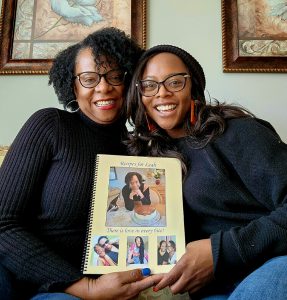
My daughter cried when I gave her the cookbook on Christmas Day. I was so pleased with the finished product and I know she will cherish it for years to come. Thank you Family Cookbook! This was truly a labor of love. — Mamie Berry, Recipes for Leah
I have used & loved your app for years! I especially liked the accessibility with my iPhone. Thank you for your awesome product!! — Lisa Mays, Favorite Recipes from the The Kyler/Mays Family
Mamie Berry and her daughter Leah with her family cookbook
I am really enjoying making this cookbook. It is a very well-laid-out and easy-to-use software. — Betty Fricke, Betty Fricke Extended Family Favorites
I gifted the cookbook to my daughter and two daughters-in-law and they were absolutely thrilled! The quality and professionalism of it amazed us all! My daughter said, “It is one of the most wonderful gifts I have ever received!” The idea to place the history behind the recipe is truly one of preserving our family heritage. Thank you for working with me to accomplish this most treasured gift. I plan to order more in the future.
— Mary Artese, The Fondest Memories Are Made When We Gather Around the Table Family Cookbook
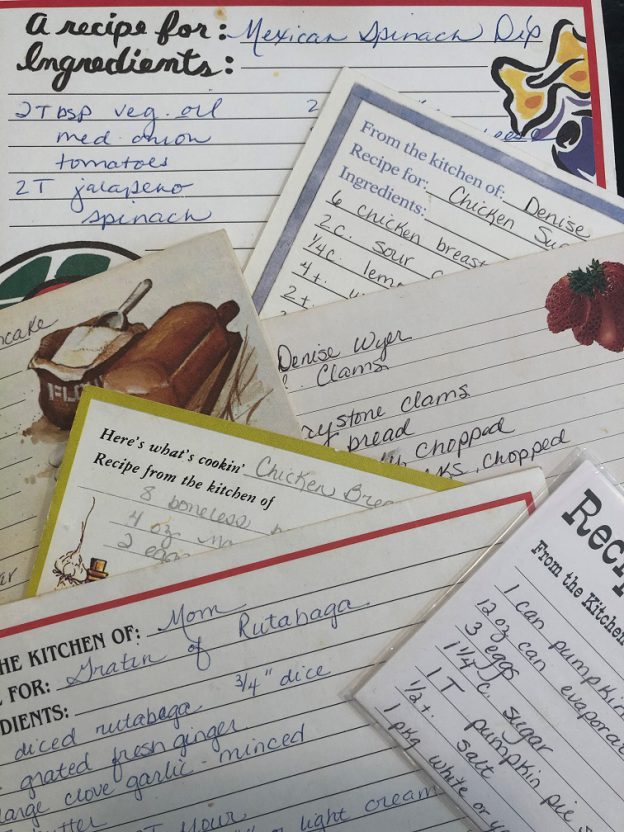
I can’t even tell you how excited I was to get my box of cookbooks!!! Last January I started looking online for a program to produce a cookbook from my recipes. I wanted them for Christmas for my daughters and daughter-in-laws. I anticipated taking all year typing them up. When I found this program using photographs of the recipe cards I was thrilled! Absolutely brilliant and the process was so slick! I wanted to keep it a secret but worried I would have to ask for help as I’m not that computer savvy, but I did the whole thing myself! It was very simple and definitely earns five stars from me! The finished book is beautiful. My family is beyond thrilled and I look forward to gifting these to my grandchildren as well. Thank you for your program that took me way beyond my expectations. — Cindy Jensen, Grandma Cindy’s Cookbook
Cindy Jensen and grandchildren with Grandma Cindy’s Cookbook
We love our family cookbook…it was a fun process and the system was great! — Ann Gazdick, OUR FAMILY FAVORITES COOKBOOK
Everyone loves it! –Debra Zeigler, Zeigler Family Cookbook
Love the cookbook. It was so easy to add recipes and do everything else to have it published. –Rena Boekenoogen, The Boekenoogen Family Cookbook Project
When I received my cookbook on my front step, I felt like it was Christmas! Thank you so much for the beautiful cookbook and your website that helped make it possible to print my Gluten Free Christmas Cookbook. I wrote it for my children, so they would have the tastes of home as they grow up and move out on their own. Yet, I truly hope it helps many celiac families enjoy traditions when gluten can no longer be part of them! Thanks again for the user friendly website and the BEAUTIFUL printing quality. –Teresa A, Gluten Free Christmas Cookbook by KOB
Debra Zeigler with her “Zeigler Family Cookbook”
I received my cookbooks and am totally in awe. Thank you so much for the beautiful job you have done creating the book but also providing the tools to enable me to create the cookbook for my family. I am so happy with the cookbook. I just can’t thank you enough!
–Danielle M Vincent, Delicious Memories
I love how my family cookbook project turned out. Holding recipes from my Mom, grandmothers and even my grandpa it is the perfect keepsake. I made copies for my brothers and children as well. Thank you so much for providing this easy to do app. –Kathleen Bellaire, From the Kitchen of Joyce Burmeister
All of the aunts, grandmas, and both moms of the bride and groom submitted recipes for this cookbook. Now they can make their favorites…just like mom and grandma does! –Laurie Gelschus, Anderson/ Medvec Family Recipes (a Bridal Shower Cookbook)
I have attached a picture of our mother, Wanda Nicholson, with her cookbook. We presented it at her 90th birthday. It was absolutely her favorite gift of a lifetime. She is having so much fun signing the books and sending them to people. Thank you for the patience and amazing platform to create this family legacy for her. — Rebecca Masinter, Wanda’s Kitchen
This software was very easy (and intuitive) to use! Anyone with basic computer and word processing skills can turn out a beautiful cookbook. It was fun to work on this project and my family got excited about the end result. The final product is gorgeous! The few questions I had were answered immediately and completely. I am so glad I found The Family Cookbook!!
— Kathleen McInnis-Dittrich, The McInnis Clan Cookbook
Your program is wonderful. Extremely user friendly. I would recommend it to any person or group that’s considering make a cookbook. I made it as a remembrance for my family when I am long gone! — Pam Campbell, Family & Friends Cookbook
Wanda Nicholson and her cookbook Wanda’s Kitchen
I wanted to let you know I received my cookbooks today and they are awesome….I love the way it came out and could not be happier! I am working on a few more…same recipes but different cover, to give to a few of my family members and will order again in the next week or so. Thank you again for all the support! — Gail Melton, Mams Favorite Recipes
My book has been sent in for printing. I just wanted to thank you for all the extra help you gave me and for answering all my questions. I am looking forward to seeing the finished product and sharing with my family! –Millie Markun, Markun Family Cookbook
Thank you for your website that made it easy to compile the cookbook. They are going fast! I may need to order more. Also, thank you for your prompt delivery. — Cecilia Miller, Nanny Cooks from the Ozarks project
The personal notes for each recipe was a big plus for me to share where I got the recipe from and some personal history. Thanks for letting me do this. –Kathy Goding, The Goding Family Cookbook 2022
I used your website to construct a family cookbook for my son who is getting married. Now my 5 sisters and sister-in-laws want a copy of the cookbook for themselves and their daughters/granddaughters! I had so much fun with this project and the finished book was awesome. Just wanted to thank you so much for having such a user-friendly site that I could use. — Cheryl Wallace, Burlend Family Cookbook
What a truly wonderful experience. I have always wanted to do my own cookbook and Family Cookbook Project made it not only possible, but easy!! I am proud of the way the cover turned out. That is actually my mom’s recipe box and cards, many of them are well over 50 years old! Preserved now for our entire family’s use, thanks to Family Cookbook Project. –Donna Ferrante, Mom’s Big Book of Recipes
Cecilia Miller, Nanny Cooks from the Ozarks project
Love the cookbook. It exceeded my expectations. Very fast delivery. I recommend this company to all my friends. — Helen Schendel, The Wilhelm Family Cookbook
Wow! This is SO perfect! I am now a lifetime member and will be able to preserve recipes for both sides of my family and pass them down to my children as well. — Tamera Williams-Long, The Williams Family Cookbook Project
I can’t begin to tell you how pleased I am with my cookbook! When I decided to try and put together some recipes for my family., was sure it was an impossible task. I also believed the old adage that “you can’t teach an old dog new tricks”. Thanks to you and this wonderful program, it was completed with ease. — Merilyn S Johnson, The Johnson Family Cookbook Happy Memories
Ellen Bramson and her cookbook “In The Kitchen With Ruth”
I have really enjoyed locating and entering our recipes into your program. It has been a wonderful initiation of conversation and memory sharing with family members that we’ve not had much contact with recently. — Ina Woodruff, Woodruff Family Tree Cookbook
My son is getting married and we thought it will be a great idea to give him the family recipes but most of the recipes are in Spanish because I was born in Uruguay and my parents are from Spain.
That’s when I found you! I can’t be happier with the results. My son and his wife love it. Thank you for the work you did in helping me with this project . –Maria Minor, The Monir Family Cookbook
Thank you so much for my cookbooks! They were perfect! I ordered 150 cookbooks and I am very pleased.
It was so easy to work with your program online. Local printers couldn’t compete with your price! Thanks again! –Tonya Dee Miller, Dee’s Delights Cookbook
Thank you for all your assistance throughout my cookbook journey. I could not have completed it without this program. I received the cookbooks last week. They look amazing! I’ve received so many compliments from friends and family. They’re requesting extra copies. — Richele A, La Cucina Della Nonna
The cookbooks arrived and I couldn’t be happier! Very well done! Thank you both very much for your help. I am spreading the word, and I do believe
Tonya Dee Miller and her Dee’s Delights Cookbook
several people may be using your program to make their own cookbook. –Paula W, Graham Wedding Cookbook
My Family Cookbook is a work in progress. I still find recipes that my family enjoys, so I add them to the Cookbook. I cook for a dozen eaters, so recipes are mostly for those qualities so that I don’t have to double or triple a recipe. –Tina Huemmer, Huemmer Family Cookbook
I wanted to find a way to make a cookbook for future generations of our family. I started entering them into a folder on my laptop. What a frustrating process. My daughter found Family Cookbook Project, gave it to me for a Mother’s Day Present. After that it was so easy & took no time to get the project done. I sent a message out to family members then entered everyone’s email address in and we had a cookbook in just a few months. What a terrific idea. My families are so happy to have all their recipes in one book. I love this so much I am thinking of doing another cookbook. –Joanette Stillman, Family Cookbook 2020
I was so frustrated having to sort through a box of recipes to find the one I needed. After researching different software and reading the reviews – I feel this was the right choice for me. It was difficult to operate once I started using it. Afterwards it was so easy. I look forward to the tips provided and new features offered. By preparing this cookbook for my family – until their ready to enjoy cooking for their own families. I have left a legacy for them to enjoy in the future. I no longer have to sort through paper recipes, and have a box of shame. Now it’s all electronic and with a push of a few buttons – it’s on my computer screen. Thank you. –Cindy, Sharing Our Favorite Recipes – Cindy & Vince – From Our Kitchen to yours!
My greatest moment was while doing research I found out my great Aunt was a cook nun for the Notre Dame order of nuns. When she retired to the convent in
Karen Huffman with The Huffman Family Cookbook Project
Waterdown Ontario she became their baker. I had the privilege of visiting the convent and took pictures of her personal cookbook. –Yvonne, Cronin Family Cookbook
When my daughter got engaged I wanted to have a collection of family recipes to give as a gift to her. It took me several months to gather and enter several hundred recipes, but I got it done, had it printed and presented it to her at her bridal shower. She teared up she was so moved. –Jeannie , The Wally Family Cooks
I like being able to add recipes when it’s convenient and add a photo. Along with typing the preparation in my desired layout. Years ago I produced a 4 generation family cookbook. I had to pay for them to type in. This is a much better format. We have just started the project and look forward to seeing our family recipes all together and preserved for our young children. Also, we love that if we’re grocery shopping we can look up a recipe and make sure we have not forgot any ingredients. Don’t hesitate to start your cookbook your family will be grateful for all the recipes and memories you preserved. –Marty, Happy Cooking Memories!
A wonderful walk down memory lane for both my wife and me. As we wrote the recipes and their connection to us , we agreed it was an awesome project to take on and share these wonderful memories with our children and grandchildren ! –Anonymous
Megan Young and two of her family cookbooks,
I created “Angie’s Family Cookbook” for my kids and nephews as they head off to college and to living on their own so that they could have all the family recipes they need. I have collected recipes from 5 generations of our family that the kids know and love. It is our family history, and I loved sharing it with them. — Angela, Angie’s Family Cookbook
This was a great experience for my family. I had everyone contribute and I tried out every recipe before it made it in the final version. — Alison, Davis Family Cookbook
My daughter-in-law begged me for years to give her all my old Italian and Portuguese recipes that were handed down from my relatives. I finally decided to do it, so I researched a dozen sites that offered cookbook programs. I actually started a book on two of them…but finally gave up. They were difficult to maneuver, impossible to edit, and low on the totem pole with customer service. Thank goodness I finally found The Great Family Cookbook Project! It is well organized, has lots of options, customer service is great if you ever need it (not likely) … and SO easy to use that when I gave the first version to my daughter-in-law last Christmas, I actually had to LIE to tell her how hard I worked to put it together! –Anonymous
This is just a hand full of the wonderful comments that our editors have provided to us. We will be adding additional comments down the road.
Bill Rice is Co-Publisher of the Great Family Cookbook Project, a website that helps families and individuals collect, preserve and share food memories by creating their own printed personal cookbooks. He is the author of The Wellfleet Oyster Cookbook (Available on Amazon) and the Cape Cod Cocktail Cookbook, both created using FamilyCookbookProject.com. He is also editor of the Donovan Family Cookbook, now it’s third printing.
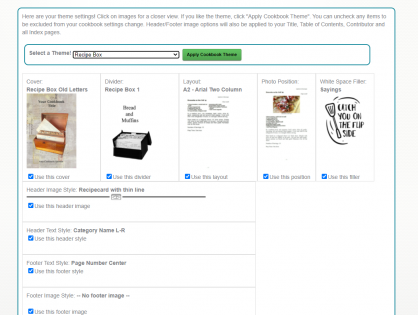
When starting our designing your own personal cookbook on FamilyCookbookProject.com, you have a bunch of design choice to make. While many people simply use the default options included automatically when you create your account (these are based on the most popular design selections). We wanted to give new editors a simple way to create a coordinated look and feel for their cookbook, that is why we have created “Cookbook Themes”.
Available as the first option in the First Steps section of the Design Center, the 7 themes currently available combine selections for cover, divider, recipe layout, photo position and white space filler along with header and footer options to create a synchronized design for your cookbook.
Options include Rolling Pins, Farm to Table, Food Love, Holiday Baking, Recipe Box, Recipe Family Tree and Wedding.
If you do not like one of the options of the theme, you can unselect that option and choose other from our available selections. As always, you change your mind and change any aspect of the theme up until you place your order to print your cookbook. Nothing is locked in.
Check the theme options in your Editor Design Center.
Bill Rice is Co-Publisher of the Great Family Cookbook Project, a website that helps families and individuals collect, preserve and share food memories by creating their own printed personal cookbooks. He is the author of The Wellfleet Oyster Cookbook (Available on Amazon) and the Cape Cod Cocktail Cookbook, both created using FamilyCookbookProject.com. He is also editor of the Donovan Family Cookbook, now it’s third printing.
FamilyCookbookProject.com is once again expanding the layout options available to our editors. We are constantly listening to what our editors are asking for and if someone has a good idea, we like to offer it to the entire community. Here are some of the things that were recently added:
White Space Filler Options
We have introduced 5 new white space filler graphic packages: Beach, Cute Sayings, Baking, Farm, and Wedding. These new offering join the 6 original filler packages and the system automatically adds the images or text whenever there is enough white space at the bottom of a recipe or custom page if this option is selected.
White space filler options now also have a quick preview so you can see the options in the package. Click on the (Sample) after the package name to see the items in the package.
Header and Footer Artwork
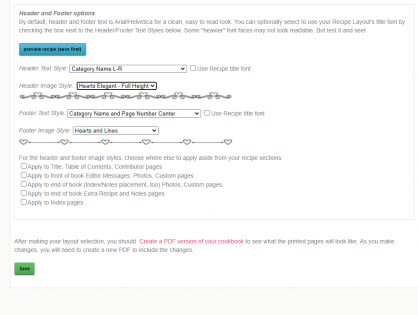
One of our goals for a long time was to add the ability to add design elements to the top (header) and bottom (footer) of recipes and other pages in the cookbook. I’m please to announce that this is now available!
In your quick start editor view, click on the “recipe Layout” option in the Layout and Design Center. Then scroll down to the section for “Header and Footer options”.
Here you will find the ability to control how your page is laid out. For example, you can have your recipe category name and page number centered or in the corners of each page for both the top and bottom of the page. By clicking on the blue preview button, you can see how you choice changes the page (make sure to save first).
Also added is a collection of design elements that can add fun graphics to your recipe page. Images like double lines, single line with recipe card, line with rolling pin are now available.
The default text style uses the same smaller Arial as in the past, but we’ve added a check box to use your recipe title font face instead of the default font.
The above initially affect your recipe sections only, but there are 5 checkbox options for incorporating these design images to other sections of the cookbook, like index, title page, table of contents, custom pages and more.
As always, make sure to save your work before moving to a new page or task.
Bill Rice is Co-Publisher of the Great Family Cookbook Project, a website that helps families and individuals collect, preserve and share food memories by creating their own printed personal cookbooks. He is the author of The Wellfleet Oyster Cookbook (Available on Amazon) and the Cape Cod Cocktail Cookbook, both created using FamilyCookbookProject.com. He is also editor of the Donovan Family Cookbook, now it’s third printing.
One of the keys to a great family cookbook is to have great recipes that your family and friends have come to love. Here are some simple tips to help you capture the magic of the food you make.
1. Use catchy titles. Using a catchy title will make your recipe sound more interesting. It is more interesting to people when they see the title “Gooey Triple Chocolate Cake” rather than just “Chocolate Cake”. When you are writing a title for a recipe, try to think of not only what the final dish will be, but what makes it special as well.
2. Include photos. Using images in your recipes can allow the person reading your cookbook to see what the final dish will look like and give then a guidepost to follow. Next time you make one of your special dishes, snap a quick photo and add it to your recipe the next time you log in.
3. Be specific with your Ingredients. For many cooks, include a can of crushed tomatoes in your recipe and they know exactly what you mean or maybe not. Tell them to include a 12oz can of crushed tomatoes and everyone will know exactly what your recipe needs.
4. Use step by step instructions. You might have made this recipe a thousand times, but someone new will need detailed directions for how to do it. Remember to include pan sizes, cooking times, the order that ingredients are added and how to tell when a dish is done. Also adding how many servings a recipe can make will help with meal planning.
5. Add personal notes. One of the things that make a family cooks so important is that it helps to capture the family traditions. Include a note with each recipe about how you first were introduced to the recipe and when it is typically served in your household. It makes the recipe more interesting and more meaningful to later generations.
Creating a treasured family cookbook has never been easier. The Great Family Cookbook Project was developed to make the process easy to understand and accomplish.
Here is an overview on the simple steps required to create a personalize family cookbook.
Step 1:Complete account set up – Here you will complete your contact information and set up some basic information like your cookbook submission deadlines for your a cookbook account.
Step 2: Invite contributors – Here you can invite friends and family members to contribute Recipes to your cookbook. If this is a personal cookbook you can skip this step.
Step 3:Start adding recipes – UN your contributors add as many recipes as you want in your cookbook.
Step 4:Send reminders to your contributors. Regular emails will help remind people to submit their recipes by the deadline.
Step 5:Design your cookbook – Here you pick a color pick a layout format and determine what will appear in your cookbook.
Step 6:Add photos to your cookbook – Using our photo editor you can upload photos to your cookbook to specific recipes or sections.
Step 7: Get your cookbook ready to print – Once all of your recipes are entered now it is time to lock your cookbook edit the recipes and order your cookbooks.
Remember, you may be able to work on more than one step at a time. For example you can design your cookbook (step 5) while you are still adding recipes (Step 3). You can also skip Step 2 if you are working on your cookbook alone.
Bill Rice is Co-Publisher of the Great Family Cookbook Project, a website that helps families and individuals collect, preserve and share food memories by creating their own printed personal cookbooks. He is the author of The Wellfleet Oyster Cookbook (Available on Amazon) and the Cape Cod Cocktail Cookbook, both created using FamilyCookbookProject.com. He is also editor of the Donovan Family Cookbook, now it’s third printing.
One of the real benefits of collecting all of your recipes in your online cookbook on FamilyCookbookProject.com is to be able to share them very easily with friends and family.
Say you have friends over and they really like your split pea soup and want the recipe. All you need to do is go to your cookbook account either on your desktop computer or even on your mobile Mobile phone or tablet and pull up the recipe. Now all you have to do is choose how you want to give it to him.
Email – In the upper right hand corner, you’ll see a box marked email a recipe. Enter your friends email here and send them your recipe. It’s that easy!
Posted on Facebook – Wow your friend might like your recipe, so will other friends. You can select the Facebook icon and post your recipe to your Facebook page to be seen by call your friends. Especially if you’ve been adding photos to your recipes, your posts will really stand out and be appreciated by lots of your friends and family.
Posted on Pinterest – Here’s another way to share your recipes if they have photos attached. Pinterest was built around sharing photos and when you share one of your recipes on this social media platform, the photo becomes the pin and people who click on it will see your recipe.
Print your recipe – If your friend simply wants a printed copy of your recipe, it is easy to select the print icon and simply print them a copy and give it to them.
Give them a cookbook – Printing your family cookbook allows you to share all of your recipes with friends and family and is a great gift from the heart.
You also might want to suggest to your friends that they create their own family cookbook account so they can share their recipes as well!
Bill Rice is Co-Publisher of the Great Family Cookbook Project, a website that helps families and individuals collect, preserve and share food memories by creating their own printed personal cookbooks. He is the author of The Wellfleet Oyster Cookbook (Available on Amazon) and the Cape Cod Cocktail Cookbook, both created using FamilyCookbookProject.com. He is also editor of the Donovan Family Cookbook, now it’s third printing.
We at FamilyCookbookProject.com believe recipes are meant to be shared. Sure we all have our “secret recipes”, but if they are not written down and shared, they will not be enjoyed when we are gone.
However we give you the control to determine when and where you share your recipes.
When you or a contributor adds a recipe to your online cookbook, there is an option to make your recipe private. If you check this box just above the save button, your recipe will only be available to those individuals who are logged into your online cookbook. Some people choose this option when a recipe is not yet ready to be shared publicly or they simply want to limit the people who have access to it.
However, there are many benefits to sharing your recipe publicly. Public recipes are indexed by Google and other search engines. You can access your recipes simply by entering your name and the recipe name into Google. Online access from any computer without having to remember your log in information is very convenient.
Family Cookbook Project also searches the public recipes to look for the best recipes to be included one of the Family Cookbook Project’s “Best of” cookbooks we publish. We also promote public recipes on our Facebook pages and on Pinterest. This allows us to highlight your recipes to the other Cookbook Editors, which is truly an honor.
We believe recipes are made to be shared, just like the dishes that are made from them. So next time you enter your favorite recipe into your Family Cookbook Project online recipe box, be sure to mark it public so it can be shared.
Bill Rice is Co-Publisher of the Great Family Cookbook Project, a website that helps families and individuals collect, preserve and share food memories by creating their own printed personal cookbooks. He is the author of The Wellfleet Oyster Cookbook (Available on Amazon) and the Cape Cod Cocktail Cookbook, both created using FamilyCookbookProject.com. He is also editor of the Donovan Family Cookbook, now it’s third printing.
One of the things that we are most proud of at FamilyCookbookProject.com is the ability to give complete control of every aspect of making a cookbook to the project’s editor. We provide professionally designed options that are perfect for most people, but some have visions of something different.
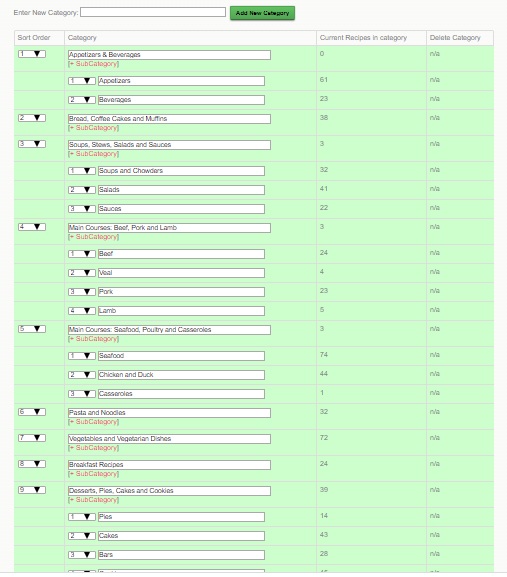
One of the things that you can customize went creating your family cookbook project is your recipe categories. We provide 8 basic recipe categories that organize your recipes into types of meal.
Appetizers & Beverages
Bread and Muffins
Soups, Stews, Salads and Sauces
Main Courses: Beef, Pork and Lamb
Main Courses: Seafood, Poultry, Pasta and Casseroles
Vegetables and Vegetarian Dishes
Desserts, Pies, Cakes and Cookies
Miscellaneous
By using our custom category tool, you can add different categories or change them altogether. For example, if you wanted to create a dessert cookbook, the categories would all be dessert related. We’ve also seen people organize their recipe sections by family member.
You can also create sub-categories or categories within categories. In my personal cookbook I have a category for Seafood and then I have added subcategories for Clams, Fish, Oysters, Crab and Shrimp. This way, if I need a shrimp recipe, they are all grouped together.
You can create your own Custom Categories and sub-Categories by going to the Recipe Center on your Editor’s Homepage. Then click on Category Add/edit. Once you add your new categories, you’ll see a sort field – simply number them as you’d like them arranged and Save.
One note, if you use both our default categories and your own custom categories, ours will come first, then yours in the order you set. If you want full control, create all your own categories and set the selection to “Use ONLY your own custom categories” .
If you need to move recipes, there is a bulk move tool at the bottom of the Category Section Editor.
Bill Rice is Co-Publisher of the Great Family Cookbook Project, a website that helps families and individuals collect, preserve and share food memories by creating their own printed personal cookbooks. He is the author of The Wellfleet Oyster Cookbook (Available on Amazon) and the Cape Cod Cocktail Cookbook, both created using FamilyCookbookProject.com. He is also editor of the Donovan Family Cookbook, now it’s third printing.
The Family Cookbook Project monthly newsletter provides helpful hints, tips and ideas for creating the perfect family cookbook. We also provide general cooking tips, recipes, famous quotes and news and testimonials about FamilyCookbookProject.com for our readers.
The goal of this newsletter is to engage our 80,000+ cookbook editors with interesting content to help them create their own custom cookbook.
 Here is a fun idea for your Family Reunion Cookbook – a family directory section!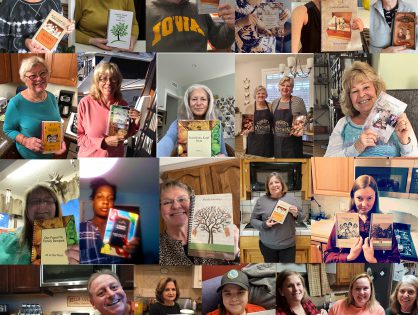
 One of the real benefits of collecting all of your recipes in your online cookbook on