Category: recipe organizer

  • From Recipe Chaos to Organized Bliss: How a Personal Cookbook Can Help

    From Recipe Chaos to Organized Bliss: How a Personal Cookbook Can Help

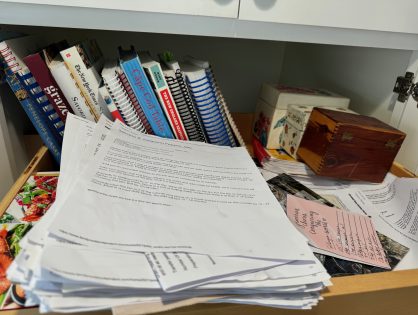
    If you’re like most home cooks, you probably have recipes scattered across multiple locations—cookbooks with folded corners, handwritten cards passed down from family members, links saved in a dozen different online folders, and sticky notes attached to your fridge with your favorite weeknight dinners. While each recipe holds its own value, the disorganization can make it difficult to find what you need when you’re ready to cook. The kitchen can quickly turn into a space of frustration when you’re searching for that special recipe buried in a drawer or forgotten in a digital file.

    The solution to this all-too-common problem? A personal cookbook. By organizing your collection of recipes into a single, beautifully crafted book, you can transform your cooking experience from chaotic to blissfully organized. With the help of FamilyCookbookProject.com, you can easily gather your favorite recipes, categorize them, and turn them into a printed cookbook that’s not only practical but also a reflection of your culinary journey.

    In this article, we’ll explore the benefits of creating a personal cookbook, how it can help you organize your kitchen life, and how easy it is to get started with FamilyCookbookProject.com.

    The Problem with Recipe Clutter

    Whether you’re a novice cook or an experienced home chef, one challenge remains universal: keeping your recipes organized. Over the years, many of us accumulate a variety of recipes from different sources. Some are old family favorites that have been handed down for generations, while others are new finds from online blogs, food magazines, or even television cooking shows. The problem isn’t with the recipes themselves, but with how they’re stored.

    Here are a few common ways recipes become cluttered:

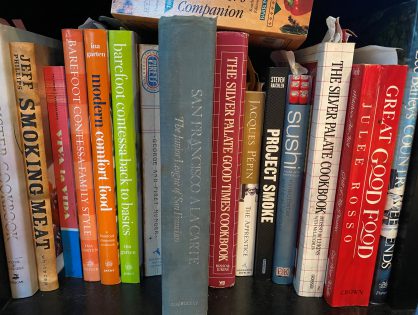
    – Cookbooks: While they’re beautiful and often filled with culinary wisdom, cookbooks are bulky and hard to search through quickly. Plus, you may only use a handful of recipes from each one.

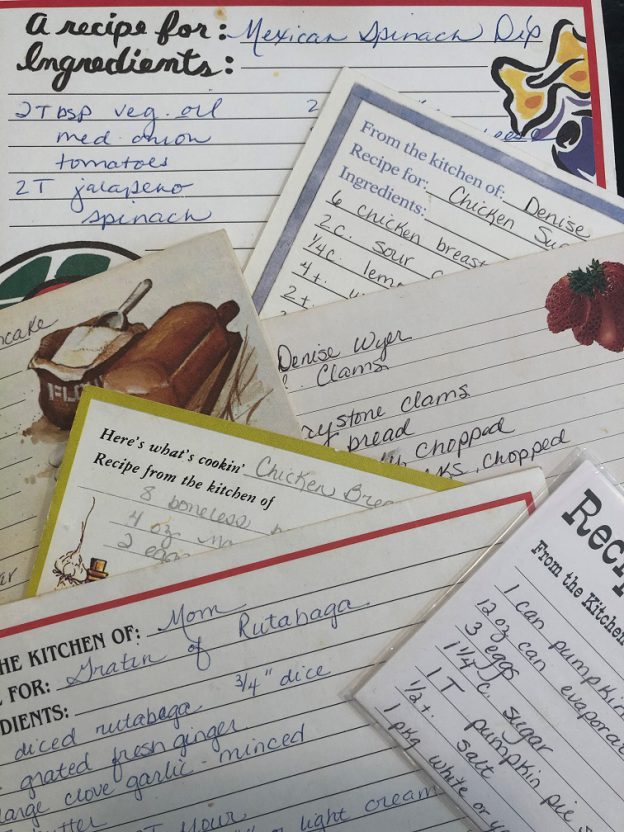
    – Recipe cards and handwritten notes: These are sentimental treasures, often written in the handwriting of loved ones. However, they can easily become disorganized, lost, or damaged.

    – Digital clutter: Saving recipes online may seem like an easy way to organize them, but with recipes spread across multiple websites, apps, and folders, it can be hard to find the right one when you need it. And if you rely on a single device or cloud service, you risk losing everything if something happens to your account or device.

    – Loose papers and magazine clippings: Many people have recipe files filled with torn-out pages from magazines, printouts from websites, and random notes. These papers are easily lost or forgotten, often creating more clutter than order.

    The result? Recipe chaos. When it’s time to prepare a meal, you waste valuable time searching for that one recipe or trying to remember where you last saw it. The disorganization can take the joy out of cooking and make meal planning more stressful than it needs to be.

    The Benefits of Organizing Your Recipes into a Personal Cookbook
    Imagine opening your kitchen drawer or bookshelf and pulling out a single, organized cookbook that contains all of your favorite recipes in one place. A personal cookbook offers many advantages beyond just solving the problem of recipe clutter.

    Efficiency in the Kitchen

    Having all of your recipes in one place makes cooking more efficient. Instead of rummaging through various cookbooks, apps, or stacks of paper, you can easily find what you’re looking for. With a personal cookbook, you can categorize recipes by meal type (e.g., breakfast, lunch, dinner, desserts) or by special themes (e.g., holiday meals, quick weeknight dinners, or family favorites). This way, when you need a specific recipe, it’s just a page away.

    For example, if you’re hosting a holiday dinner, you can flip straight to the “Holiday Meals” section of your cookbook. Or, if you’re looking for something quick to make on a busy weeknight, your “30-Minute Dinners” section will be ready to inspire.

    Less Stress, More Enjoyment

    An organized kitchen leads to a less stressful cooking experience. When you’re not frantically searching for that one lost recipe or trying to recall the steps from memory, you can focus more on enjoying the process of cooking. By having everything you need at your fingertips in a personal cookbook, you can approach each meal with confidence and calm.

    Additionally, meal planning becomes a breeze. You can flip through your personal cookbook to create a weekly menu, knowing that you have all the recipes you need organized and easily accessible.

    Preserving and Passing Down Your Culinary Legacy

    A personal cookbook isn’t just for you—it’s also a way to preserve your culinary journey and pass it down to future generations. Over time, your personal cookbook will become a family heirloom, filled with cherished recipes and stories that can be shared with your children, grandchildren, and beyond. By documenting your favorite meals, you’re creating a legacy that can be enjoyed for years to come.

    For example, you can include notes next to each recipe, explaining why it’s special to you, or sharing the story behind it. Maybe it’s a dish you cooked on your first date, or a dessert you perfected after years of experimenting. These personal touches turn your cookbook into more than just a collection of recipes—it becomes a reflection of your life in the kitchen.

    Customizable to Your Tastes

    One of the most satisfying aspects of creating a personal cookbook is that it’s entirely customizable. Unlike commercial cookbooks, which often include recipes you may never use, your personal cookbook contains only the recipes that matter to you. Whether you’re a vegan, love Italian cuisine, or are passionate about baking, you can tailor your cookbook to reflect your tastes and preferences.

    You can also add variety by including recipes from different sources—family recipes, your own creations, and dishes you’ve discovered online or in cookbooks. This way, your personal cookbook becomes a one-stop-shop for all your favorite meals.

    How to Create a Personal Cookbook with FamilyCookbookProject.com

    Thanks to FamilyCookbookProject.com, creating a personal cookbook is easier than ever. The platform is designed to be user-friendly, offering a seamless process for gathering and organizing your recipes into a professionally printed cookbook. Here’s how you can get started:

    Sign Up and Start a New Project

    Visit FamilyCookbookProject.com and create an account. Once logged in, you can start a new cookbook project. You’ll be guided through the process with clear, step-by-step instructions to help you get started.

    Gather Your Recipes

    Start by gathering all the recipes you want to include in your personal cookbook. These can be recipes you’ve saved on your computer, written down on cards, or even stored in your memory. You can manually input each recipe into the system or invite family members and friends to contribute their own recipes if you’re creating a family cookbook.

    Organize and Categorize

    Next, organize your recipes into categories that make sense for you. FamilyCookbookProject.com offers the flexibility to create custom categories, so you can organize your cookbook in a way that suits your cooking style. Whether you want to group recipes by meal type, cuisine, or occasion, the platform makes it easy to categorize and sort your collection.

    Personalize Your Cookbook

    One of the best parts of creating a personal cookbook is the ability to personalize it. You can choose from a variety of design templates, customize the layout, and even add personal photos to make your cookbook truly unique. Include family photos, snapshots of your culinary creations, or images of handwritten recipe cards for a nostalgic touch.

    You can also add personal notes next to each recipe, sharing the stories and memories behind them. This transforms your cookbook from a practical kitchen tool into a cherished keepsake.

    Publish and Enjoy

    Once you’re happy with your cookbook, simply publish it! FamilyCookbookProject.com allows you to order printed copies that are professionally bound and designed to last. You can order copies for yourself, or share them with family and friends as a thoughtful and personalized gift.

    A Gift That Keeps on Giving

    A personal cookbook isn’t just a way to organize your recipes—it’s also a gift that keeps on giving. Whether you’re creating a cookbook for yourself or as a gift for a loved one, it’s a thoughtful and practical present that will be used and appreciated for years to come.

    Imagine gifting your family members a cookbook that contains all of their favorite recipes, complete with personal stories and family photos. It’s a way to preserve culinary traditions and bring joy to the kitchen every time the book is opened.

    Turning Recipe Chaos into Organized Bliss

    In a world where we often find ourselves overwhelmed by clutter, both digital and physical, organizing your recipes into a personal cookbook offers a simple and elegant solution. By consolidating your recipes into one beautifully crafted book, you can turn kitchen chaos into organized bliss.


    FamilyCookbookProject.com makes the process easy, fun, and meaningful. Whether you’re looking to streamline your cooking process, preserve family traditions, or create a gift that will be cherished for generations, a personal cookbook is the answer.

    So why not take the first step toward organizing your recipes today? Visit FamilyCookbookProject.com and start creating a cookbook that will bring joy and order to your kitchen life.


    He is the author of The Wellfleet Oyster Cookbook and the Cape Cod Cocktail Cookbook (Available on Amazon), both created using FamilyCookbookProject.com. He is also editor of the Donovan Family Cookbook, now it’s third printing and is an avid genealogist tracing his family back to the 1600’s.

    Follow Family Cookbook Project on Facebook, Instagram, Twitter TikTok, YouTube and Pinterest!

  • All the Features You Can Enjoy with the Family Cookbook Project App

    All the Features You Can Enjoy with the Family Cookbook Project App

    The Family Cookbook Project app is more than just a digital cookbook—it’s a powerful tool designed to help you streamline your cooking experience, stay organized, and keep your family recipes at your fingertips no matter where you are. Whether you’re at the grocery store, in the middle of meal prep, or looking for inspiration from the Family Cookbook Project blog, this app has you covered.

    In this post, we’ll walk you through all the amazing features of the Family Cookbook Project app, and how it can make your cooking experience more efficient, enjoyable, and connected to your family’s culinary traditions.

    View Your Recipes at the Grocery Store

    One of the most convenient features of the Family Cookbook Project app is the ability to access your recipes on the go—especially at the grocery store. No more worrying about forgetting an ingredient or trying to recall the details of a recipe while shopping. With the app, you can easily pull up any recipe and check ingredient lists in real time as you navigate the aisles.

    • How It Helps:
    When you’re at the grocery store and unsure of whether you have all the ingredients for that family-favorite lasagna, just open the app and check the recipe. You’ll save time, avoid buying duplicates, and ensure you never miss a key ingredient again.
    • Bonus Tip:
    You can create a shopping list from your recipes by listing out the ingredients you need, making your trip to the store even more efficient.

    Update Recipes While Cooking

    The ability to update recipes in real time as you cook is a game-changer. Whether you’re adjusting a recipe to suit your preferences, making a note of a successful substitution, or adding extra steps, you can now update your family’s treasured recipes directly from the app.

    • How It Helps:
    Have you made a slight tweak to Grandma’s meatloaf recipe that worked out perfectly? With the app, you can make those updates right in the middle of your cooking process. This means your recipes will always reflect the latest adjustments and improvements, ensuring they’re as accurate and helpful as possible for future use.
    • Bonus Tip:
    As you experiment in the kitchen, document your successful modifications in the recipe notes section, so you don’t have to rely on memory the next time you cook.

    Add Photos to Existing Recipes

    A picture is worth a thousand words, and adding photos to your recipes is a great way to enhance the visual appeal and clarity of your cookbook. The Family Cookbook Project app allows you to upload photos directly to existing recipes, whether you want to show the finished dish, capture a step in the cooking process, or even include a family photo related to the recipe’s story.

    • How It Helps:
    Adding photos gives your family cookbook a more personalized and professional feel. Visual references are especially helpful for recipes with specific techniques or presentation styles. You can upload photos in just a few taps, making it easy to build a visual archive of your family’s culinary creations.
    • Bonus Tip:
    Encourage your family members to do the same! Each time someone cooks a family dish, they can snap a photo and add it to the shared cookbook, making the collection even richer over time.

    View Blog Posts for Tips and Inspiration

    The Family Cookbook Project app also gives you easy access to the latest blog posts from FamilyCookbookProject.com. These posts are packed with tips, ideas, and inspiration to help you get the most out of your custom cookbook and continue your culinary adventures.

    • How It Helps:
    Whether you’re looking for advice on organizing your recipes, inspiration for themed cookbooks, or tips on making your cookbook a family keepsake, the blog posts provide valuable insights and new ideas. You can stay updated on trends and find fresh ways to enhance your family’s cookbook, all from within the app.
    • Bonus Tip:
    Bookmark or save your favorite blog posts so you can easily refer back to them when you need a creative boost for your next cookbook project.

    Watch Family Cookbook Project YouTube Videos

    Sometimes, you need a little more than written instructions or blog posts to get the most out of your cooking or cookbook project. The Family Cookbook Project app lets you watch YouTube videos directly from FamilyCookbookProject.com, providing you with helpful tutorials, tips, and inspiration in video format.

    • How It Helps:
    Whether you’re learning how to create the perfect layout for your cookbook or watching a video on how to organize recipes, these videos provide easy-to-follow guidance. Videos are a great way to visually learn new tips or get inspired by others who have successfully completed their cookbook projects.
    • Bonus Tip:
    Explore the video library for practical tips and fun ideas to make your family cookbook even more special.

    A Digital Cookbook That Does More

    The Family Cookbook Project app is designed to be a versatile tool that supports your cooking, organizing, and recipe-sharing efforts, all while keeping your family’s culinary heritage alive. From the convenience of checking your recipes at the grocery store to updating them in real time as you cook, the app makes it easy to manage and enhance your family cookbook from anywhere.

    Ready to get started? Download the Family Cookbook Project app today and take your cooking—and your family’s recipes—to the next level!


    Bill Rice is Founder and Co-Publisher of the Family Cookbook Project, the leading online cookbook publisher with a website that helps families and individuals collect, preserve and share food memories by creating their own printed custom cookbooks. He is the author of The Wellfleet Oyster Cookbook and the Cape Cod Cocktail Cookbook (Available on Amazon), both created using FamilyCookbookProject.com. He is also editor of the Donovan Family Cookbook, now it’s third printing and is an avid genealogist tracing his family back to the 1600’s.

    Follow Family Cookbook Project on Facebook, Instagram, Twitter TikTok, YouTube and Pinterest!
     

  • How To Create a Single Topic Cookbook

    How To Create a Single Topic Cookbook

    Do you have a lot of recipes of a specific type? Maybe you love to make cookies or pies or cakes. You can create a “mini cookbook” to organize your recipes and even share with family and friends using FamilyCookbookProject.com.
    With a few as 10 recipes, you can create a single category cookbook or multiple categories within a theme.

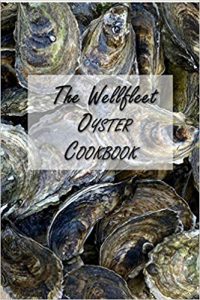
    For example, were I live, oysters plentiful and are some of the best in the world. My family eats a lot of oysters each summer and I thought it would be great to create a cookbook with just oyster recipes. It was so well received, it is now available on Amazon!

    You can buy a copy of The Wellfleet Oyster Cookbook by clicking on this link.

    Next, I plan on creating a BBQ mini cookbook and giving it out as gifts for Christmas to my friends and family.

    To create you own mini cookbook, go to the Production Center on your editor page and select “more cookbooks”. Here you can create your own mini cookbook and even import your recipes from your main cookbook using our recipe transfer tool.


    Bill Rice is Co-Publisher of the Family Cookbook Project, a website that helps families and individuals collect, preserve and share food memories by creating their own printed personal cookbooks. He is the author of The Wellfleet Oyster Cookbook (Available on Amazon) and the Cape Cod Cocktail Cookbook, both created using FamilyCookbookProject.com. He is also editor of the Donovan Family Cookbook, now it’s third printing.

    Follow Family Cookbook Project on Facebook, Instagram and Pinterest!

  • How To Create a Single Topic Cookbook

    How To Create a Single Topic Cookbook

    Do you have a lot of recipes of a specific type? Maybe you love to make cookies or pies or cakes. You can create a “mini cookbook” to organize your recipes and even share with family and friends using FamilyCookbookProject.com.
    With a few as 10 recipes, you can create a single category cookbook or multiple categories within a theme.

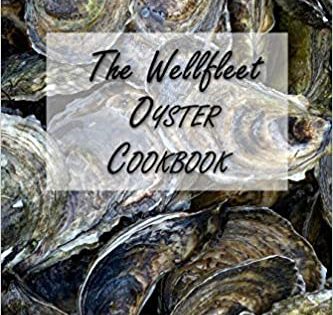
    For example, were I live, oysters plentiful and are some of the best in the world. My family eats a lot of oysters each summer and I thought it would be great to create a cookbook with just oyster recipes. It was so well received, it is now available on Amazon!

    You can buy a copy of The Wellfleet Oyster Cookbook by clicking on this link.

    Next, I plan on creating a BBQ mini cookbook and giving it out as gifts for Christmas to my friends and family.

    To create you own mini cookbook, go to the Production Center on your editor page and select “more cookbooks”. Here you can create your own mini cookbook and even import your recipes from your main cookbook using our recipe transfer tool.


    Bill Rice is Co-Publisher of the Great Family Cookbook Project, a website that helps families and individuals collect, preserve and share food memories by creating their own printed personal cookbooks. He is the author of The Wellfleet Oyster Cookbook (Available on Amazon) and the Cape Cod Cocktail Cookbook, both created using FamilyCookbookProject.com. He is also editor of the Donovan Family Cookbook, now it’s third printing.

    Follow Family Cookbook Project on Facebook, Instagram and Pinterest!

  • Recipe Development Journal Now Available

    Recipe Development Journal Now Available

    Are you the kind of person who likes to build a recipe from scratch while cooking? Or maybe take a dish you had in a restaurant and try to recreate it? Or maybe think back to your grandmother’s meatloaf recipe, that she never wrote down and you want to recreate? We have something to help.
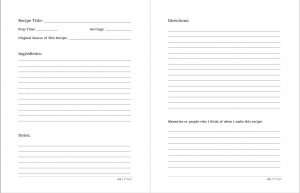
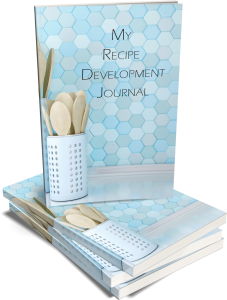
    The Family Cookbook Project Recipe Development Journal is now available on Amazon. It was designed to provide you with an organized place to develop and test your very own recipes before you enter them into your family cookbook.

    8.5″x11″ in size, each recipe is a two page spread with loads of space to add and cross out the details of your next great recipe. It has all of the fields of a Family Cookbook.com “Add a Recipe” form to make it easy to add to your cookbook when complete.

    • Recipe Title
    • Prep Time
    • Servings
    • Original Source of This Recipe
    • Ingredients
    • Notes
    • Directions
    • Memories or people who I think of when I make this recipe

    This Recipe Development Journal makes a great gift for friends and family or just get one for yourself this holiday season.


    Bill Rice is Founder and Co-Publisher of the Great Family Cookbook Project, a website that helps families and individuals collect, preserve and share food memories by creating their own printed personal cookbooks. He is the author of The Wellfleet Oyster Cookbook and the Cape Cod Cocktail Cookbook (Available on Amazon), both created using FamilyCookbookProject.com. He is also editor of the Donovan Family Cookbook, now it’s third printing and is an avid genealogist tracing his family back to the 1600’s.

    Follow Family Cookbook Project on Facebook, Instagram, Twitter and Pinterest!


  • Recipes Are More Than Cooking Instructions

    Recipes Are More Than Cooking Instructions

    Everybody knows that recipes help us make the dishes that we want to eat, however they can be so much more than just that.

    Behind every recipe you love is a story to be told.

    People love to learn more about a recipe before making it. How the recipe came to be, what things can be changed in it and why it is important in your life.

    At FamilyCookbookProject.com our recipe form includes a space for personal notes. These notes allow you to tell your recipe story to others who you’ll share it with.

    Here are some ideas of what you can put in the personal notes of a recipe:

    • How are you first came across the recipe period
    • When you first served the dish.
    • Ingredients that can be switched out to make it healthier without affecting the overall result.
    • Memories of other people serving this recipe before you.
    • Side dishes or other food that accompanies it well.

    So next time you enter a new recipe into FamilyCookbookProject.com, remember to share its story.


    Bill Rice is founder and Co-Publisher of the Great Family Cookbook Project, a website that helps families and individuals collect and share food memories through customized printed cookbooks filled with treasured recipes. Follow us on Facebook and Pinterest!

  • When To Use A Multi-Part Recipe

    When To Use A Multi-Part Recipe

    Have you ever had a cake recipe that really needed a specific frosting? Or a meat recipe that required a special sauce? Wouldn’t it be great if a a recipe could have sub recipes attached to keep them together?

    Many of our editors have asked for the ability to have multiple sections or steps in recipes. We like to listen and have added it! Now you can have up to 5 “sub” recipes or steps within a recipe, each with its own set of ingredients and directions. Example? You have Carrot Cake and you want a section for the “Cake” with its ingredients and directions, then “Cream Cheese Frosting” with another set of ingredients and directions.

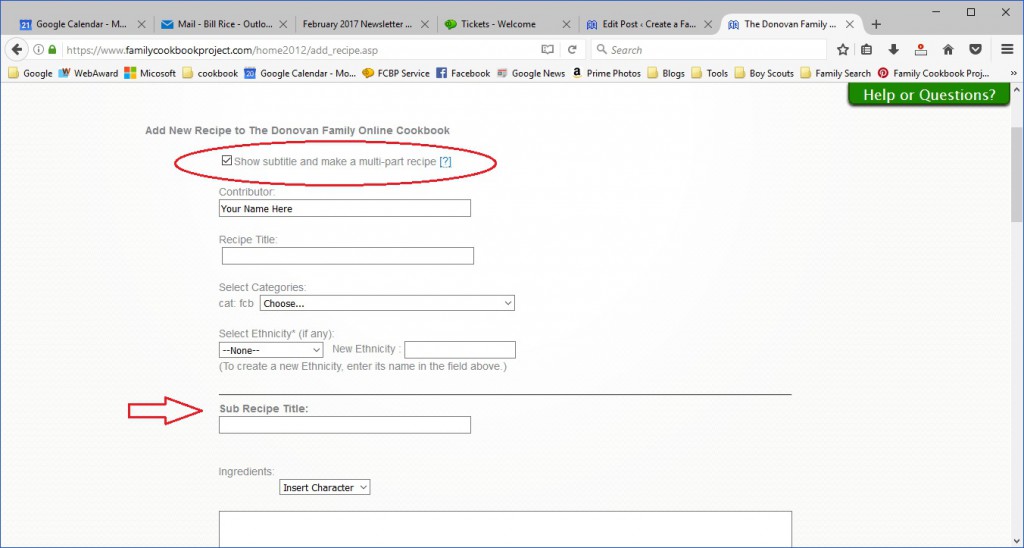
    To use this feature, simply go to Add Recipe or Edit an existing recipe. First check the box for “Show subtitle and make a multi-part recipe” right under the contributor field. This will add a field for sub-recipe title.

    Using our example above, here is where you would add your carrot cake ingredients and directions.

    Next, click on the green button to “Add new sub recipe”. This will add fields for a second set of sub recipe title, ingredients and directions for your Cream Cheese Frosting.

    You can add up to five sub recipes for your overall recipe.

    When you are done, make sure to click on the green button on the bottom of the page to save your recipe before moving on to your next recipe.


    Bill Rice is founder and Co-Publisher of the Great Family Cookbook Project, a website that helps families and individuals collect and share food memories through customized printed cookbooks filled with treasured recipes. Follow us on Facebook and Pinterest!

  • Unclutter Your Kitchen By Starting With Your Recipes

    Unclutter Your Kitchen By Starting With Your Recipes

    How many cookbooks do you have?

    For most of us can love to cook, collecting cookbooks is a fact of life. We are always looking for the next great recipe and publish cookbooks are often a great resource.

    However for many of us there are only a handful of go to recipes in any given cookbook. They sit in our kitchen, taking up space, waiting for the time we need to make that one recipe.

    Well here’s a way two clean out your kitchen from all those cookbooks and put those recipes into a single, easy to use source for your favorite cookbook recipes – a compilation cookbook.

    Since a premium membership with family cookbook project allows you to create multiple cookbooks at the same time, it is easy to create a special cookbook dedicated to the recipes that are in all of your other cookbooks.

    When adding the recipe to your compilation cookbook, you can use the contributor field to list the cookbook where you originally found the recipe.

    You should also be sure to mark your recipe private so it is not shared outside of your own cookbook account.

    Family cookbook project also offers a handy recipe transfer tool for when you want to move some of those compilation recipes into your main cookbook without having to type them a second time.

    Once you have entered your go to recipes into your compilation cookbook, you can then remove the original cookbook from your kitchen, freeing up space, and find a bookshelf somewhere else in the house where are you can collect your cookbooks without taking up kitchen space.


    Bill Rice is founder and Co-Publisher of the Great Family Cookbook Project, a website that helps families and individuals collect and share food memories through customized printed cookbooks filled with treasured recipes. Follow us on Facebook and Pinterest!

  • How To Create a Mini Cookbook

    Do you have a lot of recipes of a specific type? Maybe you love to make cookies or pies or cakes. You can create a “mini cookbook” to organize your recipes and even share with family and friends.

    With a few as 10 recipes, you can create a single category cookbook or multiple categories within a theme.

    For example, as the bartender for our family I am often asked what cocktails I can make. I show them my “Fabulous Family Cocktails” – a cookbook of 27 beverage recipes and let then choose what I can make for them.

    Around the holidays our “Family Cookie Recipes” cookbook comes in real handy when getting ready for a cookie swap!

    Next, I plan on creating a BBQ mini cookbook and giving it out as gifts for Christmas to my friends and family.

    To create you own mini cookbook, go to the Production Center on your editor page and select “more cookbooks”. Here you can create your own mini cookbook and even import your recipes from your main cookbook using our recipe transfer tool.


    Bill Rice is founder and Co-Publisher of the Great Family Cookbook Project, a website that helps families and individuals collect and share food memories through customized printed cookbooks filled with treasured recipes. Follow us on Facebook and Pinterest!

  • Using Custom Recipe Layouts in a Family Cookbook Project

    One of the things that we are most proud of at FamilyCookbookProject.com is the ability to give complete control of every aspect of making a cookbook to the project’s editor. We provide professionally designed options that are perfect for most people, but some have visions of something different.

    We have already covered creating custom categories and custom cookbook cover or recipe category dividers. This article will cover creating a custom cookbook recipe layouts.

    FamilyCookbookProject.com currently offers 19 pre-set recipe layouts that set three aspects of your recipes that are perfect for most editors:

    • Font type
    • Font size
    • Number of columns for ingredients

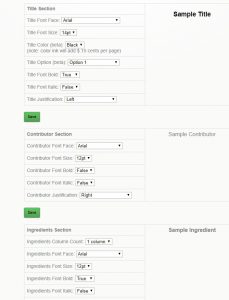
    However if you want something different, that is where custom Layouts come in. You can control each section independently – title, contributor name, ingredients, directions and personal notes.

    In addition to the font type, size and columns above, you also can control:

    • Bold text
    • Italic text
    • Justification of text
    • Label of the Comments Field

    This option is not for someone who does not have strong computer skills, but it can be very effective in displaying your recipes exactly how you wish them displayed.


    Bill Rice is founder and Co-Publisher of the Great Family Cookbook Project, a website that helps families and individuals collect and share food memories through customized printed cookbooks filled with treasured recipes. Follow us on Facebook and Pinterest!