Blog

  • How To Get Your Cookbook Ready To Print

    How To Get Your Cookbook Ready To Print

    So you’ve collected your recipes, entered them in the cookbook, written your introduction and made all of you are design selections. Now you’re ready to print your cookbook.

    Here are the steps you need to take to get your custom cookbook ready to be printed.

    Lock Your Cookbook

    The first step in getting ready to publish a cookbook is to go to the publishing center in your editors account and lock your cookbook. There are three levels of luck in your cookbook:

    • Level one locks contributors for new recipes.
    • Level two stops all changes by contributors. – Once you start editing, you don’t want people adding new recipes or changing things that you’ve already edited. Checking this box prevents this.
    • Level three locks the cookbook completely and now you’re ready to submit to print.

    Once you locked your cookbook from contributor changes (Level two), now is the time to read everything and check for typos.

    Proofread your introduction

    Print out your narrative and give it to someone else to read. Often it is difficult to proofread your own work and allowing someone else to do it will find things that you would mess.

    Review all of the recipes

    Look for ingredients that are listed but not included in the directions or ingredients in the directions that are not included in the ingredients list.

    Make sure the directions seem complete.

    Check the layout

    Go to the box that says preview your cookbook in the black navigation bar in your editors account. Here you can either download a PDF of your cookbook or use our 3-D preview tool.

    Here you are checking for how pages break. If you find a page with only a word or two, maybe you can shorten version directions to make that recipe just a little shorter.

    The changes you make here will determine how your cookbook will be printed. However it looks in your final PDF preview, is how it will look when your cookbook is printed.

    Place your order
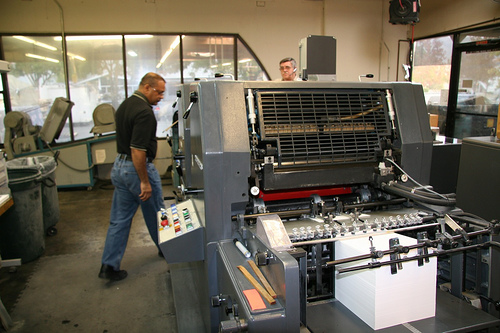
    Now that your cookbook looks exactly the way you want it, it’s time to order.

    On the ordering page you’ll see the number of recipes you’ve entered, and the number of pages in your cookbook. This is what will determine the cost of your cookbook along with the number of color photos.

    Remember that the more copies of your cookbook you are order, the less the price per book will be. This is because the set up charges are spread out over more copies of the cookbook.

    Once you’ve calculated your price, you need to enter your shipping address and click submit. This places your order with our publishing system. You then will be directed to a link that will allow you to pay online or you can send a check drawn on a US bank for payment.

    One frequent question is can cookbooks be sent to more than one address. Currently you would need to place an order for each delivery address.

    Once you’ve placed your order you can expect your cookbooks to arrive in 2 to 3 weeks. However during our busiest times of the year, it could take longer. if you want your cookbooks in time for Christmas, the deadline for ordering is November 30, however do not wait until the last minute if you can.


    Bill Rice is Founder and Co-Publisher of the Great Family Cookbook Project, a website that helps families and individuals collect, preserve and share food memories by creating their own printed personal cookbooks. He is the author of The Wellfleet Oyster Cookbook (Available on Amazon) and the Cape Cod Cocktail Cookbook, both created using FamilyCookbookProject.com. He is also editor of the Donovan Family Cookbook, now it’s third printing and is an avid genealogist tracing his family back to the 1600’s.

    Follow Family Cookbook Project on Facebook, Instagram, Twitter and Pinterest!


  • Cooking Up Support For A Good Cause

    Cooking Up Support For A Good Cause

    Fundraising is an important part of supporting the activities that make our communities vibrant. It might be to support a schools PTO/PTA program, and outreach program at your church, and eagle scout project, or to get new uniforms or equipment for a sports team, many groups need a little help to raise funds to reach a important goal.

    The problem is that doing the same fundraisers every year is draining on both the participants and the community supporting the project.

    That is why we created CookbookFundraiser.com, and innovative and profitable way to raise funds for your organization.

    Creating a fundraising cookbook allows the entire community to help support your project by both contributing recipes and purchasing the final product. You can even get local businesses to purchase advertising and cover the entire cost of your printing.

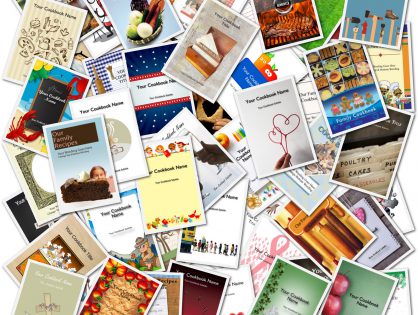
    Creating a fundraising cookbook is as simple as inviting your group to submit recipes, selecting a cover and design from our professionally designed covers or uploading your own, asking local businesses to contribute advertising, And distributing your finished product.

    To learn more about how to create a successful cookbook fundraiser, download our free cookbook fundraiser guide and create a free account on CookbookFundraiser.com to get started.


    Bill Rice is Founder and Co-Publisher of the Great Family Cookbook Project, a website that helps families and individuals collect, preserve and share food memories by creating their own printed personal cookbooks. He is the author of The Wellfleet Oyster Cookbook (Available on Amazon) and the Cape Cod Cocktail Cookbook, both created using FamilyCookbookProject.com. He is also editor of the Donovan Family Cookbook, now it’s third printing and is an avid genealogist tracing his family back to the 1600’s.

    Follow Family Cookbook Project on Facebook, Instagram, Twitter and Pinterest!

  • Favorite Gift of a Lifetime

    Favorite Gift of a Lifetime

    Cookbook Editor Rebecca Masinter sent us this wonderful photo.

    “I have attached a picture of our mother, Wanda Nicholson, with her cookbook. We presented it at her 90th birthday. It was absolutely her favorite gift of a lifetime. She is having so much fun signing the books and sending them to people. 

    Thank you for the patience and amazing platform to create this family legacy for her.”


    FamilyCookbookProject.com loves to hear from our cookbook editors with stories and photos of how their family cookbook made others happy.

    Please share your story with us as well at Feedback@FamilyCookbookProject.com


    Bill Rice is Founder and Co-Publisher of the Great Family Cookbook Project, a website that helps families and individuals collect, preserve and share food memories by creating their own printed personal cookbooks. He is the author of The Wellfleet Oyster Cookbook (Available on Amazon) and the Cape Cod Cocktail Cookbook, both created using FamilyCookbookProject.com. He is also editor of the Donovan Family Cookbook, now it’s third printing and is an avid genealogist tracing his family back to the 1600’s.

    Follow Family Cookbook Project on Facebook, Instagram, Twitter and Pinterest!

  • Help Us With A Review Of Family Cookbook Project

    Help Us With A Review Of Family Cookbook Project

    In the online world, customer reviews are one of the most powerful tools to help people who do not have experience with a product to find out if it might be right for them. Positive reviews can really make a difference in attracting new customer to Family Cookbook Project and we need your help.

    Would you kindly take a moment of your time and leave a positive review for us on the rating services below. This will help us attract new users to our site and allow us to continue to offer expanded services and programing to our existing customers.


    Thank you for your support.


    Bill Rice and Chip Lowell

    Publishers, Family Cookbook Project

  • Scary and Fun Halloween Recipes From Family Cookbook Project

    Scary and Fun Halloween Recipes From Family Cookbook Project

    Our Family Cookbook Editors have contributed more than 2.5 million recipes since FamilyCookbookProject.com started in 2004.  Most recipes are every day tried and true recipes that the family grew up with for generations. Some are specialty holiday recipes that only were made once a year.

    Here is an assortment of Halloween recipes for your to try with your family this October 31st. Click on the image to be taken to the recipe.


    Bill Rice is Co-Publisher of the Great Family Cookbook Project, a website that helps families and individuals collect, preserve and share food memories by creating their own printed personal cookbooks. He is the author of The Wellfleet Oyster Cookbook (Available on Amazon) and the Cape Cod Cocktail Cookbook, both created using FamilyCookbookProject.com. He is also editor of the Donovan Family Cookbook, now it’s third printing.

    Follow Family Cookbook Project on Facebook, Instagram and Pinterest!


  • Family Cookbook Project Introduces New Cover Editing Tool

    Family Cookbook Project Introduces New Cover Editing Tool

    FamilyCookbookProject.com offers a wide array of professionally designed cookbook covers for our editors to choose. Now you also have the ability to alter the cover text and the position of photos added to the cover.
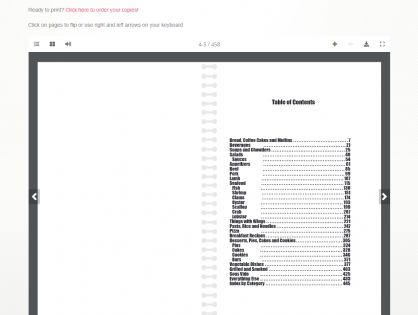

    You have full creative control on your cover text and photo layouts with the new Cover Arranger Tool.  Go to Layout & Design>Select Cover.  You’ll see a link/button for “Custom Cover Arranger Tool.”

    You will see your cover as it will look in your printed book, sized according to your settings on a layout screen.  You can edit your title and subtitle text, fonts and location.

    On the right side of the screen, select the cover item to “edit” in the drop down box.  You can move them around and resize them any way you’d like.  If you want your photos to retain their correct aspect ratio, check the little box on each photo’s lower left.  They can also be layered one on top of another.  You’ll see that when moving a photo, it automatically comes to the top/front of all others.  When done, click the “Save” button.

    You can also manage your cover photo settings on the right.  In the select box, choose “Picture”.  Click [Edit Photo] to set things like border style and color-B/W.  Those will be added normally in your printed book on the photos.

    If you wish to reset your cover text and photos to the default, check the boxes next to the Save button and click Save.

    Here is a video that shows how to use this new tool.

  • Why Your Cookbook Needs Blank Pages

    Why Your Cookbook Needs Blank Pages

    One of the questions we at FamilyCookbookProject.com get a lot is “Any way to remove blank pages that I will be charged for in printing?”

    While removing a few extra pages might save you a few pennies when printing, almost all blank pages are needed. In the publishing world, certain pages need to start on the right side of a two page layout.  The Table of Contents and Category Dividers are two examples of these types of pages that always are placed on the right side of a two page layout.

    If you run your preview and look at the 3D Preview, you’ll see that almost all blank pages are the end of sections to leave the new sections to start fresh.

    In terms of the recipes categories, if the last page of a recipe category is blank, that page was placed there so as to have the next category starts on the right page side. However, if you add additional recipes to that first section, the blank page may come and go depending on the number of recipes in the section.

    You have an option of adding a photo using the Cookbook Picture Manager or a custom page using the Custom Pages Tool to the “end” of any recipe section. That can help fill the blank page. However, if you have not finished the section and add/edit recipes, you may end up with a blank page after your photo/custom page, so wait until all of your recipes are added before considering adding any custom pages.

    Another way to eliminate blank pages on the back of recipes dividers is to include our “Helpful Tip” content on the back of the dividers or to add family photos and set the location in the Photo Manager Tool to the back of the divider.

    You also have the option to start the recipes on the back of the divider. This is done in the Layout and Design Center of your editors homepage. Select “Select Dividers” from the Frist Steps section and check the box for “Start recipes on divider back.” This is also where you can turn on and off “Helpful Tip”.


    Bill Rice is Co-Founder and Publisher of the Great Family Cookbook Project, a website that helps families and individuals collect, preserve and share food memories by creating their own printed personal cookbooks. He is the author of The Wellfleet Oyster Cookbook (Available on Amazon) and the Cape Cod Cocktail Cookbook, both created using FamilyCookbookProject.com. He is also editor of the Donovan Family Cookbook, now it’s third printing.

    Follow Family Cookbook Project on Facebook, Instagram and Pinterest!

  • Help Family Cookbook Project Share Our Love of Custom Cookbooks!

    Help Family Cookbook Project Share Our Love of Custom Cookbooks!

    Amazon.com is important to us for helping to build our online cookbook community. Having positive reviews helps us show up in more searches and results in more people making family cookbooks with us.

    Would you kindly take a moment of your time and leave a review on amazon.com for us if you have an account with them. You did not have to purchase your product there, you just had to be a user of Family Cookbook Project.

    It is very simple to leave a review on amazon.com. Simply click on this link.

    Amazon asks for an overall star rating between one and five with five being the best, a star rating on different attributes such as ease-of-use, a short written review detailing what you liked about the product and how satisfied you were with the product. Finally, it asks for a headline for your review. This is what people will see in bold when they go to the review section.

    Thank you for your help.

  • 2 Months Until The Nov 30th Christmas Print Deadline

    2 Months Until The Nov 30th Christmas Print Deadline

    This is just a reminder that if you are planning on having your cookbook printed in time for holiday gift giving, you have just 8 weeks until the Christmas Print Deadline of November 30th.
    If you place your paid order by Wednesday, November 30th, you will receive your printed cookbooks before Christmas.

    This is by far the busiest time of the year for us because a personalized cookbook makes such a wonderful thoughtful gift for family and friends.

    Orders are processed on a first come, first served basis, so don’t wait until the last minute. Get your print orders in as soon as possible and receive your cookbooks even sooner!

  • Happy Birthday Family Cookbook Project!

    Happy Birthday Family Cookbook Project!

    Since October 4, 2004, Family Cookbook Project has been helping families create personalize cookbooks to preserve their treasured recipes.

    It all started when my extended family was sitting around the dinner table on Cape Cod reminiscing about all of the food we loved growing up and wouldn’t it be great to have a cookbook that contained all of those cherished recipes. I designed a website that would allow family members from all over submit recipes and had my long-time friend Chip Lowell do the programming. It was a hit and that is how Family Cookbook Project started!

    Over the past 18 years, we have helped more than 98,000 editors create cookbooks with more than 315,000 contributors adding 2.51 million recipes! Our publishing platform has evolved as editors have asked for new functionality and Chip has found new software that makes designing easier to accomplish online.

    In 2010, we launched a sister site, CookbookFundraiser.com to help schools, churches, scout troops, sports teams and other charitable organizations raise needed funds by creating a community cookbook that can be sold for a profit. This site uses the same publishing system designed for FamilyCookbookProject.com, but provides additional tools for working with larger groups of contributors and adding advertising to their cookbook.

    To start your own customize cookbook visit familycookbookproject.com.


    Bill Rice is Co-Founder and Publisher of the Great Family Cookbook Project, a website that helps families and individuals collect, preserve and share food memories by creating their own printed personal cookbooks. He is the author of The Wellfleet Oyster Cookbook (Available on Amazon) and the Cape Cod Cocktail Cookbook, both created using FamilyCookbookProject.com. He is also editor of the Donovan Family Cookbook, now it’s third printing.

    Follow Family Cookbook Project on Facebook, Instagram and Pinterest!