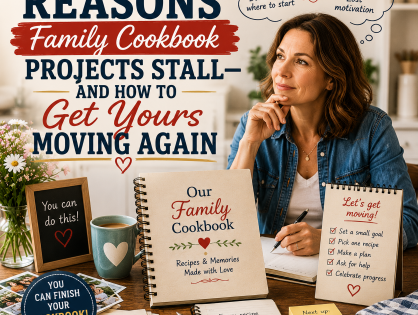
Every family cookbook begins with good intentions.
You picture the finished book. You imagine everyone’s favorite recipes in one place. You think about passing it around at the holidays, giving it as a gift, or setting it on the kitchen counter where it can finally be used instead of living in three drawers, two email folders, and one mysterious shoebox.
Then something happens.
The project slows down.
Then it stops.
And suddenly your family cookbook is sitting there like a gym membership in February. Full of promise. Quietly waiting. Not judging you, exactly, but also not printing itself.
If your cookbook project has stalled, you are not alone. It happens all the time. The good news? A stalled cookbook is not a failed cookbook. It is simply a project that needs a small push.
Let’s look at why cookbook projects stall and, more importantly, how to get yours moving again.
Quick Answer: Family cookbook projects usually stall because editors are waiting for more recipes, the project feels too large, typing recipes takes too long, photos are missing, or the editor is afraid of making mistakes. To restart, set a final recipe deadline, work in small batches, use recipe photos or the Smart Recipe Converter, choose a theme for this edition, and preview the cookbook.
Reason 1: You Were Waiting for “Just a Few More Recipes”
This may be the most common reason family cookbooks get stuck.
You have a good collection of recipes already, but you keep thinking, “I should wait until I get a few more.”
A few more from your sister. A few more from the cousins. A few more from Uncle Bob, who promised to send his barbecue sauce recipe in 2021 and has since entered witness protection, apparently.
Waiting for more recipes sounds reasonable. But it can keep your cookbook unfinished for months or years.
Here is the fix: set a final recipe deadline.
Send one friendly reminder to the people you still want to hear from. Give them a clear date. Then move forward.
You can say:
“I’m finishing the family cookbook and placing the first print order soon. Please send any final recipes by Friday if you want them included in this edition.”
Notice the magic words: this edition.
That takes the pressure off. You are not saying this is the only cookbook your family will ever make. You are saying this version is ready to finish.
And if someone sends a recipe later? Great. Add it to the next edition.
Reason 2: The Project Feels Too Big
 A family cookbook can start to feel huge.
There are recipes to add. Photos to find. Notes to write. Categories to organize. Names to check. Covers to choose. Suddenly, what started as a sweet family project feels like you accidentally volunteered to run a small country.
No wonder people stop.
Here is the fix: shrink the next step.
Do not think, “I need to finish the cookbook.”
Think:
“I need to review five recipes.”
Or:
“I need to add three missing recipes.”
Or:
“I need to choose a cover.”
Small steps work because they feel possible. And once you complete one, the next one feels easier.
Try working in short sessions. Set a timer for 20 minutes. Review or add what you can. Then stop.
That may sound too simple, but small bits of steady work can bring a cookbook back to life fast.
After all, most family recipes were not built in one giant leap either. They were built one spoonful, one pinch, and one “just add a little more” at a time.
Reason 3: Typing Recipes Took Too Long
Typing recipes can slow everything down.
If you have old recipe cards, printed pages, or handwritten notes, the idea of typing them all by hand may make you want to lie down quietly and rethink your hobbies.
But here is the good news: you do not have to do all that typing anymore.
FamilyCookbookProject.com’s Smart Recipe Converter makes it much easier to add recipes. You can upload a photo, scan, or screenshot of a recipe and turn it into editable text. This is especially helpful for stalled cookbook projects because old recipe cards, screenshots, and family recipe photos no longer have to sit in a folder waiting for someone to type them by hand.
That means you can take a picture of an old recipe card, upload it, review the converted recipe, make a few edits, and save it to your cookbook.
This tool can help with:
- Handwritten recipe cards
- Printed recipes
- Screenshots
- Typed recipe pages
- Recipes sent by family members as photos
- Old family recipe collections
You still need to review the recipe after conversion. Handwriting can be tricky, especially when someone wrote “1 tsp” like they were signing a doctor’s note. But the Smart Recipe Converter can save a lot of time and make finishing feel much easier.
Even better, you can ask family members to send photos of recipes instead of typing them.
That one change can make a big difference.
Try this:
“Please send a photo of your recipe card or printed recipe. I can add it to the cookbook from there.”
Simple. Easy. Much less likely to be ignored.
Reason 4: You Could Not Decide What to Include
Some cookbook projects stall because the editor gets stuck making decisions.
Should you include every recipe? Only family favorites? Should the store-bought cake mix recipe count? What about the one recipe nobody makes anymore but everyone remembers?
Decisions can pile up like dishes after Thanksgiving dinner.
Here is the fix: choose a theme for this edition.
Your cookbook does not have to be everything. It can be one clear thing.
For example:
- “Our Family Favorites”
- “Grandma’s Recipes”
- “Holiday Traditions”
- “Best Recipes from the Cousins”
- “Recipes for the Next Generation”
- “Comfort Foods We Love”
A theme gives you a filter. If a recipe fits the theme, include it. If it does not, save it for later.
And yes, the cake mix recipe can count if your family loves it. Family cookbooks are not cooking contests. No one is standing there with a tiny scorecard saying, “Technically, this begins with a boxed mix.”
If the recipe matters to your family, it belongs.
Reason 5: You Were Waiting for Better Photos
Photos add warmth to a family cookbook. They make the book feel personal. They help people remember the cook, the kitchen, the holiday, the table, and maybe the wallpaper nobody wants to discuss.
But photos can also become a roadblock.
You may think you need a photo for every recipe. Or you may want better scans of old pictures. Or you may keep waiting for someone to send that one perfect family photo.
Here is the fix: use what you have.
A cookbook does not need a photo on every page to be meaningful.
Use a few strong photos where they matter most. Add a picture of Grandma, a holiday table, a handwritten recipe card, a family reunion, or a finished dish. Even one or two photos in each section can add a lot of heart.
And remember: old photos do not need to look perfect. A slightly faded kitchen photo can carry more feeling than a perfect food photo from the internet.
Real beats perfect. Especially in a family cookbook.
Reason 6: You Were Afraid of Making a Mistake
This one sneaks up on people.
You may worry about typos. Missing ingredients. Wrong names. A recipe that does not look quite right. A family member who may point out that the famous “Aunt Joan’s Brownies” actually came from Aunt Jean.
These worries can stop the whole project.
Here is the fix: print one copy first.
You do not have to order copies for the whole family right away. Print one copy and review it in your hands.
A printed copy helps you see the cookbook in a new way. You can flip through it, mark any small changes, and decide what to adjust before ordering more.
This makes the final step feel safer.
And honestly, even if a tiny mistake slips through, your family will still love the book. They are not looking for a flawless publishing masterpiece. They are looking for the recipes they remember.
They want the cookies. The soup. The Sunday sauce. The pie.
They are not going to reject the cookbook because a comma wandered off.
Reason 7: You Forgot How Much It Matters
Sometimes a cookbook project stalls because the emotional fuel runs low.
You start strong, then the project becomes a task. The meaning gets buried under details.
So pause and remember why you started.
You wanted to save recipes that matter. You wanted to honor the people who made them. You wanted to help the next generation cook the foods that taste like family.
That is a wonderful reason to finish.
A printed cookbook is more than a stack of recipes. It is a gift. It is a family record. It is a way to say, “These meals mattered. These people mattered. These memories are worth keeping.”
When someone opens the cookbook and sees a recipe in a loved one’s name, it means something.
When a child or grandchild makes that recipe years from now, it means even more.
That is worth finishing.
What Counts as a Finished Family Cookbook?
A family cookbook can be finished when it has:
- A meaningful title
- The most important family recipes
- Clear recipe categories
- Recipes that are readable and complete
- A cover you like
- A few family photos or recipe stories
- A final preview
A Simple Restart Plan
Here is an easy way to get your cookbook moving again.
First, log in and review what you already have. Do not edit yet. Just look.
Next, make a short list of what is missing. Keep it to the recipes that matter most.
Then use the Smart Recipe Converter to add recipe cards, printed pages, screenshots, or photos without typing everything from scratch.
After that, organize your categories and add a few personal notes if you want.
Finally, preview the cookbook and print one copy.
That is it.
No giant plan. No family committee. No waiting until every recipe in the known universe has been collected.
Just one step, then the next.
Your Stalled Cookbook Is Still Worth Finishing
A stalled family cookbook is not a sign that you failed. It is a sign that life got busy.
That happens. Life is very good at being life.
But the recipes are still there. The memories still matter. The people you wanted to honor are still worth honoring.
And with tools like the Smart Recipe Converter, adding the last few recipes can be much easier than it used to be.
So open the project again. Take a look. Add a recipe. Review a section. Pick a print date.
Your cookbook does not need another year of waiting.
It needs one small step.
Then another.
Before you know it, you will hold the finished cookbook in your hands and wonder why it felt so hard to get started again.
And when that happens, go ahead and smile.
Maybe even celebrate with one of the recipes inside.
Family Cookbook Restart Checklist
- Log in and review what you already have.
- Count the recipes already entered.
- Make a short list of the most important missing recipes.
- Send one final recipe reminder with a deadline.
- Ask relatives to send recipe photos instead of typed recipes.
- Use the Smart Recipe Converter for recipe cards, screenshots, and printed recipes.
- Choose a theme for this edition.
- Add a few meaningful photos, not one for every recipe.
- Preview the cookbook.
Ready to get your family cookbook moving again? Log in to FamilyCookbookProject.com, review what you already have, add one missing recipe, use the Smart Recipe Converter for recipe cards or photos, and take the next small step toward printing your finished cookbook.
Bill Rice is Founder and Co-Publisher of the Family Cookbook Project, the leading online cookbook publisher with a website that helps families and individuals collect, preserve and share food memories by creating their own printed custom cookbooks. He is the author of The Wellfleet Oyster Cookbook and the Cape Cod Cocktail Cookbook (Available on Amazon), both created using FamilyCookbookProject.com. He is also editor of the Donovan Family Cookbook, now its third printing and is an avid genealogist tracing his family back to the 1600’s.
Follow Family Cookbook Project on Facebook, Instagram, X (Twitter) TikTok, YouTube and Pinterest!
Frequently Asked Questions About Stalled Family Cookbook Projects
Why do family cookbook projects stall?
Family cookbook projects often stall because editors are waiting for more recipes, the project feels too big, typing recipes takes too long, photos are missing, or the editor is worried about making mistakes before printing.
How do I restart an unfinished family cookbook?
Start by reviewing what you already have. Then make a short list of missing recipes, set a final recipe deadline, add recipes in small batches, preview the cookbook, and print one copy.
What if family members have not sent their recipes?
Send one final reminder with a clear deadline. Ask relatives to send a photo of a recipe card or printed recipe instead of asking them to type everything.
Do I need every family recipe before printing?
No. A family cookbook can be printed as “this edition.” Late recipes can always be added to a future edition.
What is the fastest way to add old recipe cards?
Take clear photos or scans of the recipe cards and use the Smart Recipe Converter to turn them into editable text. Always review the converted recipe before saving it.