
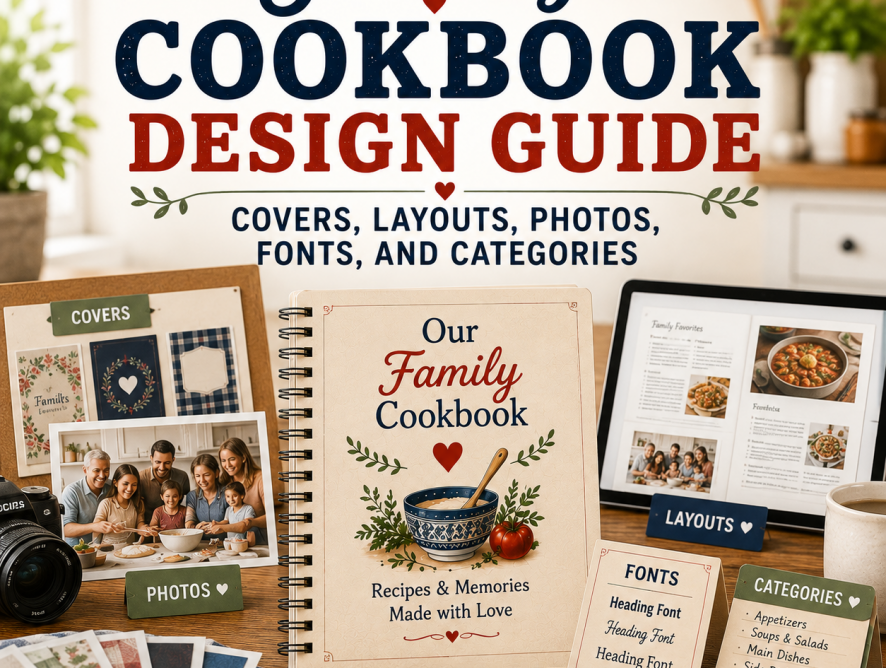
A family cookbook should be beautiful, personal, and easy to use. Good cookbook design is not about making every page complicated. It is about helping recipes look clear, organized, readable, and inviting while still reflecting the personality of your family.
The most important design choices include your cover, title, recipe categories, dividers, page layout, typefaces, photos, table of contents, and recipe formatting. These choices help readers find recipes quickly and make the finished cookbook feel like a keepsake.
Family Cookbook Project gives editors access to professionally designed covers and layouts, while also allowing custom options for families who want more control. That combination is important: users can create something polished without needing professional design skills.
Quick Answer: To design a family cookbook, choose a cover that matches the cookbook’s purpose, write a meaningful title, organize recipes into clear categories, select readable fonts, use a consistent recipe layout, add photos that support the story, review the full book before printing, and consider how design choices affect page count and cost.
Choose a Cookbook Cover That Tells the Story
The cover is the first thing people see, so it should match the purpose of the cookbook. A heritage cookbook might use a family tree design, an old family photo, or a collage. A BBQ cookbook might use grilling imagery. A wedding cookbook might feature the couple.
Take a look at Customizing Your Family Cookbook Cover, which explains how editors can use professionally designed options or create a more personalized custom cover and Family Cookbook Project Introduces New Cover Editing Tool, which explains how editors can adjust cover text, fonts, and photo placement using the Cover Arranger Tool.
For a broader design-thinking article, review Judging a Cookbook By Its Cover.
Write a Meaningful Cookbook Title
A strong title helps define the cookbook’s purpose. Titles can be practical, emotional, funny, or family-specific. Examples include “Recipes from Our Family Tree,” “Grandma’s Kitchen,” “The Johnson Family Cookbook,” or “Three Generations at the Table.”
For themed cookbook inspiration, check out Turn Local Flavor Into a Legacy: Create a Regional Cookbook for Family and Friends, Grill Master’s Guide: Why Every BBQ Enthusiast Needs Their Own Cookbook, and Sweet Success: How to Create and Share Your Favorite Dessert Recipes.
Use Recipe Categories That Make Sense
Categories are the backbone of a usable cookbook. Default categories work well for many families, but custom categories help make the cookbook more personal.
Learn more at Customizing Your Family Cookbook Recipe Categories, which explains that Family Cookbook Project provides basic categories but also allows editors to create custom categories for dessert cookbooks, family-member sections, or other specialty formats and also Organizing Your Recipes in Your Family Cookbook, which should become one of the core support articles for this entire design pillar.
Choose a Readable Recipe Layout
Recipe layout affects how easy the cookbook is to use in the kitchen. The layout controls title style, ingredient formatting, directions, comments, columns, and photo placement. Keep readability first. Decorative fonts can be attractive, but ingredients and directions should be easy to read while cooking.
See Recipe Layout Tool Upgrade on FamilyCookbookProject.com, which explains that the recipe layout tool controls the size and font of titles, ingredients, directions, comments, columns, and photo placement.
For info on our newest layout, see Side-by-Side Recipe Layout Now Available, which explains the layout option that places ingredients and directions beside each other.
Select Fonts and Typefaces Carefully
Fonts help set the personality of the cookbook, but they should never get in the way of readability. Use decorative fonts sparingly for titles or section headings, and choose clear fonts for ingredients and directions.
See 5 New Typefaces Available for Recipe Layouts in this section, and Recipe Layout Tool Upgrade on FamilyCookbookProject.com.
Add Photos With Purpose
Photos make a cookbook more personal and visually interesting. Use finished dish photos, family photos, old kitchen photos, reunion photos, wedding photos, and scanned recipe cards. Photos should support the story of the cookbook, not simply fill space.
For heritage cookbooks, see Genealogy and Culinary Heritage: Creating a Family Cookbook for Future Generations. For recipe-card preservation, see How Family Recipes Help Genealogists Bring Ancestors to Life.
For examples of event cookbooks, see How To Make A Bridal Shower Cookbook.
Review the Full Cookbook Before Printing
Before printing, review the cookbook as a complete book. Look for inconsistent formatting, missing photos, category issues, blank pages, recipes that run too long, and readability problems.
Learn more at How To Get Your Cookbook Ready To Print, Removing Blank Pages From Your Family Cookbook, and Why Your Cookbook Needs Blank Pages.
Design Choices Can Also Affect Printing Cost
Design is not just about appearance. Layout choices can affect page count and printing cost. Large fonts, extra spacing, photos, and recipe length can increase page count.
Check out How Much Does Printing a Family Cookbook Cost? and Pro Tip: Space Saving Options To Lower Printing Cost, which explains that page count is one of the largest factors in final printing cost.
Common Family Cookbook Design Mistakes to Avoid
- Choosing a cover that does not match the cookbook theme.
- Using decorative fonts for ingredients or directions.
- Creating too many recipe categories.
- Using photos that are too dark, blurry, or unrelated.
- Forgetting to preview the full cookbook before printing.
- Making recipe titles inconsistent.
- Using large fonts or extra spacing without realizing it can increase page count.
- Forgetting that a cookbook needs to be easy to use while cooking.
You do not need to be a designer to create a beautiful family cookbook. Choose a cover, organize your recipes, add photos, and let Family Cookbook Project help turn your recipes into a polished printed book.
Bill Rice is Founder and Co-Publisher of the Family Cookbook Project, the leading online cookbook publisher with a website that helps families and individuals collect, preserve and share food memories by creating their own printed custom cookbooks. He is the author of The Wellfleet Oyster Cookbook and the Cape Cod Cocktail Cookbook (Available on Amazon), both created using FamilyCookbookProject.com. He is also editor of the Donovan Family Cookbook, now its third printing and is an avid genealogist tracing his family back to the 1600’s.
Follow Family Cookbook Project on Facebook, Instagram, Twitter TikTok, YouTube and Pinterest!
Frequently Asked Questions About Family Cookbook Design
How do I design a family cookbook?
Start by choosing a meaningful cover, writing a clear title, organizing recipes into categories, selecting readable fonts, choosing a consistent recipe layout, adding photos, and reviewing the full cookbook before printing.
What should be on the cover of a family cookbook?
A family cookbook cover can include a family photo, old recipe card, family tree, favorite dish, reunion photo, wedding image, or design that matches the cookbook’s theme.
What are the best fonts for a cookbook?
The best cookbook fonts are easy to read. Decorative fonts can work for titles or section headings, but ingredients and directions should use clear fonts that are readable while cooking.
How should recipes be organized in a family cookbook?
Most family cookbooks organize recipes by category, such as appetizers, main dishes, side dishes, desserts, breakfast, holidays, or family favorites. Some cookbooks organize recipes by contributor, family branch, or special event.
Should a family cookbook include photos?
Yes. Photos can make a cookbook more personal, especially when they show finished dishes, family gatherings, old kitchens, recipe cards, or relatives connected to the recipes.
How does cookbook design affect printing cost?
Design choices such as font size, spacing, photo placement, and recipe layout can affect page count. Since page count influences printing cost, it is helpful to review the layout before ordering.