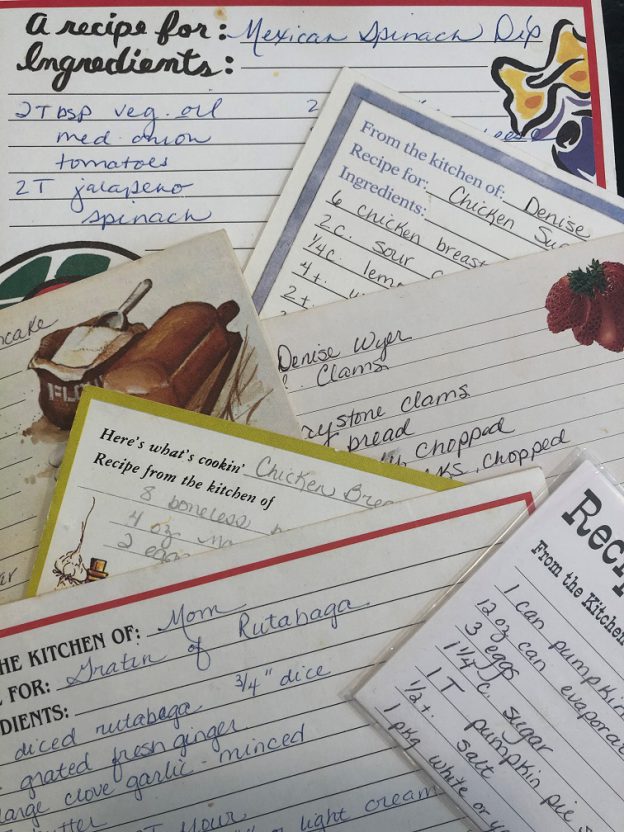
Blog

  • We Did It! A Cookbook Editor’s Story

    We Did It! A Cookbook Editor’s Story

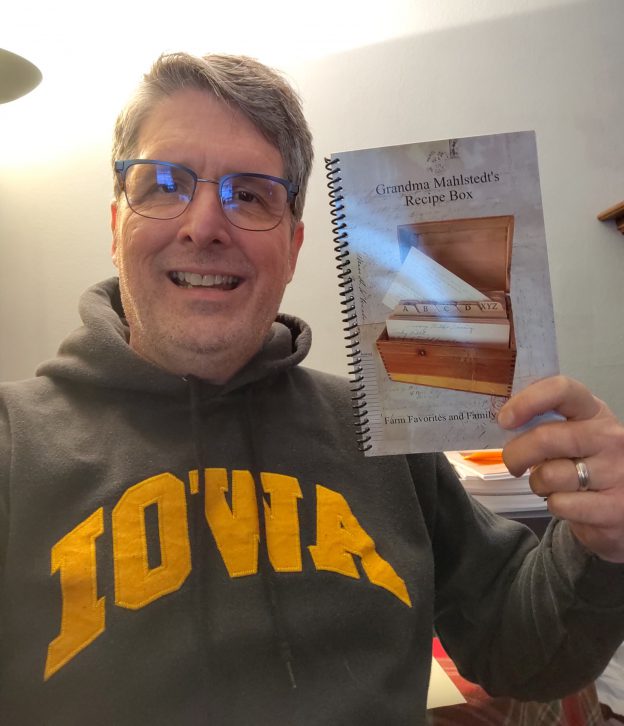
    We did it. Started this project the end of August 2020. Took a break over Dec, then finalized things in Jan. Placed our order and received them by mid Feb.

    This was so easy and fun to do. I put together another family cookbook in 2004 and all I had was Microsoft Word. Then I was at the mercy of some guy at the Xerox store to copy and bind a book for me, not knowing what it would look like till it was done.

    Using FamilyCookbookProject.com made this a breeze. Being able to see what the book would look like while we were creating it really helped to visualize the final product. Being able to add our own pictures as well as genealogy family charts help to make this a family heirloom that generations will enjoy.

    If I had a suggestion it would be to have more editing abilities with photos. What I mean is, being able to add multiple individual pictures on a single page. I was only able to accomplish this by putting multiple pictures on a blank Microsoft word document, and then creating a JPEG file from that document. While it did work, it wasn’t very convenient.

    We are all very pleased with the final product that was created. Now it’s just a matter of handing them out to family members and sharing the memories. thank you

    Cheers!

    Kevin
    Grandma Mahlstedt’s Recipe Box


    Thanks for sharing Kevin! And by the way, we are working on creating a more flexible photo layout tool that should be announced in the near future.


    Bill Rice is founder and Co-Publisher of the Great Family Cookbook Project, a website that helps families and individuals collect and share food memories through customized printed cookbooks filled with treasured recipes. Follow us on Facebook and Pinterest!


  • 2022 Mrs. Blum’s Recipe Contest

    2022 Mrs. Blum’s Recipe Contest

    2022 MRS. BLUM’S RECIPE CONTEST

    An outdoor picnic is a wonderful way to share a meal with family and friends…and sometimes an ant or two.

    Our contest theme this year is “Picnic in the Park”. Think back on the best picnic you’ve ever had and submit your favorite recipe that would be ideal to serve.

    The grand champion will be notified by June 1, 2022.

    Please remember, one recipe per reader – more than one, will disqualify all. We also ask when you send in your entry, make sure you include your name, a phone number, measurements with your ingredients, as well as complete instructions on making that favorite recipe. Be sure and write clearly – if we can’t read it, we can’t test it. Originality counts – no recipes that have been published or from an internet website, please.

    Send your recipe to:
    Blum’s Farmer’s and Planter’s Almanac
    3301 Healy Drive
    Winston-Salem, NC 27103

    or email to recipes@blumsalmanac.com

    Entry Deadline: April 1, 2022

    How To Enter

    Contest Rules

    Grand Prize – $500.00


  • FamilyCookbookProject.com In the News

    FamilyCookbookProject.com In the News

    Increasingly, more websites are finding out about FamilyCookbookProject.com and writing about their experiences with creating their own family cookbook using our website. Here are some recent articles you might enjoy.

    Preserving Cherished Food Memories with a Family Cookbook – This is a guest post by Family Cookbook Project founder Bill Rice on the website Nothing But Net Nanny, a social blog that will offer a fun, inspirational and even self-deprecating take on aging, retirement and fitness…or lack thereof

    HOW TO CREATE A CUSTOM FAMILY COOKBOOK THE EASY WAY – All Things with Purpose is a creative lifestyle blog started by Sarah Kemp as a place to share DIY tutorials, tips, money saving advice and homeschooling resources. She created her own family cookbook and wrote about the experience.


    What if You Could Have Just One Cookbook? Wouldn’t That Make You Happy?– Shea Hulse’s Realize Your Natural Potential is another website blogger who started a family cookbook and loved is so much she wrote about the experience on her website.

    Create a personalised family cookbook filled with your own recipes – Eat Simply is a top rated food blog in the United Kingdom and she writes about her experiences with FamilyCookbookProject.co.uk, the UK version of our site.


    Please visit these website and check out the articles.

  • Advanced Photo Arranger Tool Announced for FamilyCookbookProject.com

    Advanced Photo Arranger Tool Announced for FamilyCookbookProject.com

    Photos are such an important part of any good personal cookbook. They help to bring the food to life and show family members enjoying time together.

    The vast majority of cookbook publishers today only allow a single image per recipe and it is always in the same position.

    FamilyCookbookProject.com has just announced an industry leading upgrade that allows you to control multiple photos and images on a recipe to get them to look just right for your cookbook.

    As part of the Recipe Layout Tool, you can set a global photo position. There are six options:

    • On top/before the recipe
    • On to with a fade
    • After recipe title
    • Right of the ingredients
    • Left of the ingredients
    • After the personal notes/end of recipe

    By default, recipes photos are “stacked” one after another down the page in the order determined in the settings. When you edit a recipe with a photo, you will see seven different standard positions that the photo will be located as part of that recipe layout. If you need even finer control, you can select the Custom Photo Arranger Tool to precisely set the location on the page of that particular recipe.

    If there are multiple photos, you can build a collage and allow the photos to overlap, set the order and change size of each photo.

    The new collage arrangement will be positioned based on your global or unique recipe position.  The exception is Right/Left of Ingredients.  That will always use the “stacked” look down the ingredients column.

    You also have the option to generate a pop-up preview to see exactly how the images and text will look on the printed recipe page with a single click.

    Below is a video tutorial to show you how to use the new photo placement tools.


    Bill Rice is founder and Co-Publisher of the Great Family Cookbook Project, a website that helps families and individuals collect and share food memories through customized printed cookbooks filled with treasured recipes. Follow us on Facebook and Pinterest!

  • A fun Idea For Your Family Reunion Cookbook

    A fun Idea For Your Family Reunion Cookbook


    Family reunions are a great opportunity to create a family cookbook and get lots of people to participate. A family reunion cookbook motivates family members to communicate before the event and helps get everyone excited!

    We have hundred’s of family reunion cookbooks under our belts and we’d love to work on yours. Our site is perfect for communicating with larger groups of family members via email and keeping everyone motivated.

    Here is a fun idea for your Family Reunion Cookbook – a family directory section!

    Here’s how to do it:

    • Start by creating a custom recipe category entitled “Family Members”.
    • Next, add your family member’s names and email addresses into the invitation tool so you can invite them to participate and directly add recipes and bios to your cookbook account.
    • Next ask everyone to use the add a recipe tool and have them enter their name as the title of the recipe, Their photo as the recipe photo and their bio as the personal notes. They can leave everything else blank and all of the bios will be together in one section in the back of the book.

    You might want to also include a family tree so everyone knows how each other is related.

    The other way to create a family directory would be to have everyone email you their info and photo and you create custom pages for each one.

    Family members can even pick up the cookbooks at the reunion!


    Bill Rice is founder and Co-Publisher of the Great Family Cookbook Project, a website that helps families and individuals collect and share food memories through customized printed cookbooks filled with treasured recipes. Follow us on Facebook and Pinterest!

  • Recipe Layout Tool Upgrade on FamilyCookbookProject.com

    Recipe Layout Tool Upgrade on FamilyCookbookProject.com

    Family Cookbook Project is pleased to announce a major upgrade to the Recipe Layout Tool within FamilyCookbookProject.com

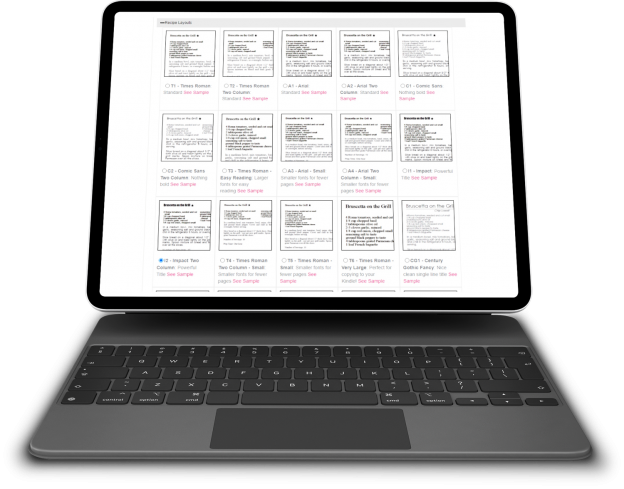
    The recipe layout is what formats the design of the recipes within the cookbook. When you add a recipe, you are only adding the data. It is the recipe format tool that takes that data and organizes it into a well-designed recipe consistent throughout the cookbook.

    The recipe layout controls the size and font of the recipe title, ingredients, directions and comments. It can also allow for one or two columns of text in the ingredients to save space.

    Finally, it determines where any photo will be displayed if there is one attached to the recipe.

    Here are some of the major changes:

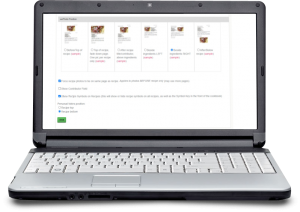
    Side by side viewing – The first thing you will notice when you select the Recipe Layout tool is the ability to see all of the options as thumbnails without having to click a pop-up link for each. The options are now laid out like the covers and dividers allowing you to see them all side by side. You can click on the thumbnail for a pop-up window full-sized view.

    Recipe Level Layout – We have always forced all of the recipes to be in the same layout for consistency within the cookbook. However sometimes you need the text just a little smaller so it will fit on a page. Or a recipe is very special and you want to highlight it. Now you can. Each recipe edit page now contains an option to change the layout for that one recipe. We recommend using this sparingly. We also offer a global reset button to get all of the recipes reset back to the original layout if needed. You can also choose the recipe photo position uniquely for any recipe – which also has a reset option incase things get to “messy”.

    Custom Layout Import – Custom Recipe Layout can import settings from any static layout we offer as a starting point and then you can change as aspect of that layout to fit your needs.

    Photo Positions – We have increased the number of places a photo can appear on a recipe than just above the title and at the end of the recipe. There are four new positions for photos:  After Title/before Ingredients; Top of recipe fade out (1 pic only); Left or Right side of Ingredients. The Recipe Layout Tool also shows you these options side-by-side. You can select your recipe photo position like the layouts above. You’ll see them listed with thumbnail views. Simply click the button to use one and save.


    Bill Rice is founder and Co-Publisher of the Great Family Cookbook Project, a website that helps families and individuals collect and share food memories through customized printed cookbooks filled with treasured recipes. Follow us on Facebook and Pinterest!

  • Introducing New BBQ Cookbook Covers

    Introducing New BBQ Cookbook Covers

    Both Chip and I, the two founders of Family CookbookProject.com, love to grill, smoke and BBQ. Cooking meat, seafood and veggies outside is kind of a guy thing (even though I know women that are excellent pitmasters!).

    I was working on a new cookbook for my family featuring my favorite BBQ recipes and I did not find a cover that I really liked ever though we have a great library of cookbook covers to choose from.

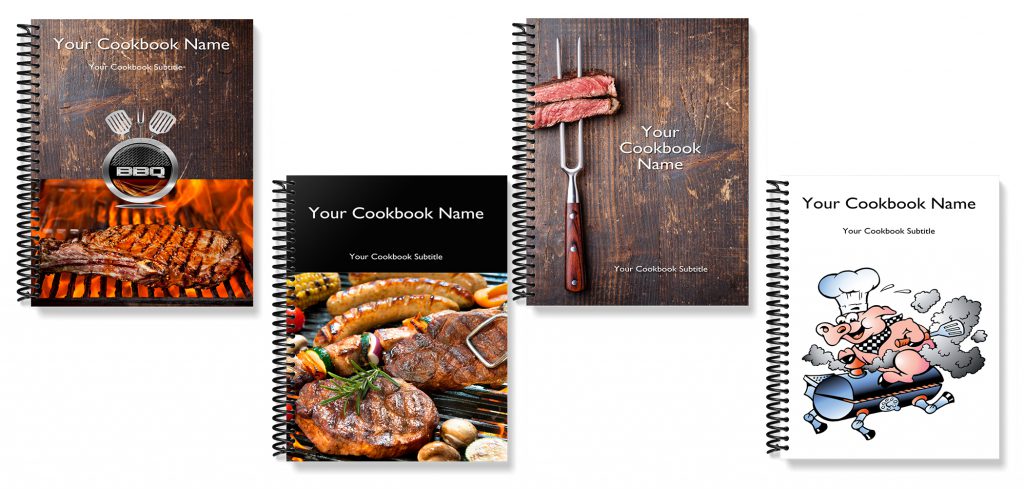
    So I had our professional designer come up with a series of cookbook covers that I loved so much that we are making them available to all of our cookbook editors to use.

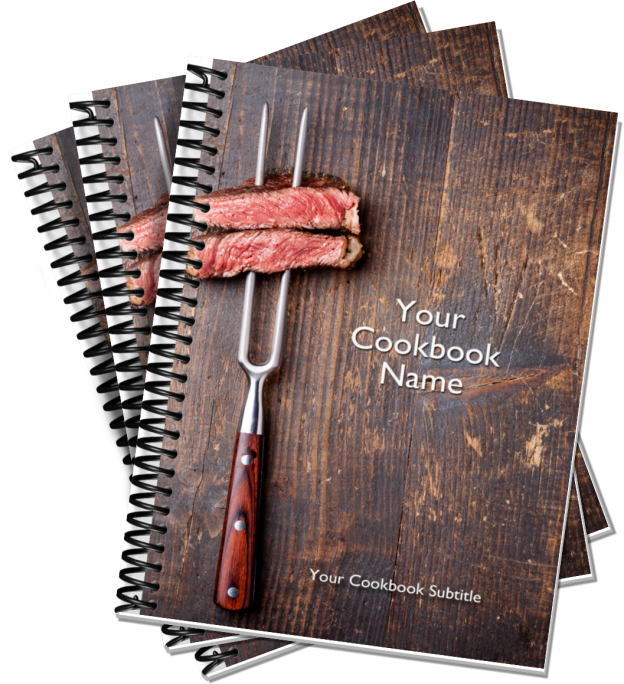
    Here are the new BBQ Cookbook covers:

    If you are interested in BBQ and great BBQ recipes, be sure to join our Facebook BBQ Recipe group.

    On Pinterest, we have two boards Food Guys Love and Family BBQ and Grilling Recipes to check out and follow.

    Finally, here is a fun video we created for the BBQ community.


    Bill Rice is founder and Co-Publisher of the Great Family Cookbook Project, a website that helps families and individuals collect and share food memories through customized printed cookbooks filled with treasured recipes. Follow us on Facebook and Pinterest!


  • 6 Way to Enter Your Recipes into a Family Cookbook

    6 Way to Enter Your Recipes into a Family Cookbook

    It’s true, the hardest thing about working with FamilyCookbokProject.com is getting all of our beloved recipes entered into the system so we can create a one of a kind cookbook for family and friends.

    You have several options when you want to enter a recipe into your own recipe book.

    Here are some of my favorite:

    Typing – This is straight forward. You open the Add A Recipe form and use your keyboard to type in the recipe and click on the save button (don’t forget the last part!).

    Other People Typing – One of the features that makes FamilyCookbookProject.com unique is that we make it easy to invite others to contribute recipes to your cookbook so you don’t have to do all of the work. Use the invitation tool and have others submit recipes that you can then edit. It’s a great way to build a family cookbook and brings everyone together.

    Cut and Paste – If you already have many of your recipes in a text format, like in a Word document, you can cut and paste the recipes into the form. This also works when you find a recipe on a website and you’d like to include it in your cookbook.

    Here’s how: Simply highlight all the ingredients in your source document and hold down the Ctrl key while pressing the “C” key on your keyboard. Next go to “add a new recipe” in your family cookbook site. Click in the ingredients box and now hold the Ctrl key while pressing the “v” key. This pastes what you have copied into the field. Repeat for title, directions and notes and you are done!

    Import a recipe from a website – We have created a tool to import recipes from some websites. However, it does not always work because every website is different in the way it lays out its recipes.

    From your quick start editors menu, click on the Recipe Center button. There you will find a link to “Import Recipes from another website”. This will allow you to take the URL from the recipe page and try to import it into your cookbook. If that does not work, you can cut and past the ingredients and directions into a new recipe page which is very easy to do.

    Dictate recipes – If you don’t like to type, you can also talk your recipes into text form that can be cut and pasted into the Add A Recipe form. To see how to do this, see the recent blog post How to Dictate a Recipe Into Your Family Cookbook Project.
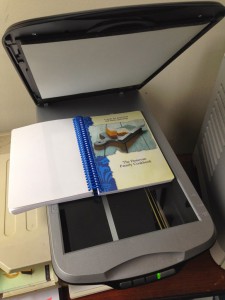
    Use a photo – One of the most asked questions we get is “How can I scan a recipe and use it in my cookbook?”

    If you have a recipe box or collection of recipes that you would like to scan and use as your recipes in a family cookbook, it can be done. However, a problem with scanned or photographed recipes is that the system can not read the text to create titles and indexes and other parts of the cookbook. The computer just sees them as photos.

    So you have two options:

    You can include the scanned images as photos attached to recipes that you have typed into the system. This preserved the original form of  the recipe card and makes the recipe highly readable.

    Second, you can upload the recipe card image on the Add A Recipe form as the recipe itself and just type the recipe title and contributor name. This saves typing and you get to use the image as the entire recipe. You can add personal notes if you want.

    So however you get your recipes enter your recipes into FamilyCookbookProject.com, it is the first step to creating what will certainly be a treasured family heirloom to be passed down to future generations.


    Bill Rice is founder and Co-Publisher of the Great Family Cookbook Project, a website that helps families and individuals collect and share food memories through customized printed cookbooks filled with treasured recipes. Follow us on Facebook and Pinterest!

     

  • How to Convert iPhone Photos for Use In Family Cookbook

    How to Convert iPhone Photos for Use In Family Cookbook

    Apple is always trying to be seen as innovated, such as introducing “live photos” that seem to move when you view them on your phone or iPad. To accomplish this, they created a new image format called HEIC (High Efficiency Image File Format) that was rolled out in 2017.

    Family Cookbook Project (and most web sites) accept JPG photos only.  If you are having issues with photos not uploading correctly, check to see if the file format on your Mac is HEIC.  That is Apple’s compressed format.  The good news is that it’s easy to convert to JPG.

    Here’s how to convert HEIC to JPG on Mac using Preview:

    1. Open any HEIC image in Preview.
    2. Click File ➙ Export in the menu bar.
    3. Select JPG in the format dropdown and adjust other settings as needed.
    4. Choose Save.

    Here’s how to convert HEIC to JPG on PC using Microsoft Paint:

    1. Open the file in Paint
    2. Go to File>Save As>JPEG picture
    3. Click Save.
  • How to Make a One-Of-A-Kind Wedding Cookbook

    How to Make a One-Of-A-Kind Wedding Cookbook

    Here’s an idea for a truly unique wedding gift for a special couple – a printed cookbook filled with the bride and groom’s favorite family recipes and photos. It’s a great way to bring both families together before the wedding, makes a wonderful bridal shower theme, can be used as a wedding favor and gets the new couple cooking with family favorite recipes.

    Here’s how to create your own wedding cookbook:

    It starts with a bridal shower.

    One thing every new bride to be needs is great recipes to feed her family, especially with everyone needing to stay at home so much more these days. Both families as well as friends can help get this started by contributing recipes as part of a bridal shower!

    When you send out your bridal shower invitations, include a link to your FamilyCookbookProject.com cookbook, use the Invitation Tool and add everyone’s email. This will send everyone a link that will allow them to contribute their recipes. Set a deadline for entering recipes about three weeks from when the invitations are sent. Remember people will always wait until the deadline!

    Get both of the mother’s to contribute the most recipes if possible. This way both the bride and groom with have lots of recipes that they grew up with in their cookbook. Using Family Cookbook Project’s Custom Categories Tool, you can even create a special category for each mom’s recipes.

    As the recipes are being entered, start planning how the cookbook will look.

    Select a cover – Family Cookbook Project offers several cookbook covers specifically for bridal cookbooks or wedding cookbooks. You also can create a custom cover with the name of the cookbook and a photo of the couple.

    Write an introduction – The best bridal cookbooks will have an introduction written by the individuals giving the bridal shower. An introduction can be used wish the couple well wishes and to talk about the importance of family.

    Add Photos – Photos can help bring your cookbook to life. You can add photos of the lucky couple on top of recipes, or create custom pages to highlight photos of the bride and groom as they were growing up and while they were dating.

    Print your cookbook – Make sure you give yourself enough time to order your cookbooks and have them printed, at least 3-4 weeks if possible. Be sure to order enough copies for each attendee as well as several extra copies for family members that can not attend the event.

    For the event, make some of the dishes from bridal cookbook and serve them at the event. Include a place card with the dish name and include the page number from the cookbook.

    Finally, if you are looking for a great wedding favor, you can print additional cookbooks and give them to everyone attending the wedding!


    Bill Rice is founder and Co-Publisher of the Great Family Cookbook Project, a website that helps families and individuals collect and share food memories through customized printed cookbooks filled with treasured recipes. Follow us on Facebook and Pinterest!