
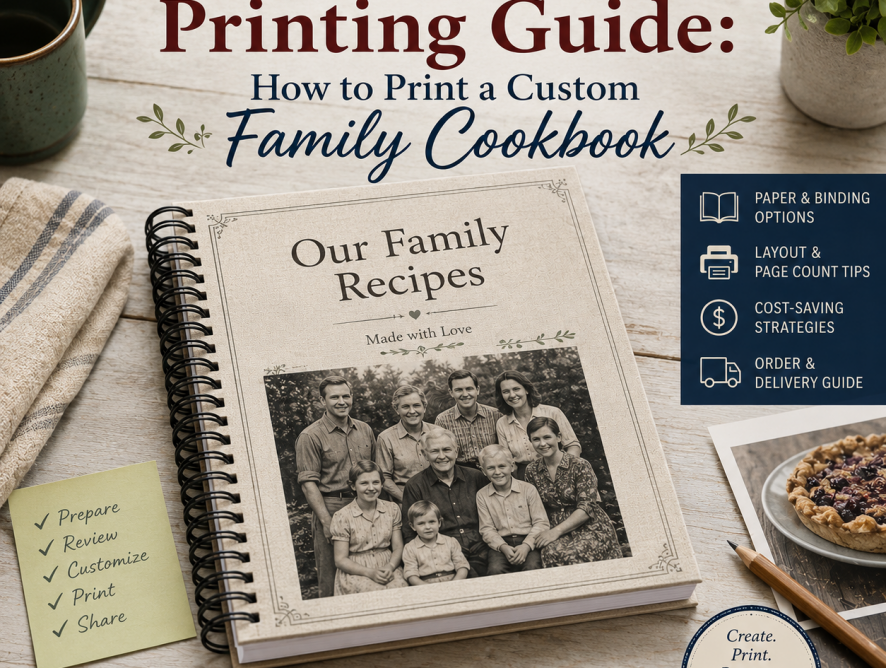
Printing your family cookbook is the exciting final step that turns recipes, stories, and photos into a keepsake your family can hold, cook from, and share. This cookbook printing guide explains how to prepare your book for printing, choose size and binding, understand page count and cost, proofread carefully, and decide whether to order professionally printed copies, print locally, or download a PDF for self-printing.
Cookbook printing is the final step of turning recipes, photos, stories, and layout choices into a physical cookbook.
Before printing, however, it is important to review the cookbook carefully. Recipe titles, ingredient lists, directions, contributor names, categories, photos, page layouts, and introductions should all be checked before placing an order.
Printing cost is also affected by page count, layout choices, photos, recipe length, and formatting. A few smart design decisions can reduce page count without removing meaningful recipes. Family Cookbook Project includes tools and settings that help editors prepare their cookbook for printing and manage the final cost.
Quick Answer: To print a custom family cookbook, finish entering recipes, organize categories, preview the full book, proofread recipes and photos, choose size, paper, binding, and cover options, estimate printing cost based on page count and quantity, then order printed copies or download a high-resolution PDF for local or self-printing.
Review Every Recipe Before Printing
Check each recipe for missing ingredients, incomplete directions, spelling mistakes, unclear measurements, and formatting problems. A good rule is to have someone else proofread the cookbook because editors often miss mistakes in their own work.
Cookbook Printing Proof Checklist
Before placing your final order, check:
- Cookbook title spelling
- Cover image quality
- Contributor names
- Recipe titles
- Missing ingredients
- Ingredients listed but not used in directions
- Directions that mention missing ingredients
- Oven temperatures
- Cooking times
- Serving sizes
- Category order
- Table of contents
- Index
- Photo placement
- Photo quality
- Blank pages
- Dedication and acknowledgments
- Page numbers
- Shipping address
- Quantity ordered
Check out How To Get Your Cookbook Ready To Print, 6 Ways to Enter Your Recipes into a Family Cookbook, How to Dictate a Recipe Into Your Family Cookbook Project, and How to Create a Multi-Part Recipe for more information on this topic.
 Check Contributor Names and Recipe Stories
Contributor names are part of what makes a family cookbook special. Make sure names are spelled consistently and that recipe notes or stories are included where appropriate. These details matter because they help preserve family memory along with the recipe itself.
For families still collecting final contributions, link to Tips for Collecting and Organizing Recipes from Multiple Family Members. For more emotionally focused projects, link to Genealogy and Culinary Heritage: Creating a Family Cookbook for Future Generations.
Understand What Affects Printing Cost
The cost to print a family cookbook depends mainly on page count, quantity, size, paper, binding, photos, cover options, and shipping. Page count is one of the biggest drivers of cookbook printing cost. Longer recipes, larger fonts, extra spacing, photos, divider pages, and custom pages can all increase the total number of pages. Before printing, preview your cookbook and look for ways to keep the book attractive while avoiding unnecessary page growth.
Cookbook printing cost is usually affected by:
- Number of pages
- Number of copies ordered
- Cookbook size
- Paper type
- Binding type
- Color photos
- Cover options
- Lamination
- Shipping
- Recipe length and layout choices
Check out How Much Does Printing a Family Cookbook Cost?, which explains that final cost is determined by the number of pages when the cookbook is sent to print and that editors can get a quote in the Publishing Center.
Also see Lowering the cost of printing your cookbook, which reinforces that page count is a major cost factor.
Use Space-Saving Layout Options
Editors can often reduce page count without deleting recipes. The right formatting choices can make the cookbook more efficient while still keeping it attractive and easy to read.
Read Pro Tip: Space Saving Options To Lower Printing Cost, which explains that page count has a major impact on cost and that formatting changes can help reduce the number of printed pages.
Also see Recipe Layout Tool Upgrade on FamilyCookbookProject.com, Side-by-Side Recipe Layout Now Available, and 5 New Typefaces Available for Recipe Layouts.
Review Photos Before Printing
Photos should be clear, properly placed, and meaningful. Review recipe photos, family photos, scanned recipe cards, and cover images before printing. Low-resolution images may not print as well as they appear on screen, so this is especially important for custom covers and divider pages.
Check out Customizing Your Family Cookbook Cover and Family Cookbook Project Introduces New Cover Editing Tool. For photo placement inside the recipe pages, see Recipe Layout Tool Upgrade on FamilyCookbookProject.com.
Why Blank Pages May Appear Before Printing
Some blank pages are part of proper cookbook layout. For example, the table of contents and category dividers may need to begin on the right-hand page. Before removing or filling blank pages, review whether they are serving a layout purpose.
See Removing Blank Pages From Your Family Cookbook and Why Your Cookbook Needs Blank Pages to explain the balance between reducing cost and maintaining proper book layout.
Decide How Many Recipes to Include
A cookbook does not have to include every recipe in the family archive. Editors should balance sentimental value, usefulness, page count, and cost.
Read How Many Recipes Should My Cookbook Have? and How Many Recipes Does My Cookbook Need? which notes that larger cookbooks can be impressive, but printing cost is related to the number of pages, so editors need to balance recipe quantity and quality.
Design Choices That Affect Printing
A beautiful cookbook does not need to be crowded, but it also does not need to waste space. Preview your cookbook and choose a layout that balances readability, appearance, and printing cost.
Design choices that may increase page count include:
- Large fonts
- Extra spacing
- Long recipe introductions
- Many photos
- Full-page divider images
- Custom pages
- One recipe per page layouts
- Long recipe directions
Plan Around Deadlines
If the cookbook is intended for Christmas, Mother’s Day, a reunion, wedding, or other event, build in extra time for proofreading, ordering, printing, shipping, and unexpected edits.
If your cookbook is a holiday gift, work backward from the date you need it in hand. Leave time to finish recipes, proofread, order, print, ship, and wrap the books. For Christmas gifts, remind editors early that waiting until the last minute can create stress, especially if they want contributors to submit missing recipes. This is FamilyCookbookProject.com‘s busiest time of the year and cookbooks are printed on a first come for served basis, so first movers get their cookbooks sooner.
Before your recipes become a printed cookbook, take time to review, proofread, and choose the best print options for your family. Family Cookbook Project makes it easy to turn your finished cookbook into printed copies everyone can enjoy.
Ready to print your family cookbook? Start at FamilyCookbookProject.com, preview your book, check every recipe and photo, choose your printing options, and order professionally printed copies your family can enjoy for years.
Bill Rice is Founder and Co-Publisher of the Family Cookbook Project, the leading online cookbook publisher with a website that helps families and individuals collect, preserve and share food memories by creating their own printed custom cookbooks. He is the author of The Wellfleet Oyster Cookbook and the Cape Cod Cocktail Cookbook (Available on Amazon), both created using FamilyCookbookProject.com. He is also editor of the Donovan Family Cookbook, now its third printing and is an avid genealogist tracing his family back to the 1600’s.
Follow Family Cookbook Project on Facebook, Instagram, Twitter TikTok, YouTube and Pinterest!
Frequently Asked Questions About Cookbook Printing
How do I print a family cookbook?
Finish entering recipes, preview the cookbook, proofread carefully, choose size and binding, estimate printing cost, then order printed copies or download a high-resolution PDF for local or self-printing.
How much does it cost to print a family cookbook?
Cookbook printing cost depends on page count, quantity, cookbook size, paper type, binding, photos, cover options, lamination, and shipping. Family Cookbook Project’s pricing page notes that most cookbooks average about two recipes per page.
Can I print only one cookbook?
Yes. Family Cookbook Project’s pricing page says the minimum print order is one copy.
Can I print my cookbook somewhere else?
Yes. Family Cookbook Project allows paid members to download a high-resolution PDF that can be taken to a local printer.
Why does my cookbook have blank pages?
Some blank pages are intentional so sections such as the table of contents or category dividers can start on the right-hand page.
What is the deadline for printing cookbooks for Christmas?
Family Cookbook Project’s usually sets November 30 as the Christmas delivery deadline and recommends allowing 2–3 weeks to receive professionally printed cookbooks during other times of the year.