
Month: August 2022

  • Fundraising Is A Fact Of Life

    Fundraising Is A Fact Of Life

    Fund Raising with cookbooksFundraising is a fact of life for many organizations. People in the community love to help a good cause however often get tired of the same fundraisers year after year.

    One new way that many churches schools and nonprofit organizations are raising funds is with a cookbook fundraiser.

    A cookbook fundraiser can be very profitable and a fun community event that creates a valuable community cookbook that will be remembered for a long time.

    Using a website, like cookbookfundraiser.com, makes it easy to gather recipes and design a beautiful cookbook including recipe layouts and indexes.

    Here are tips for creating a cookbook fundraiser from cookbookfundraiser.com:

    1. Establish an editor and or committee to manage the cookbook process. The editor and committee are responsible for the design of the cookbook.
    2. use your traditional communication tools to invite individuals in your community to contribute recipes to your cookbook. Allow them two I had their recipes online so your editor doesn’t have to do it for that.
    3. Set a deadline for submitting recipes about a month out. People will always procrastinate to the last moment so giving them more time will just delay the project.
    4. Increase your profits by including advertising in your cookbook. Local businesses love to support good causes and are willing to place small space adds in fundraising cookbooks. You can more than double your profit I including ads in your cookbooks.
    5. When your cookbook is printed, go back to everyone who contributed recipes and get them to purchase your cookbook. Also remind them that cookbooks make great Christmas gifts!

    A successful Cookbook Project can bring a community together for a common cause. Many memorable events center around food and a cookbook will be well received.


    Bill Rice is Co-Publisher of the Great Family Cookbook Project and CookbookFundraiser.com, website that helps families and organizations collect and share food memories by creating their own printed personal cookbooks. Follow us on Facebook, Instagram and Pinterest!
  • How To Not Type Your Recipes Into A Family Cookbook

    How To Not Type Your Recipes Into A Family Cookbook

    It’s true, the hardest thing about working with FamilyCookbokProject.com is getting all of our beloved recipes entered into the system so we can create a one of a kind cookbook for family and friends.

    You have several options when you want to enter a recipe into your own recipe book.

    Here are some of my favorite:

    Typing – This is straight forward. You open the Add A Recipe form and use your keyboard to type in the recipe and click on the save button (don’t forget the last part!).

    Other People Typing – One of the features that makes FamilyCookbookProject.com unique is that we make it easy to invite others to contribute recipes to your cookbook so you don’t have to do all of the work. Use the invitation tool and have others submit recipes that you can then edit. It’s a great way to build a family cookbook and brings everyone together.

    Cut and Paste – If you already have many of your recipes in a text format, like in a Word document, you can cut and paste the recipes into the form. This also works when you find a recipe on a website and you’d like to include it in your cookbook.

    Here’s how: Simply highlight all the ingredients in your source document and hold down the Ctrl key while pressing the “C” key on your keyboard. Next go to “add a new recipe” in your family cookbook site. Click in the ingredients box and now hold the Ctrl key while pressing the “v” key. This pastes what you have copied into the field. Repeat for title, directions and notes and you are done!

    Import a recipe from a website – We have created a tool to import recipes from some websites. However, it does not always work because every website is different in the way it lays out its recipes.

    From your quick start editors menu, click on the Recipe Center button. There you will find a link to “Import Recipes from another website”. This will allow you to take the URL from the recipe page and try to import it into your cookbook. If that does not work, you can cut and past the ingredients and directions into a new recipe page which is very easy to do.

    Dictate recipes – If you don’t like to type, you can also talk your recipes into text form that can be cut and pasted into the Add A Recipe form. To see how to do this, see the recent blog post How to Dictate a Recipe Into Your Family Cookbook Project.

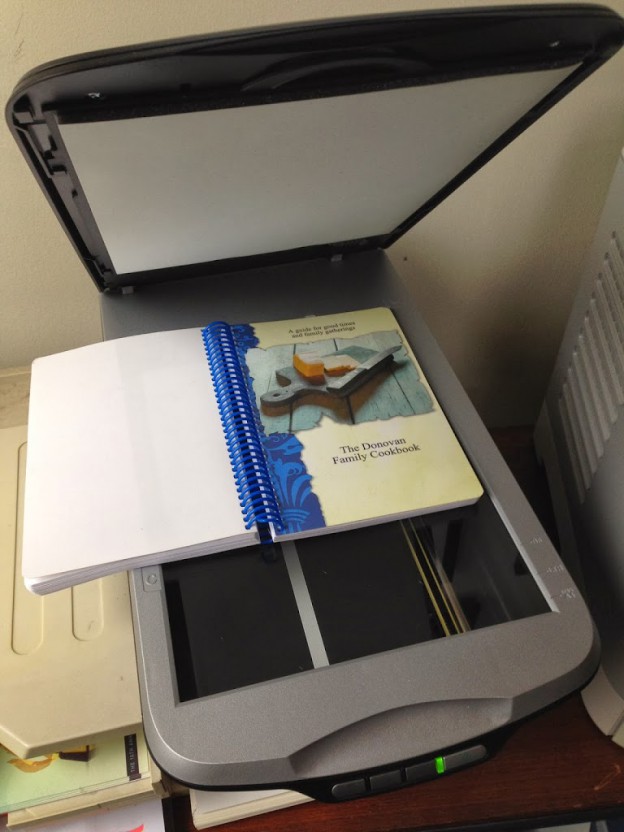
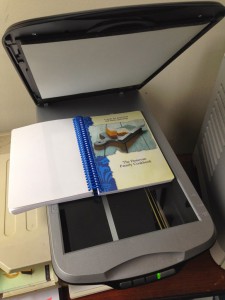
    Use a photo – One of the most asked questions we get is “How can I scan a recipe and use it in my cookbook?”
    If you have a recipe box or collection of recipes that you would like to scan and use as your recipes in a family cookbook, it can be done. However, a problem with scanned or photographed recipes is that the system can not read the text to create titles and indexes and other parts of the cookbook. The computer just sees them as photos.

    So you have two options:

    You can include the scanned images as photos attached to recipes that you have typed into the system. This preserved the original form of  the recipe card and makes the recipe highly readable.

    Second, you can upload the recipe card image on the Add A Recipe form as the recipe itself and just type the recipe title and contributor name. This saves typing and you get to use the image as the entire recipe. You can add personal notes if you want.

    So however you get your recipes enter your recipes into FamilyCookbookProject.com, it is the first step to creating what will certainly be a treasured family heirloom to be passed down to future generations.


    Bill Rice is Co-Publisher of the Great Family Cookbook Project, a website that helps families and individuals collect, preserve and share food memories by creating their own printed personal cookbooks. He is the author of The Wellfleet Oyster Cookbook (Available on Amazon) and the Cape Cod Cocktail Cookbook, both created using FamilyCookbookProject.com. He is also editor of the Donovan Family Cookbook, now it’s third printing.

    Follow Family Cookbook Project on Facebook, Instagram and Pinterest!


  • Getting Started: Step By Step Instructions To Create Your Perfect Family Cookbook

    Getting Started: Step By Step Instructions To Create Your Perfect Family Cookbook

    Be getting the process of creating your own personal cookbook may seem daunting at first, especially if your computer skills are not strong.

    However if you just take things step-by-step you’ll be done before you know it.

    Here is a step-by-step list of the things you need to accomplish to create your own printed family cookbook.

    Step One: Establish Your Account –  Creating an account on FamilyCookbookProject.com is fairly straightforward and only takes a few minutes. Answer a few questions and you’re ready to go.

    Step Two: Enter Recipes –  The first thing you should do once your account is established is to enter some recipes into the system. This will show you how easy it is to type the recipe in. If you have already typed your recipes into a word processing document, like Microsoft Word, you can actually cut and paste your recipes directly into the add a recipe form. You can also add photos to some of the recipes to make them pop off the page.

    Step Three: Get Some Help – If you are creating a personal cookbook and not a family cookbook, you can skip this step. To add contributors to your cookbook you need to have their name and email address. Go to the ad a contributor section and enter the name and email there. When you push the blue invite button, they will receive an email message asking them to submit recipes. You can personalize the message you sent them if you wish.

    Step Four: Pick A Cookbook Cover – FamilyCookbookProject.com offers more than 50 professionally designed cookbook covers for you to choose from. In the design center, select cookbook cover and choose the cookbook cover that you like best. Don’t worry you can always change your cover up until you place your print order. You can also create you own design and upload it if you wish. (Hint: This can be moved to any step you wish as it can be done at any time! This is also when you will pick your category dividers.

    Step Five: Pick Your Recipe Layout – The recipe layout dictates how all of your recipes will be laid out on the page, including size, tight face and other features. At anytime, you can select a new layout and see how the recipes will look. You can also change the recipes layout for an individual recipe to make it better fit on a page.

    Step Six: Consider Adding White Space Filler -You can choose to add helpful hints and white space filler to your cookbook. Helpful hints will appear on the backside of your dividers. White space filler are quotes or graphics that will be added to the bottom of recipes if there is enough white space. They add a nice touch to any cookbook.

    Step Seven: Write An Introduction – Many people like to include a forward or dedication in their cookbook. This can be used to write about why the editor created the cookbook, memories of people past, or the general importance of food in the family. Dissection can also be used to think people helped make the cookbook happen. If you choose, you can also leave out this section.

    Step Eight: Lock And Edit Your Cookbook – If you have others contributing to your cookbook, you can lock the content so no new recipes are added while you are getting the cookbook ready to be printed. You can download a PDF of your cookbook and see how each page will look. If you see something you want to change, simply go to that recipe in the system, make the change and create a new PDF.

    Step Nine: Place Your Print Order – In the Production Center, you can enter how many cookbooks you want to order and the system will provide you with a quote based on the number of pages in your cookbook and the number of color photos. Once your order is placed and paid for, the cookbooks are moved into production and will be shipped directly to you in as little as 2-3 weeks (although around the holidays it get much busier so plan ahead).


  • Follow Family Cookbook Project On Social Media

    Follow Family Cookbook Project On Social Media

    Family Cookbook Project is not simply a cookbook Publisher, it’s a community where individuals and families gather and share recipes and food memories.

    We have created a system that makes it easy to gather and publish your family food traditions. However we also try to give valuable advice on how to make your cookbook better, how to create better recipes and even how to better understand cooking.

    There are many ways to learn how to build a better cookbook. Here are just some of the ways you can follow us on social media.

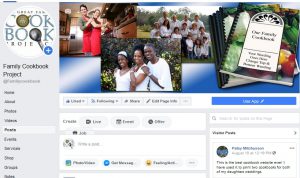
    Facebook

    Follow us on Facebook to get interesting recipes from our editors, ideas to improve your cookbook and general cooking tips.

    We also have specific pages created for barbecue recipes and cookie recipes, be sure to follow those pages if they are of interest.

    Pinterest

    Cooking and recipes are one of the largest categories being shared on Pinterest today and Family Cookbook Project has 18 different boards filled with great recipes and cooking tips and ways to improve your cookbook. Some of the more interesting recipe categories include Food Guys Like, Recipes from Around the World, Let-us Eat Salad, Big Shrimp Recipes and even What’s for Breakfast.

    Instagram

    Family Cookbook Project on Instagram is new to Instagram and will be sharing recipes and tips on this platform as well.

    Twitter

    If you don’t follow any of the other social media platforms then you will find us at Twitter with the same great information. Follow the hashtag #familycookbookproject

    YouTube

    Our newest entrance into social media is on YouTube where we post interesting videos on how to use Family Cookbook Project’s various online tools to create the perfect family recipe book that you can be proud of.


    Bill Rice is Co-Publisher of the Great Family Cookbook Project, a website that helps families and individuals collect and share food memories by creating their own printed personal cookbooks. Follow us on Facebook, Instagram and Pinterest!

  • Cooking Up Support For A Good Idea

    Cooking Up Support For A Good Idea

    Fundraising is an important part of supporting the activities that make our communities vibrant. It might be to support a schools PTO/PTA program, and outreach program at your church, and eagle scout project, or to get new uniforms or equipment for a sports team, many groups need a little help to raise funds to reach a important goal.

    The problem is that doing the same fundraisers every year is draining on both the participants and the community supporting the project.

    That is why we created cookbookfundraiser.com, and innovative and profitable way to raise funds for your organization.

    Creating a fundraising cookbook allows the entire community to help support your project by both contributing recipes and purchasing the final product. You can even get local businesses to purchase advertising and cover the entire cost of your printing.

    Creating a fundraising cookbook is as simple as inviting your group to submit recipes, selecting a cover and design from our professionally designed covers or uploading your own, asking local businesses to contribute advertising, And distributing your finished product.

    To learn more about how to create a successful cookbook fundraiser, download our free cookbook fundraiser guide and create a free account on cookbookfundraiser.com to get started.


    Bill Rice is Co-Publisher of the Great Family Cookbook Project and CookbookFundraiser.com, websites that helps families and organizations collect and share food memories by creating their own printed personal cookbooks. Follow us on Facebook, Instagram and Pinterest!